You're on a product page with your cursor hovering between Medium and Large. The garment looks straightforward, the brand's chart looks precise, and yet the numbers don't tell you whether the fabric will pull at your shoulders, gap at your waist, or run short through the body. You make a cautious guess, place the order, and prepare for the possibility of a return.
A height weight clothing size calculator can reduce that uncertainty, but it can't remove the underlying problem. Height and weight are useful starting inputs, not a universal fit formula. This guide explains the math behind these calculators, why two people with the same measurements can need different sizes, which garment categories need extra body data, and when a body-shape model or virtual try-on makes more sense. For retailers, that distinction matters because checkout hesitation is part of the wider conversion experience covered in this step-by-step CRO playbook.
Table of Contents
- Why Sizing Still Feels Like Guesswork at Checkout
- A Short History of How We Got Here
- How a Height Weight Clothing Size Calculator Actually Works
- Where Height and Weight Inputs Quietly Break Down
- Which Extra Inputs Fix Which Garment Categories
- Calculator vs Body Shape vs Virtual Try On
- Practical Next Steps and Common Questions
Why Sizing Still Feels Like Guesswork at Checkout
A size label looks objective because it's printed on a chart. In practice, it's a compressed description of a garment made for a particular cut, fabric, market, and customer profile. A Medium in a relaxed cotton tee doesn't represent the same physical space as a Medium in a compression top, fitted dress, or structured jacket.
The first mistake shoppers make is treating the label as the measurement. The label is only the output. The useful information sits behind it, in the garment's chest, waist, hip, shoulder, sleeve, rise, and inseam dimensions. If a brand displays only generic body ranges, the shopper has to infer how those ranges translate to the actual product.
That inference creates a familiar checkout gamble:
- Size down, and the garment may look sharper but restrict movement.
- Size up, and the shopper may avoid tightness while accepting excess fabric.
- Choose the usual size, and the result depends on whether this brand's “usual” resembles the last brand purchased.
A calculator helps by turning a few personal inputs into a more consistent first recommendation. It's especially useful when a retailer has a large catalog and shoppers move between products quickly. But a calculator should communicate confidence and limitations, rather than presenting one label as an unquestionable answer.
Practical rule: A size recommendation should answer “which option should I try first?” It shouldn't claim “this is the one universal size for your body.”
The correct upgrade path is incremental. Start with height and weight for a fast estimate, add measurements that match the garment's fit risks, then use virtual try-on when visual drape or silhouette matters. That approach respects what shoppers experience instead of asking a two-variable formula to solve a three-dimensional problem.
A Short History of How We Got Here
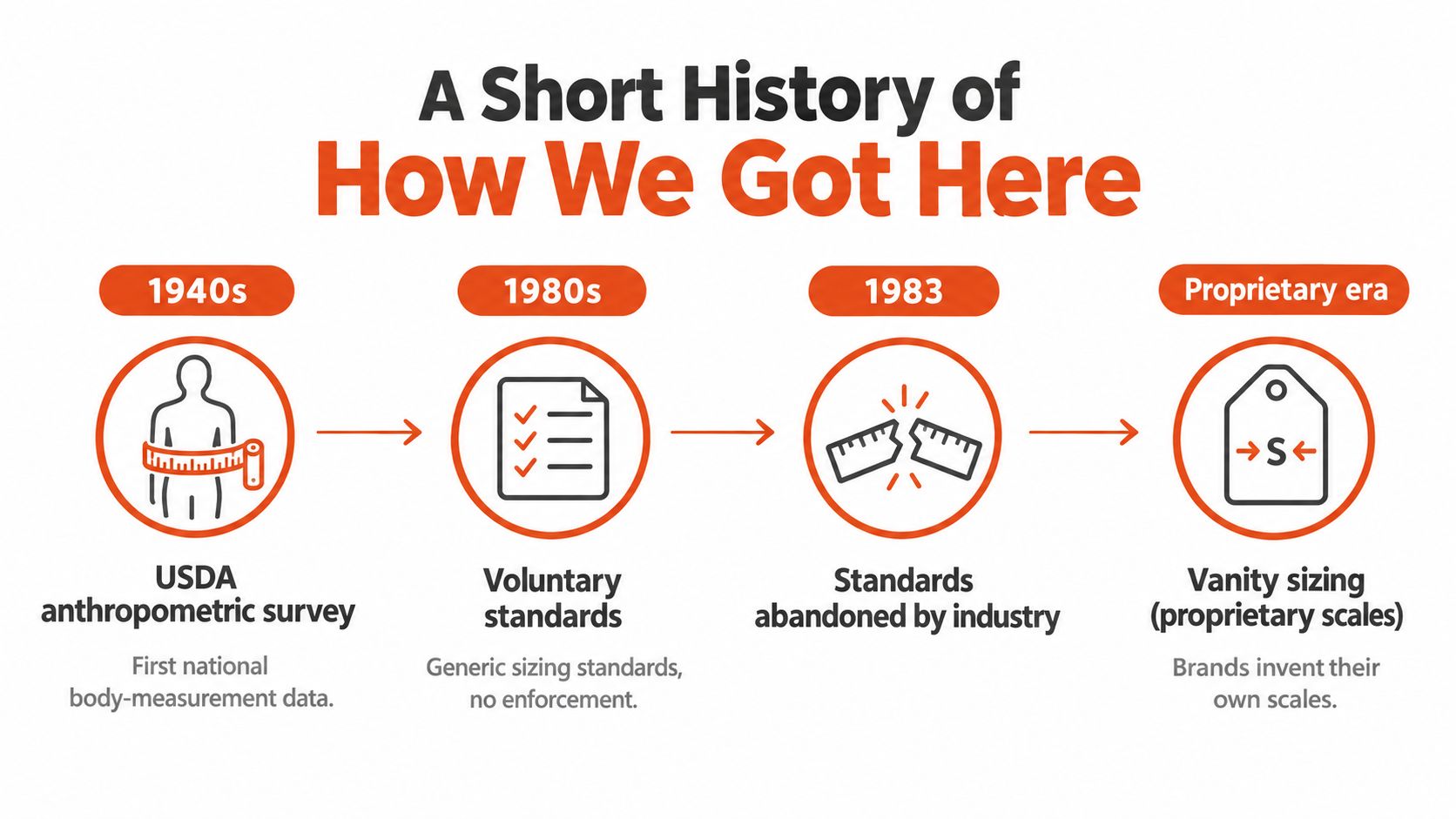
Modern sizing began with an attempt to replace guesswork with population data. In the United States, the USDA launched a government-backed study in 1939 to collect women's body measurements for garment and pattern construction. The project lasted a year of fieldwork, took three years to complete, and analyzed measurements from thousands of women. Historical accounts describe the dataset as containing either 58 measurements from 15,000 women or 59 distinct measurements from 15,000 women, depending on how the measurements were counted, as documented in this history of clothing sizes.
The work eventually supported Commercial Standard CS 215-58, a voluntary sizing standard produced in 1958 and updated in 1970. The underlying idea was practical: measure a population, identify recurring relationships between dimensions, and create size categories that would fit a meaningful share of shoppers. Height and weight could help estimate a likely range, but bust, waist, hip, and other dimensions made the prediction more useful.
When one rulebook became many
The standard never became a permanent universal law. By 1983, the U.S. Department of Commerce had withdrawn its commercial women's clothing size standard. ASTM International later published non-mandatory sizing tables in the 1990s, but brands still had room to define their own labels.
That retreat changed the shopper's task. Instead of comparing a product against one shared system, shoppers compare a brand's private interpretation against their own previous experience. A 2011 New York Times investigation found that a women's size 8 waist could differ by up to five inches between manufacturers, a variation discussed in this account of clothing-size history.
A height weight clothing size calculator exists partly because the label system fragmented. It tries to restore consistency by using personal inputs rather than trusting the number printed on the tag. The calculator can narrow the choice, but it can't recreate a single industry-wide standard that no longer governs every brand.
How a Height Weight Clothing Size Calculator Actually Works
Most calculators follow the same basic pipeline. The interface looks simple because the complexity sits inside the fit dataset and prediction rules.
Step one collects a small personal profile
The shopper enters height and weight, often using either imperial or metric units. Some tools also ask for age, gender or category, preferred fit, and body shape. Height contributes information about overall scale, while weight offers a rough signal about body mass relative to that scale.
Those inputs don't identify where mass sits. They only describe the body in broad terms. A person who is 5 feet 7 inches and weighs 150 pounds could have different shoulder, bust, waist, hip, and leg proportions from another person with the same height and weight.
Step two maps inputs to a prediction model
A basic tool may map height and weight to a broad body-mass index range, then use thresholds for labels such as Small, Medium, or Large. A more advanced system uses a brand's historical fit table or a regression model trained on body and garment measurements.
Technical sizing standards recognize this approach. ISO 8559-3 discusses simple and multiple linear regression for size calculation, which means a system can estimate a size from several body dimensions instead of relying only on a static lookup table. One peer-reviewed SVM study reported 89.66% accuracy when predicting body size from key measurements such as bust, waist, and hip, while a military-clothing study reported 58.1% accuracy for shirt size and 61.7% for trouser size. The figures come from different garment contexts, so they demonstrate that model performance depends on the category and inputs, not that one accuracy rate applies everywhere. The technical standard and study context are discussed in this ISO 8559-3 sizing document.
Step three assigns a label
The model compares the estimated body profile with the brand's size thresholds. If the predicted measurements sit near the boundary between two labels, a responsible tool should return a range, explain the deciding measurement, or ask for another input.
For a simplified US unisex tee example, a shopper who enters 5 feet 7 inches and 150 pounds might receive a Medium recommendation. That result isn't a verified universal conversion. It's an illustration of how a brand-specific rule might classify a broad profile.
| Height (ft/in) | Weight (lbs) | Assigned Size |
|---|---|---|
| 5'4" | 125 | Small |
| 5'7" | 150 | Medium |
| 5'10" | 180 | Large |
| 6'1" | 210 | XL |
The hidden assumption is an average torso and average body proportion. If the shopper's shoulders, waist, hips, or inseam fall far from the training examples, the same height and weight can produce a misleading label. The calculator is therefore best understood as a first-pass classifier, not a measurement substitute.
Where Height and Weight Inputs Quietly Break Down
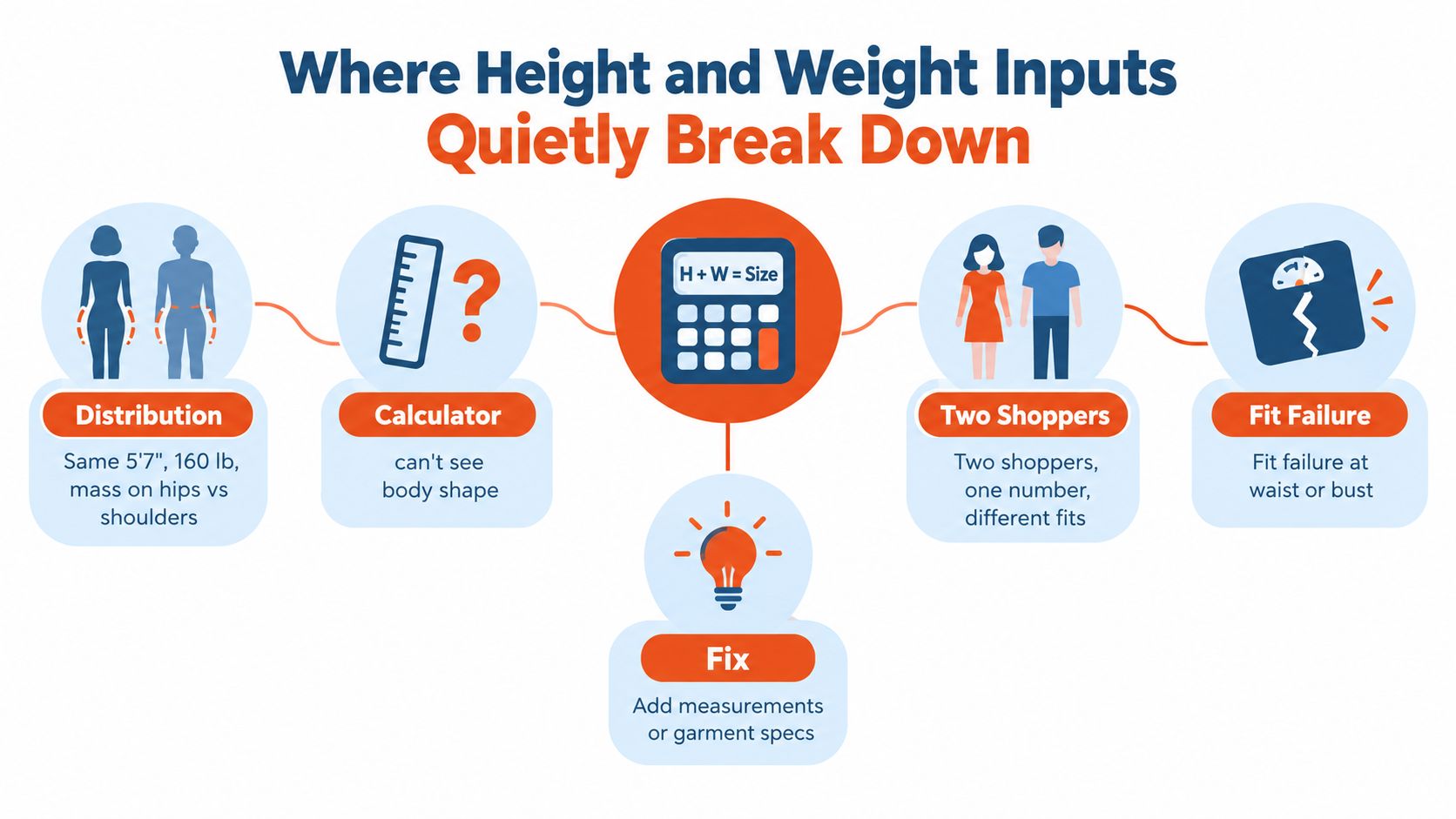
Two shoppers can both be 5 feet 7 inches and 160 pounds while needing different garments. One may carry more mass through the hips, another through the shoulders, and another around the waist. A height weight clothing size calculator sees the same two numbers in every case.
Distribution changes the fit
Garments don't wrap around “weight.” Jeans interact with the waist, hips, seat, rise, thigh, and inseam. A fitted shirt depends more directly on chest or bust, shoulder breadth, sleeve length, and torso length. A dress may need enough room at the bust and hips even when the waist measurement points to a smaller nominal size.
Anthropometric research supports using a compact set of body dimensions rather than height and weight alone. Bust or chest, waist, hip, and inside-leg length capture the proportions that determine whether fabric fits across the torso, seat, and rise. The research also explains why a calculator should narrow a likely size band before handing off to product-specific measurements, as described in this study of body dimensions and apparel sizing.
Certain bodies expose the error quickly
An athletic shopper may have broader shoulders and chest with a comparatively narrower waist. A postpartum shopper may have a different waist-to-hip relationship from the averages represented in a general dataset. A petite-plus shopper may need both more circumference and shorter lengths, a combination that a single size label can't express well.
The issue becomes sharper near a size boundary. If the same height-weight pair overlaps two adjacent size buckets, a small modeling error can shift the recommendation. The shopper then receives a label that may fit one part of the garment while failing at another.
A useful diagnosis: If customers frequently say “the size is right, but the fit is wrong,” the problem probably isn't solved by changing the label threshold alone.
Retailers should inspect the garment's pressure points. For trousers, look at waist, hip, thigh, rise, and inseam. For tops, inspect chest, shoulders, armholes, sleeve length, and body length. The missing input isn't always “more data.” It's the right data for the product.
Which Extra Inputs Fix Which Garment Categories
The best calculator asks only for information that changes the recommendation. A shopper buying jeans doesn't need the same questions as someone buying a swimsuit or a winter coat.
For jeans and trousers, waist, hip, and inseam do the most useful work. Height can suggest overall length, but inseam tells the system where the trouser leg should end. Hip and waist also reveal whether the shopper is likely to need a different cut, rise, or size balance.
Tops and dresses need bust or chest, shoulder width, and torso length. A height-weight estimate can identify a broad range, but it can't tell whether a neckline, armhole, or fitted waist will sit correctly. A dress that fits the waist may still pull at the bust or stop at the wrong point on the torso.
Outerwear adds chest circumference, shoulder width, and sleeve length. Layering changes the required ease, so the system should distinguish between a close-fitting jacket and a coat intended to fit over knitwear.
For athleisure, weight can remain useful because compression and stretch affect perceived fit. The calculator should also ask about compression preference or activity use, because a shopper seeking a supportive running top may prefer a different fit from someone buying a relaxed lounge set.
Fit data should follow garment construction. The more structured or body-hugging the product, the less a two-input estimate can safely decide.
A practical measurement walkthrough can help shoppers collect reliable inputs, especially when a retailer links to guidance such as how to take body measurements for clothing.
| Garment Category | Top Priority Extra Input | Secondary Input | Try-On Worth It? |
|---|---|---|---|
| Jeans and trousers | Waist and hip | Inseam | Yes, especially for rigid denim |
| Tops | Bust or chest | Shoulder width | Sometimes |
| Dresses | Bust, waist, and hip | Torso length | Yes for fitted cuts |
| Outerwear | Chest and shoulder width | Sleeve length | Yes for structured pieces |
| Athleisure | Bust or chest | Compression preference | Yes for compression styles |
| Swimwear and lingerie | Bust, underbust, waist, and hip | Style-specific coverage | Strongly worth considering |
Swimwear and lingerie deserve special treatment because fit risk is higher than for many general apparel categories. Industry summaries place apparel return rates around 24% to 26%, while swimwear and lingerie can reach 30% to 50%, as reported in this analysis of sizing and online returns. That difference supports a category-specific calculator rather than one universal questionnaire.
Calculator vs Body Shape vs Virtual Try On
Retailers can deploy sizing intelligence in three practical tiers. Each tier trades shopper effort against fit detail.
Tier one uses a fast estimate
A static height-weight calculator takes only a few seconds and works well as a low-friction entry point. It can reduce the blank-page feeling on a product page, particularly when the product has generous stretch or a relaxed silhouette.
Its weakness is predictable. It has no direct view of distribution, so it can misclassify shoppers whose proportions differ from the training average. The tool should show the recommendation as a starting size and make the product chart easy to verify.
Tier two adds body-shape data
Adding bust or chest, waist, hip, and inseam creates a more useful body profile. The retailer can then match those measurements against garment specifications, fit blocks, and category rules. This approach usually offers a strong balance between personalization and completion rate, provided the interface explains how to measure each area.
A body-shape model can also distinguish cases that share height and weight but differ in distribution. Retailers exploring that logic can review this explanation of a body-shape model for apparel fit.
Tier three adds visual try-on
Virtual try-on uses a shopper's photo, selfie, or selected model to show how a product may appear on a body model. It adds a visual layer that measurements alone can't provide, including silhouette, drape, and proportion. The extra interaction can also create more friction, so it belongs where the expected fit risk justifies the effort.
| Tier | Inputs Required | Typical Conversion Lift | Return-Rate Impact |
|---|---|---|---|
| Static calculator | Height, weight, and product chart | Qualitative improvement in confidence | Can reduce avoidable size mistakes |
| Enriched calculator | Height, weight, bust or chest, waist, hip, and inseam | Stronger product-level recommendation | Better suited to shape-related fit issues |
| Virtual try-on | Body inputs plus selfie or model selection | Visual confidence can support purchase decisions | Helps shoppers evaluate appearance and fit together |
The return problem is substantial enough to guide deployment. Industry summaries attribute roughly 53% to nearly 70% of apparel returns to fit or sizing, and recent coverage reports that about 58% of online shoppers buy multiple sizes at once, as described in this fit analytics overview. A retailer doesn't need virtual try-on on every product. It should prioritize categories where shape, structure, or visual drape create the greatest uncertainty.
Robosize is one example of the third tier. Its platform collects shopper inputs, can use an optional selfie to create a body model, renders products on that model, and displays a per-garment size recommendation on the product page. It supports Shopify through an app and other storefronts through a JavaScript snippet, according to the supplied product information.
Practical Next Steps and Common Questions
A retailer can improve sizing without rebuilding the entire catalog. Start with the products that generate the most fit-related doubt, then match the data request to the garment.
Do this tomorrow
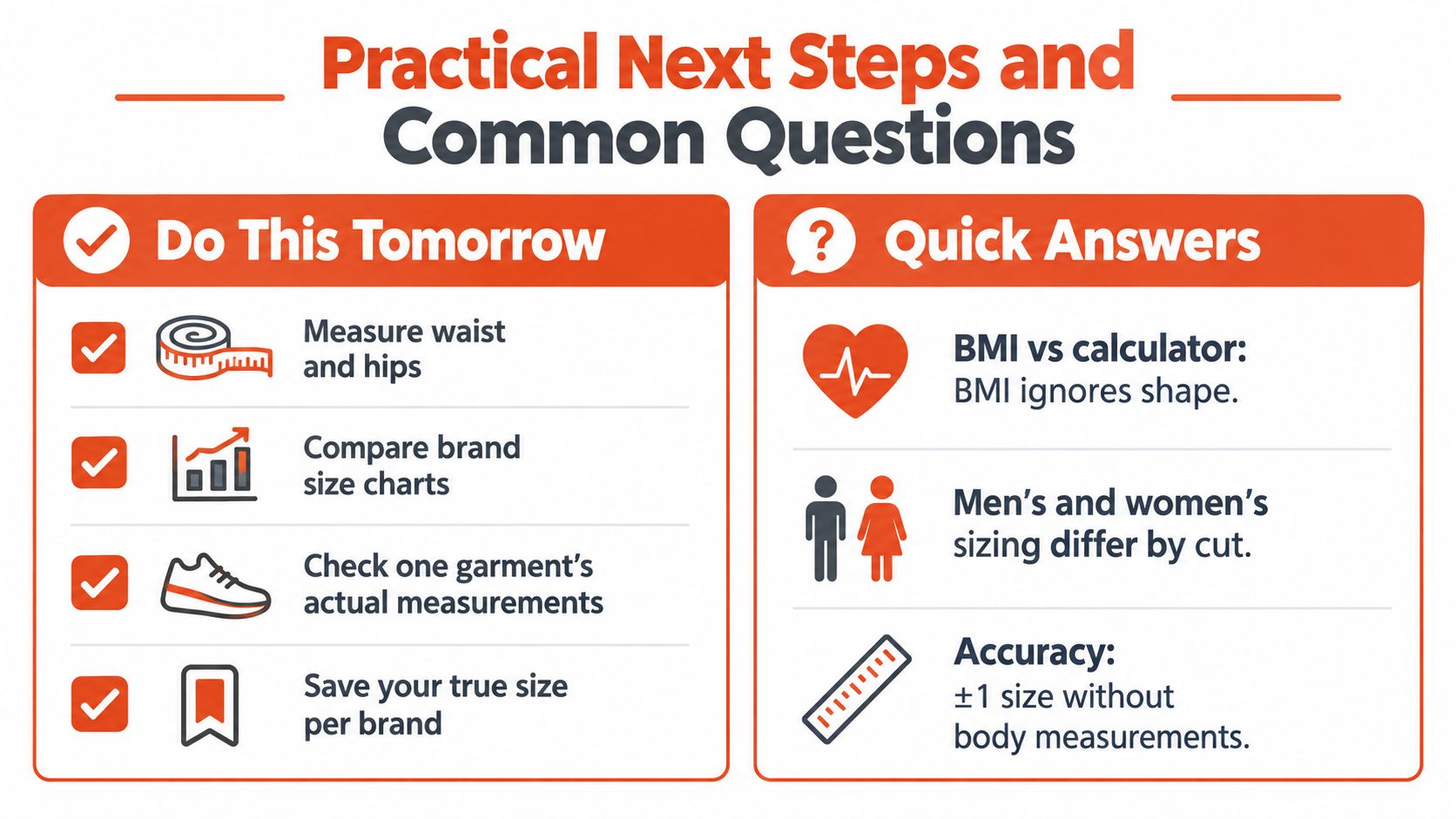
- Measure waist and hips: Add the dimensions that control fit for bottoms and fitted garments.
- Compare brand size charts: Use the product's own chart rather than relying on a remembered label.
- Check actual garment measurements: Look for chest, body, sleeve, rise, and inseam details where available.
- Save brand-specific results: Record which size and cut worked for each retailer.
A clothing size conversion chart can help when shoppers move between regional labels, but conversion isn't the same as fit. It translates naming systems. It doesn't correct for a brand's cut or a shopper's proportions.
Quick answers to common questions
Is BMI the same as a clothing size calculator? No. BMI uses height and weight to describe a broad body-mass relationship. It doesn't identify waist-to-hip distribution, shoulder breadth, bust or chest, torso length, or inseam, so it shouldn't be treated as a garment-fit answer.
Are men's and women's calculators equally accurate? Accuracy depends less on the label and more on the dataset, garment category, and inputs. Men's and women's clothing use different blocks, proportions, and construction assumptions, so each calculator should be trained and validated against the relevant product range.
How does children's sizing work? Height and weight can provide a useful starting point because children's garments often track growth and length. Age, body proportions, and the brand's chart still matter, especially when a child is between sizes.
What should you do when the calculator returns two sizes? Check the garment's intended ease and the measurement that drives its fit. Choose the larger option when the garment is structured or restrictive, and consider the smaller option only when the fabric and cut provide enough room.
Do height and weight help with shoes? Not reliably. Foot length and width are the relevant inputs, along with the brand's last and the shoe's intended use.
A height weight clothing size calculator is a starting line, not a finish line. Extra measurements, body-shape data, and virtual try-on build the fit confidence that a universal label can't provide.
Robosize helps apparel retailers turn broad shopper inputs into product-specific size recommendations and optional virtual try-on views. If your catalog includes high-variance garments, connect your store to Robosize and give shoppers a clearer path from height and weight to the fit of the actual product.