A shopper is on your product page with the right color selected and the right budget in mind. Then they reach the size selector, compare your chart with a competing retailer's chart, and hesitate. They don't know whether the garment will fit their shoulders, waist, or hips, so they either abandon the cart or order multiple sizes and return most of them.
Your team sees the same problem from the other side. Customer service answers repetitive fit questions, merchandising reviews size-related returns, and finance absorbs shipping, handling, inspection, and markdown costs. A static chart rarely resolves the uncertainty because it asks shoppers to translate body measurements into garment fit, often with a measuring tape they don't have and a level of precision they can't verify.
Mobile body scans promise a more direct answer. But convenience alone isn't a business case. The technology has to fit your storefront, produce useful measurements under real shopping conditions, protect sensitive data, and improve the purchase experience without creating a longer form or a camera-access obstacle. For practical guidance on building a stronger sizing foundation before adding scanning, see Shugert's size guide guide.
Table of Contents
- The Sizing Crisis in Online Apparel
- How Mobile Body Scanning Technology Works
- Evaluating Accuracy and Measurement Limitations
- Navigating Privacy and Data Security Concerns
- Virtual Try-On Use Cases for Ecommerce
- Implementation Options and Best Practices
- Key Evaluation Metrics for Retailers
The Sizing Crisis in Online Apparel
A shopper buying a jacket online usually knows their usual size. That doesn't mean they know your size. A medium in one brand can feel narrow through the chest, generous at the waist, or short in the sleeves compared with another brand's medium. Product photography may show the silhouette, but it rarely answers the personal question, “Will this fit me?”
The typical response is a size chart. It lists garment or body measurements in a clean grid, but the shopper still has to measure themselves, interpret the units, and predict how fabric, cut, and ease will behave. Many shoppers skip the measurement step entirely. They choose their familiar size, second-guess it at checkout, or add an extra size as insurance.
That behavior creates costs on both sides. The retailer pays for avoidable reverse logistics and loses the chance to resell returned inventory at full value. The shopper pays with time, uncertainty, and a less confident relationship with the brand.
Retail reality: A sizing tool isn't valuable because it produces more body data. It's valuable when it removes a purchase objection without adding more work than the objection itself.
Why static charts stop short
Static charts work best for shoppers who already understand the brand's block and fit language. They work less well for first-time buyers, international shoppers, people whose measurements sit between sizes, and customers whose bodies don't match the proportions implied by a standard chart.
Manual measurement also introduces inconsistency. The tape may sit at a different point each time, a shopper may measure over loose clothing, and the retailer has no reliable way to know whether the input is accurate. A recommendation built on uncertain inputs can look precise while remaining wrong.
Mobile body scans address the gap by using a phone to collect visual information and estimate body dimensions. The important shift isn't the novelty of a three-dimensional model. It's the movement from “read this chart and decide” to “give us enough information to recommend a size for this garment.”
The commercial decision
Retailers shouldn't treat scanning as a replacement for every sizing method. A body scan can support standard size recommendations, fit education, and product visualization, but it won't rescue inconsistent garment specs or poor product data. If the size chart, product measurements, and fit labels disagree, an advanced front end will expose the problem rather than solve it.
Start with a narrow use case. Apply the experience to products where fit uncertainty is expensive or where shoppers need to understand silhouette, such as denim, fitted dresses, sportswear, and structured outerwear. Keep the conventional size chart available, explain the recommendation in plain language, and let shoppers continue without granting camera access.
That combination protects conversion. The shopper gets a faster path to confidence, while the retailer gains a structured way to learn which products create the most sizing hesitation.
How Mobile Body Scanning Technology Works
The technology has moved a long way from specialist equipment. Early 3D body-scanning devices appeared in the late 1990s, while modern consumer workflows can complete capture in as little as 30 seconds and typically no more than 5 minutes, according to a 2023 review of mobile 3D body-scanning applications. The practical breakthrough was reducing the process to phone-based capture, sometimes using only front and side views.
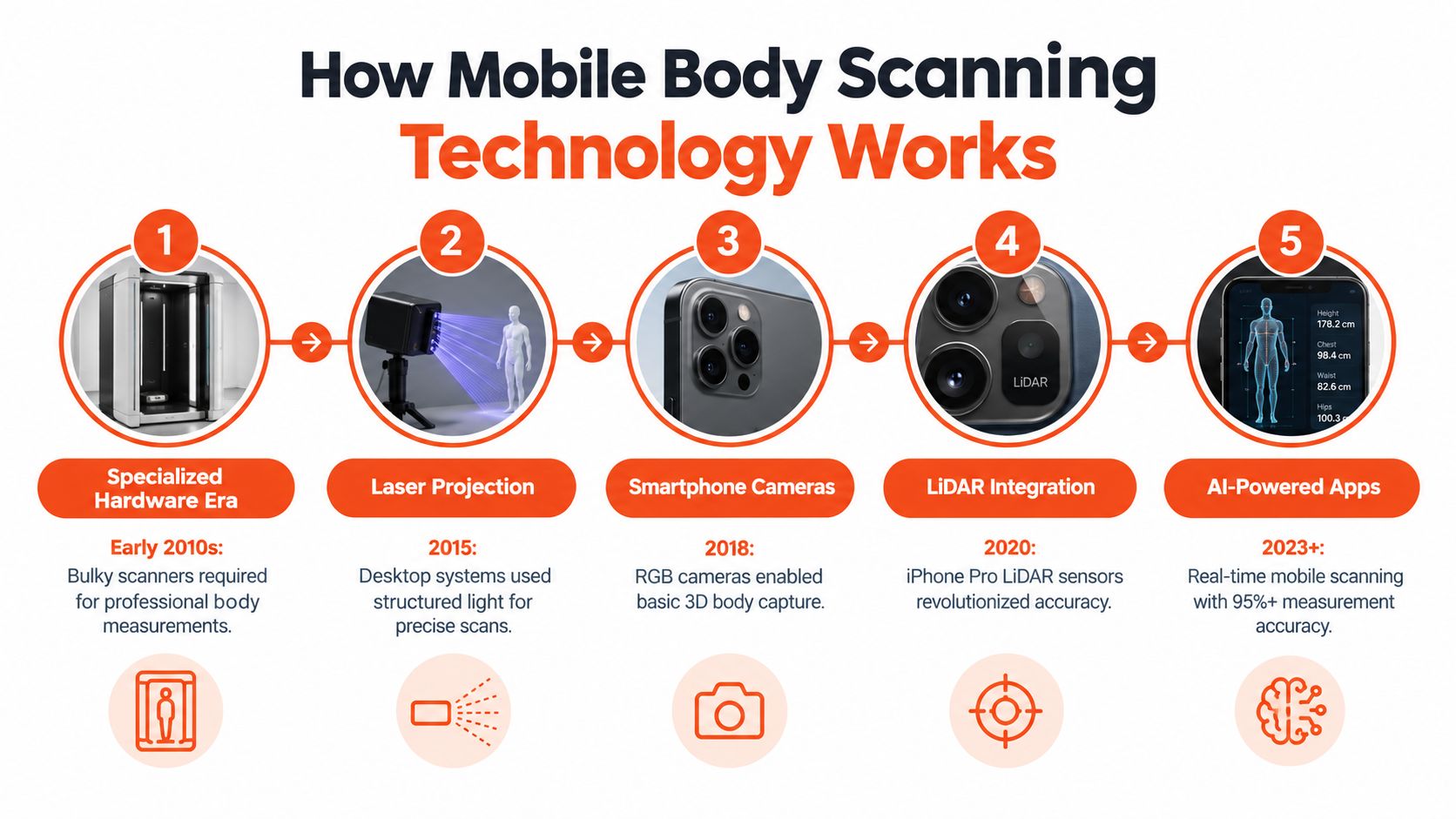
A retailer needs to distinguish between several workflows that are often grouped together under “body scanning.” They collect different inputs and solve different problems.
Full 3D photogrammetry
A traditional smartphone scanning flow asks the shopper to stand in a clear space, wear close-fitting clothing, position the phone correctly, and rotate or provide multiple views. Computer vision identifies landmarks, matches features across images, and reconstructs a body surface or measurement model.
This approach can produce useful circumferences and volume estimates, but it creates friction. The shopper must follow instructions, maintain a stable pose, manage lighting and background interference, and feel comfortable being photographed in clothing that reveals body contours. A failed scan can feel like a technical error, but the shopper experiences it as an interruption to buying.
AI-assisted estimation
AI-driven systems can use a shorter questionnaire, a selfie, a selected model, or a combination of inputs. The system estimates body shape and maps that result to garment-specific fit logic. The output may be a recommended size, a visual preview, or both.
This isn't identical to a measured full-body scan. It trades some direct observation for a simpler interaction. That trade can be sensible in ecommerce, where the primary objective is helping a shopper decide whether to buy, not producing a clinical record.
Retail teams should ask what the system returns. Does it provide raw measurements, a reusable body model, a size recommendation, a rendered garment image, or only a confidence label? Those outputs determine whether the tool belongs in product discovery, product detail pages, post-purchase fit support, or internal product development.
From body model to storefront experience
The body model is only useful when it connects to product data. A fitting experience must map the shopper's estimated proportions to size charts, garment measurements, construction details, and fit intent. A relaxed sweatshirt shouldn't use the same recommendation logic as compression shorts, even if both use the same shopper profile.
File formats can matter when teams move body assets between systems. Retailers managing 3D workflows can review how the COLLADA file format supports interoperable 3D assets before deciding how models should be stored or exchanged.
The strongest implementation hides technical complexity. The shopper sees clear instructions, a short capture flow, a recommendation tied to the selected product, and a way to revise the result. Everything else belongs in the platform architecture, not in the customer's path to checkout.
Evaluating Accuracy and Measurement Limitations
Mobile body scans can be accurate enough for ecommerce, but accuracy isn't a single property. It depends on the capture method, the body region, the clothing, the lighting, the phone position, and the purpose of the result.
A peer-reviewed smartphone study reported technical error of measurement at 0.5–0.7% and intraclass correlation coefficients of 0.996–0.997. Its body-composition estimates showed a mean absolute error around 3.5% and a standard error of estimate around 4.2%. The smartphone estimates were statistically equivalent to DXA within ±2% equivalence regions, with Pearson correlation around 0.90 and concordance correlation coefficients of 0.89–0.90. These findings support screening and personalization when the capture protocol is controlled. Read the peer-reviewed smartphone study for the full methodology.
That evidence doesn't justify treating every phone scan as interchangeable with a controlled clinical capture. A retail session happens in bedrooms, hallways, changing rooms, and small apartments. Shoppers wear loose garments, stand at inconsistent angles, and may rush through instructions.
Capture method changes the result
A 2024 comparison found that a full-rotation smartphone application delivered averaged circumferential precision of about 0.5–0.9 cm absolute TEM, 0.9–1.5% relative TEM, and ICC values of 0.974–0.986. Total-body volume error was around 0.8–2.2 L, with ICC values reaching 0.998. An application based on only two 2D images produced larger errors, while segmental volumes were less accurate than whole-body measures. Review the mobile scanning comparison before selecting a vendor or defining acceptable thresholds.
The commercial conclusion is straightforward. Full-rotation workflows are more defensible when you need detailed measurements. Shorter image-based workflows may be better for conversion when the output is a broad fit recommendation rather than made-to-measure production.
Where retailers should be cautious
Localized estimates deserve more scrutiny than global fit inference. A small error around the bust, shoulder, rise, or upper arm can change whether a structured garment feels comfortable, even if the overall body model looks plausible. Segment-level errors also matter more for products with narrow tolerances.
Independent research has reported measurement deviations of 20–30 mm versus benchmark data in smartphone body scanning, along with concerns about landmark detection, background interference, and limited representation of body diversity. That range can affect made-to-measure apparel decisions, particularly when the garment uses tight tolerances. See the research on mobile scanning limitations and body diversity.
Use scans confidently for standard sizing, broad fit guidance, and visualization. Don't promise bespoke precision until you validate the tool across your own customer base, garments, poses, clothing conditions, and device mix. Product teams should also maintain a manual fallback and monitor recommendation reversals, customer complaints, and exchanges by garment category.
For teams modeling body proportions across products, a clear body shape model reference can help separate the visual representation from the measurement logic that drives sizing.
Navigating Privacy and Data Security Concerns
The camera prompt is often the moment a shopper decides whether your fitting tool feels helpful or intrusive. Retailers can't solve that hesitation with a generic “your privacy matters” message. They need to explain what the camera captures, where processing occurs, what gets retained, and whether the result can be reused later.
Consumer-facing materials for mobile body scanners increasingly emphasize controls such as avoiding cloud uploads of photos, using temporary processing, and keeping raw images out of saved records. Noom's body scan guidance reflects why privacy reassurance has become a meaningful part of the user experience.
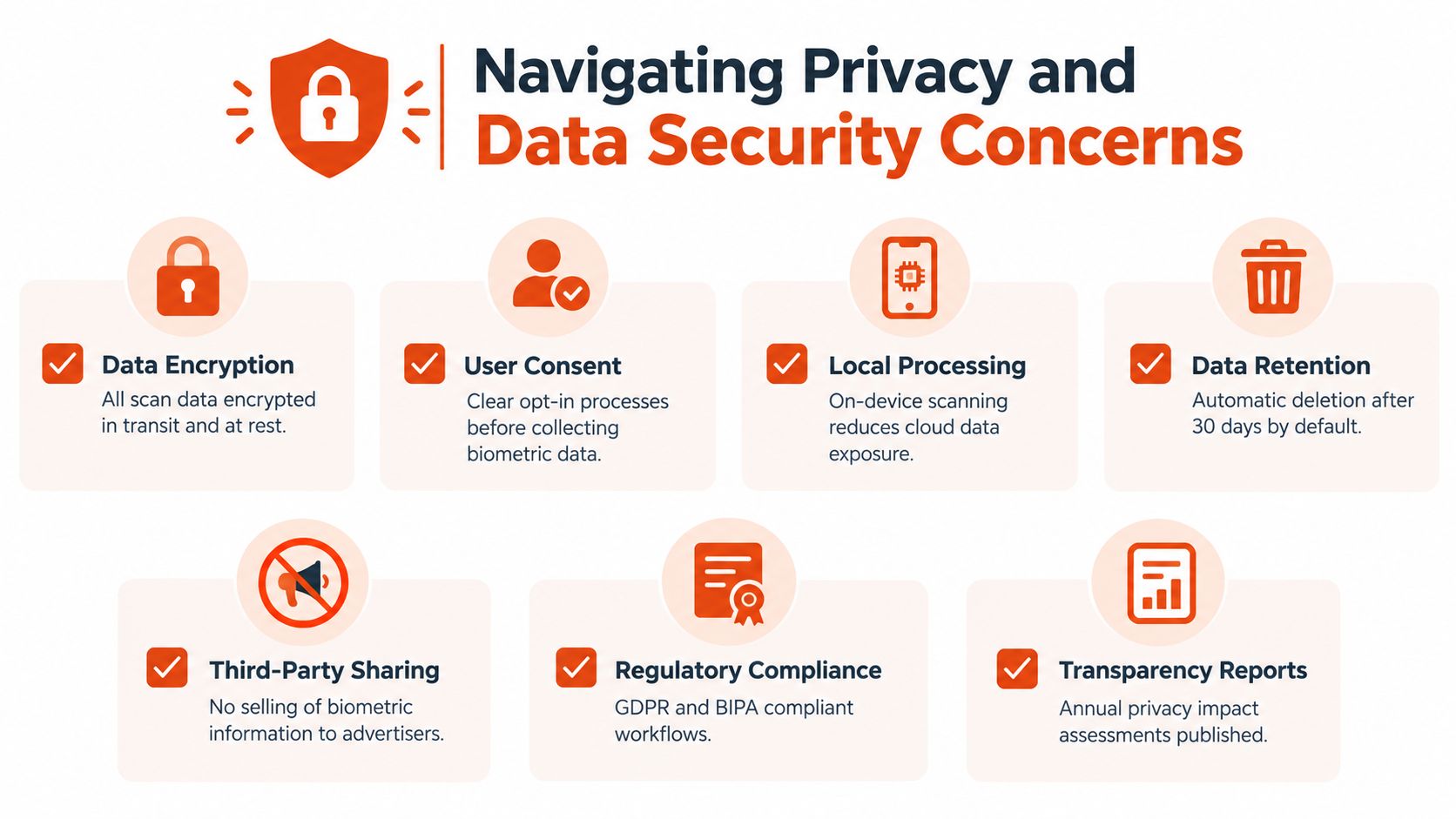
Map the complete data lifecycle
Before implementation, document the flow from permission to deletion:
- Capture: State whether the shopper provides a live camera feed, a selfie, multiple images, or questionnaire answers.
- Processing: Identify whether analysis occurs on the device, in a browser, or on a vendor server.
- Storage: Separate raw images, derived measurements, body models, recommendation logs, and analytics events. They don't carry the same privacy implications.
- Retention: Set a defined deletion rule instead of keeping data indefinitely because storage is convenient.
- Reuse: Tell shoppers whether a body profile remains available for future purchases, across brands, or only for the current session.
- Access: Limit internal access and document which processors or service providers can view data.
- Deletion: Give shoppers a practical way to remove saved profiles and associated imagery.
The key distinction is between an image and a derived measurement. Removing the raw selfie doesn't automatically answer whether a reusable body model or measurement history remains. Your privacy notice should describe both.
Reduce friction without hiding the trade-off
Ask for the least sensitive input that can support the use case. If a questionnaire and optional selfie can provide a useful size recommendation, don't force every shopper through a full rotation. If visualization requires an image, offer a model-based preview for shoppers who don't want to upload their own face or body.
Show the privacy explanation before the camera request, not after the shopper has already invested time. Keep the language specific: processing purpose, retention rule, optionality, and deletion path. This approach builds more trust than a long legal paragraph placed behind a secondary link.
Operational rule: Don't launch a body-data feature until product, legal, security, and customer service teams can answer the same retention question in the same words.
Virtual Try-On Use Cases for Ecommerce
The strongest ecommerce use case isn't “scan your body because the technology exists.” It's helping a shopper make a product decision with less effort. That usually means combining a short profile with optional visual input, then returning a garment-specific size recommendation and a realistic preview.
A full 3D scan can be valuable, but it often asks for more cooperation than a shopper expects from a product page. The customer may need tight clothing, clear space, careful positioning, and several images. That flow belongs in a deliberate fit assessment, not automatically on every item.
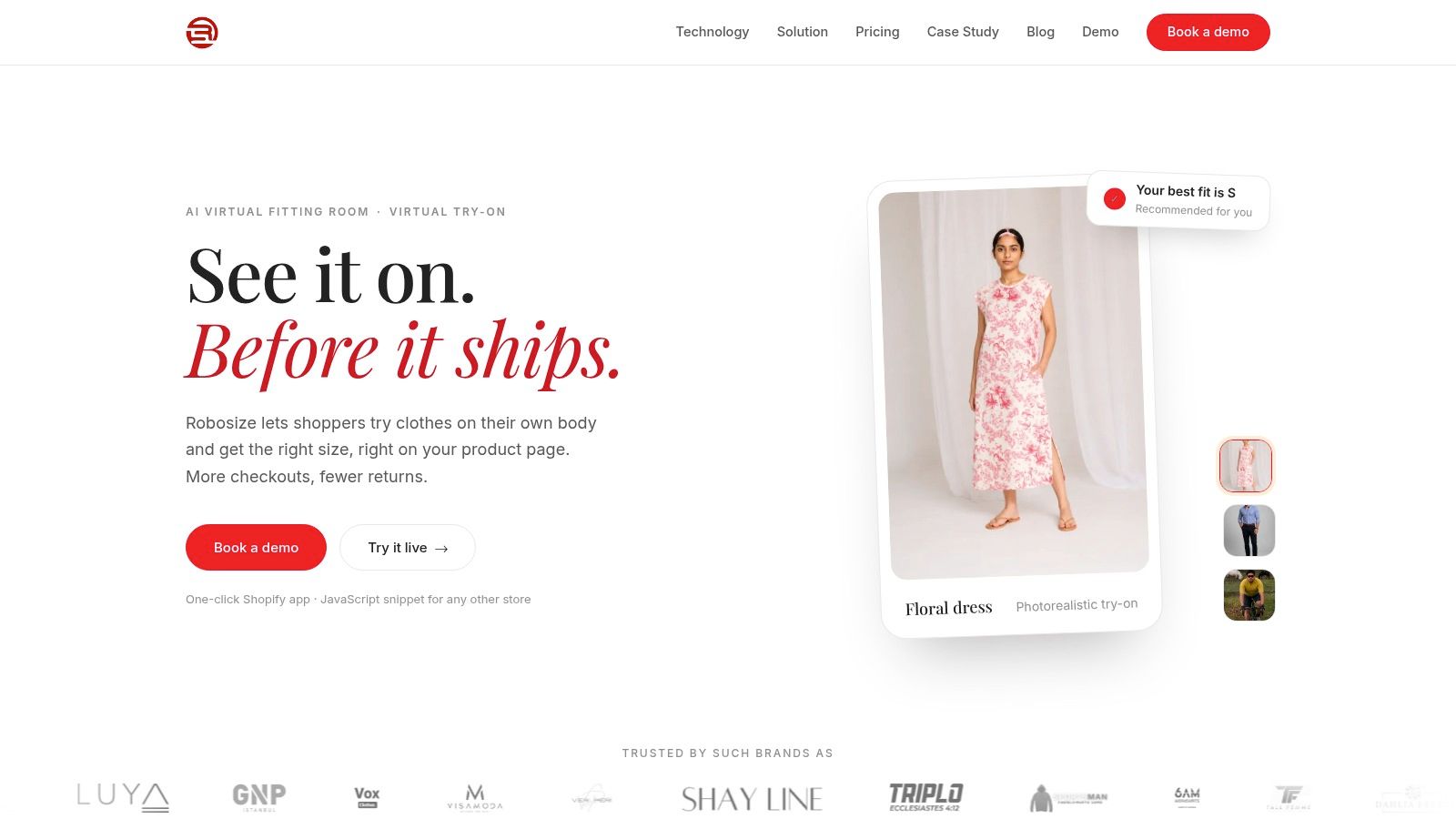
An AI virtual fitting room can take a different route. Robosize, for example, generates a shopper-specific body model from a short questionnaire and an optional selfie, then renders products on that model and recommends a size on the product page. The retailer can use the model-based route when a shopper prefers not to provide a selfie, while the selfie route supports more personalized visualization.
Match the workflow to the product
For sportswear, shoppers care about compression, sleeve length, rise, and movement. A visual preview can clarify silhouette, while the size recommendation handles the decision layer.
For denim and fitted bottoms, circumference and rise matter more than a generic body-shape label. Product teams should connect recommendations to the actual size chart and garment construction, then test results across waist and hip proportions.
For occasionwear and structured garments, visualization helps shoppers judge the outline, but the retailer should be conservative with confidence claims. Shoulder width, bust shaping, fabric rigidity, and internal construction can create fit outcomes that a broad body model won't capture.
For a multi-brand marketplace, the main problem is inconsistency. Each seller may use different size labels and measurement conventions. A shared fitting layer can create a more consistent customer experience, but only if the marketplace normalizes product data and keeps brand-specific fit rules visible.
Why lower-friction flows often win
A questionnaire is not automatically better than a scan. It wins when it asks relevant questions, takes little time, and produces an understandable result. Optional selfies add personalization without making camera access mandatory. Multi-angle rendering helps shoppers inspect a garment from more than one view, but retailers should prioritize products where drape and silhouette influence the purchase.
The experience should answer three questions immediately:
- Which size should I choose?
- Why is that size recommended for this product?
- What will the garment look like on a body like mine?
If the interface answers only the third question, it's a visualization feature. If it answers only the first, it's a sizing calculator. Combining both can make the fitting room a conversion tool, provided the interaction remains faster and clearer than opening a second tab to search for reviews.
Implementation Options and Best Practices
Treat mobile body scanning as a storefront component, not a separate technology project. The first implementation decision is deployment method. Shopify retailers can use a one-click app route, while custom storefronts can add a JavaScript snippet and control placement within the product detail page.
Choose the smallest useful launch
Start with one product category and a defined shopper action. A practical pilot might place the fitting room beside the size selector for fitted bottoms, then compare engagement and purchase behavior with similar products that retain the standard experience.
Set up the data foundation before switching it on:
- Normalize product measurements: Confirm that size charts use consistent units, labels, and definitions.
- Map every variant: Connect each size and color variant to the right product data, not just the parent product.
- Define fit intent: Record whether the garment is slim, regular, relaxed, compression, oversized, or intentionally cropped.
- Prepare fallback content: Keep the size chart, fit notes, and customer support route visible if the tool can't produce a recommendation.
- Instrument events: Track tool opens, completed profiles, recommendations, add-to-cart actions, purchases, and returns.
Protect performance and brand continuity
A fitting room that slows the product page can undermine the benefit it creates. Load the component intelligently, compress visual assets, and test camera permissions on common mobile browsers. The shopper shouldn't wait through an unexplained processing screen or lose their selected size after closing the tool.
Style the interface to match the storefront. Buttons, typography, spacing, and tone should feel native. But don't hide the tool's purpose behind vague labels. “Find my size” is clearer than an abstract name such as “Smart Studio.”
Usage controls also matter. Configure session allowances, caps, and overage rules before launch so a spike in engagement doesn't create an unplanned bill. Offer metric and imperial units, and let shoppers edit their inputs without restarting the entire flow.
Roll out in measured stages
A sensible rollout has three phases:
- Technical validation: Confirm data mapping, permissions, browser behavior, analytics, and fallback states.
- Customer validation: Watch recordings, support tickets, completion behavior, and recommendation feedback.
- Commercial validation: Compare outcomes by product, device, traffic source, and new versus returning shopper.
Don't force the tool into checkout. Keep it on the product page, where fit uncertainty begins, and carry the recommendation into the cart as a readable note. Teams building a broader sizing experience can also review guidance on selecting a clothing fit app for their storefront requirements.
Key Evaluation Metrics for Retailers
A fitting feature earns its place when it changes commercial outcomes, not when shoppers merely open it. Measure the complete path from interaction to post-purchase result.
Track these metrics by product category and device type:
- Fitting-room engagement: How often shoppers open the tool and how many complete the flow.
- Recommendation acceptance: Whether shoppers select the suggested size or override it.
- Conversion: Compare purchases among shoppers exposed to the feature with a suitable control group.
- Average order value: Watch whether confident shoppers add more items or complementary products.
- Size-related returns: Separate fit and size reasons from defects, preference changes, and delivery issues.
- Customer support demand: Monitor whether fit questions decline or just shift to new complaints.
- Recommendation quality: Review exchanges, return comments, and explicit customer feedback against the predicted size.
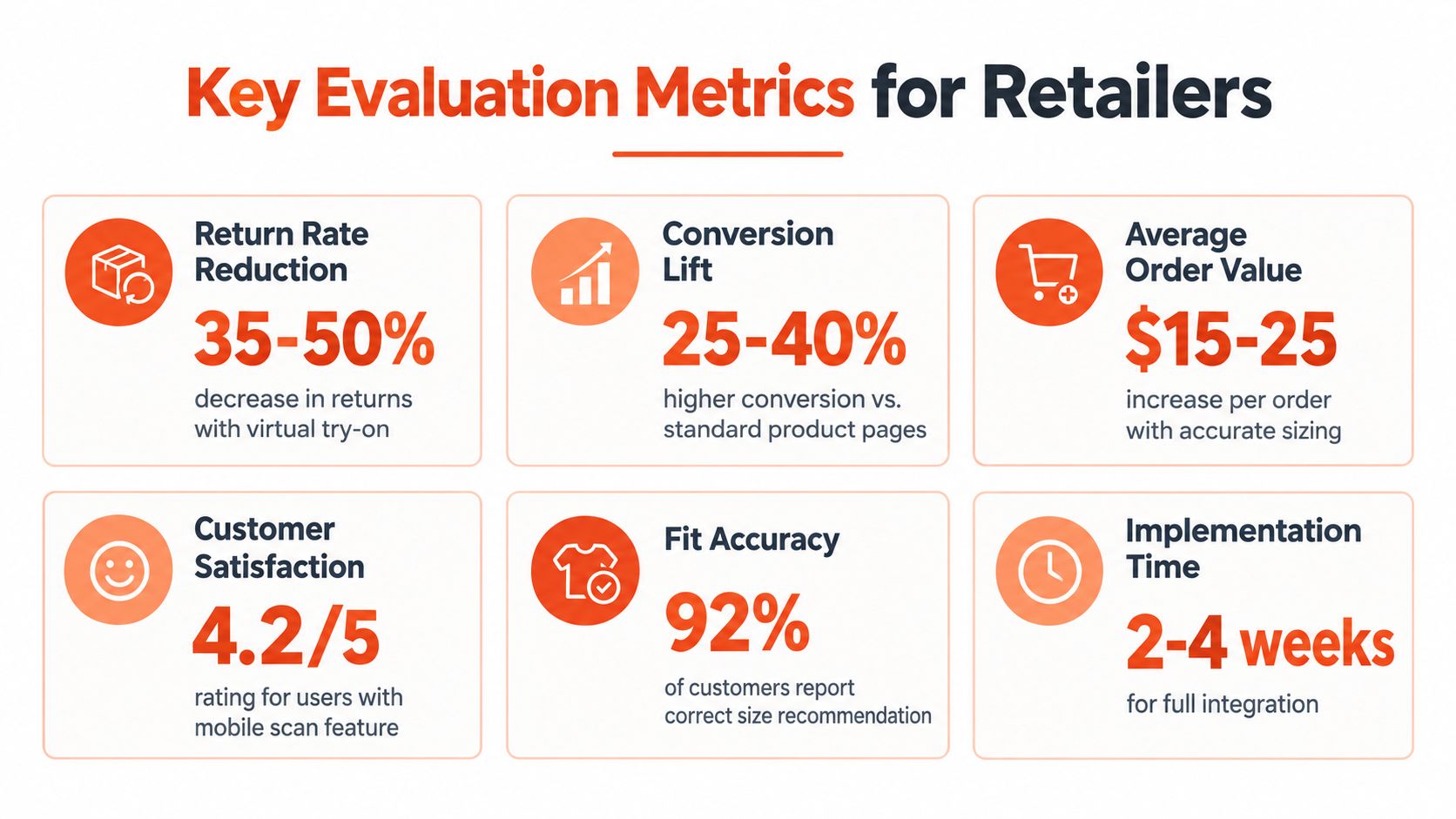
Don't evaluate the tool with a single sitewide conversion number. A scan may help fitted jeans while adding little value to loose knitwear. It may improve mobile product pages but create friction for shoppers on older devices. Merchandising teams should use the recommendation and return data to identify products with unclear grading, inconsistent measurements, or misleading fit labels.
The broader value is a feedback loop. Shopper inputs reveal recurring body proportions, recommendation overrides reveal weak product logic, and return reasons show where the model or the garment data needs attention. That intelligence can influence size curves, product descriptions, photography, and future design decisions.
Measure the promise you made: If the feature promises a better size choice, the primary test is what happens after delivery, not how attractive the fitting-room interface looks.
For an apparel brand, the right adoption path is clear. Start with a low-friction questionnaire and optional selfie flow, connect it to clean product data, protect the scan lifecycle, and test results by category rather than chasing a universal accuracy claim. Robosize provides that type of virtual fitting room for apparel retailers, with product-level sizing and visual try-on designed for Shopify and custom storefronts. Visit Robosize to evaluate how it could fit into your product-page experience.