Which 3D body model maker belongs on your product page, and which one belongs on a patternmaker's desk? Most roundups treat every avatar generator as the same purchase. That is how apparel teams end up with a beautiful mesh that never recommends a size, or a size widget that never shows how a garment hangs.
The cost of that mix-up is already in the returns report. In 2024, the average U.S. online apparel return rate was estimated at 24.4%, according to Coresight Research as cited by Style3D. In the same year, 53% of respondents in Coresight Research's apparel-retailer survey cited size and fit as the leading reason for online apparel returns. A prettier render does not fix a wrong size label.
I sort these tools by who operates them.
Shopper-facing try-on has to finish on a phone, on the product page. Developer platforms hand you measurements and an API so your team builds the screen. Design-studio avatars live next to patterns and cloth simulation. Scan-processing services start from a mesh you already captured and return a measurement set.
The ten options below stay in those lanes. For each one I look at output quality, whether pricing is public, and how much engineering sits between you and a usable fit decision. Pick the operator first. Comparing a studio avatar editor with a checkout widget is how a shortlist goes wrong.
Table of Contents
- 1. Robosize
- 2. Bodygram Platform
- 3. TrueToForm
- 4. The Fitting Room
- 5. Meshcapade digidoppel
- 6. SEDDI Textura Avatar Service
- 7. CFD Research Perfect Fit
- 8. CLO Avatar Editor
- 9. Texel BodyFit
- 10. in3D Avatar Creator Pro
- 3D body model maker tools compared
- Choosing the Right Body Model Maker for Your Fit Workflow
1. Robosize
Robosize is the shopper-facing 3D body model maker I would put on a product page when the job is a garment-specific size plus a look at how the cloth hangs.
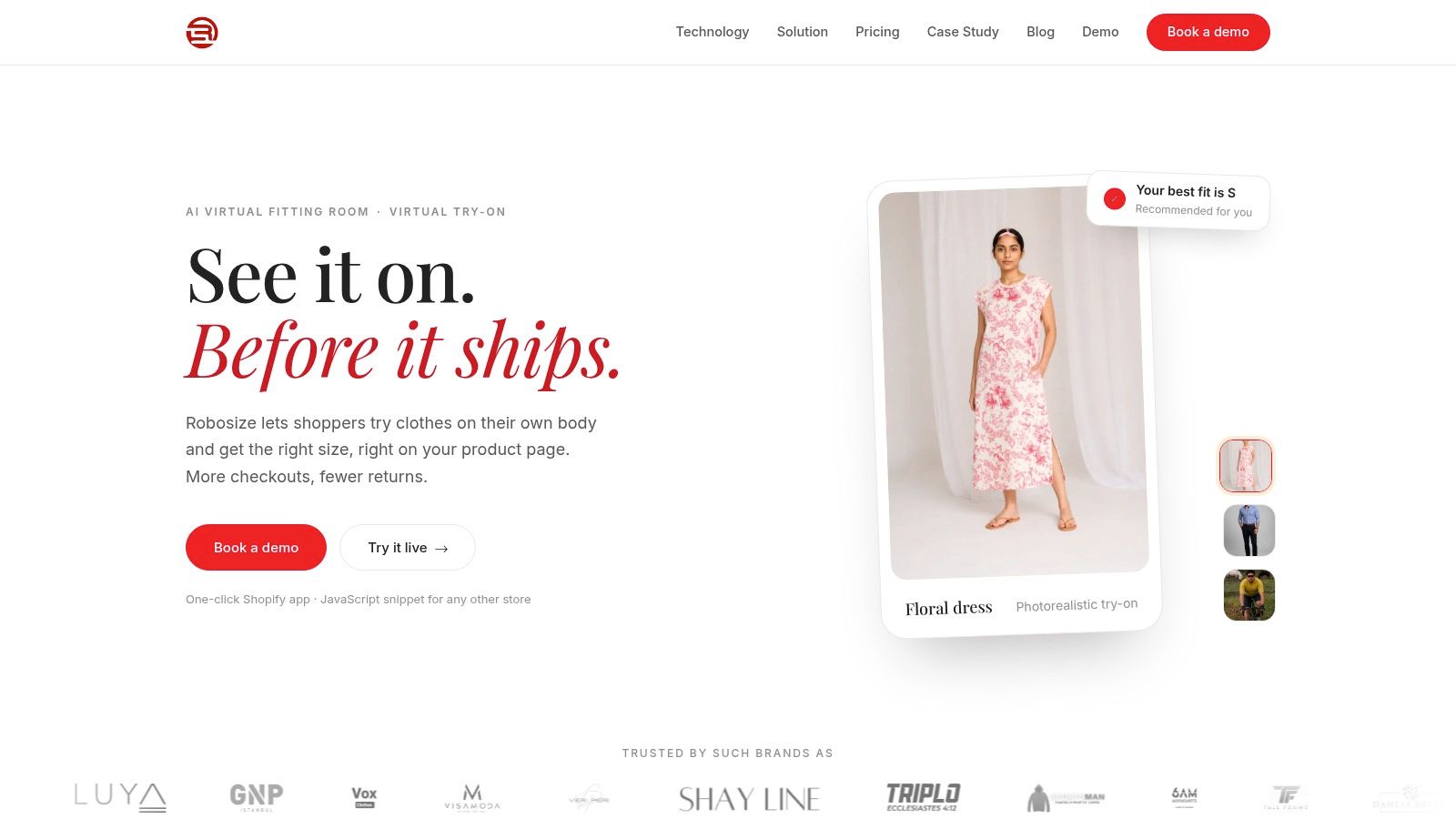
Shoppers first enter height, weight, and age, plus the closest illustration of their body proportions. A real-time selfie from the phone or webcam completes the body model, or they pick a model. The presets are Athletic (158 cm, 62 kg), Slim (172 cm, 52 kg), Plus-size (165 cm, 84 kg), Medium (165 cm, 60 kg), and Curvy (165 cm, 70 kg). Within seconds they see the outfit on that body, from up to three angles in one session, with one precise size and fit recommendation for that garment. Social proof can show how the same garment worked out for people with a similar body.
On the product page
Install is a one-click Shopify app, or a JavaScript snippet on the product page of any other store. It takes five minutes and does not need a developer or a technical background. The room is built for phones. A 2025 summary of DHL shopper research by Fotogenic AI reported that 77% of shoppers were open to virtual try-on, so the demand is there if the ask stays small.
"We use this app for a size and fit finder, our customers have told us how helpful it has been for them shopping online. Great customer support from the Robosize team! Highly recommend!" Posh Boutique, Canada, Shopify App Store
Privacy is the trade-off. Shopify's enterprise guidance on virtual fitting rooms recommends plain-language consent, keeping derived measurements instead of full images where you can, and stating deletion and sharing rules clearly. I would keep the model-preview path for shoppers who will not upload a selfie, and I would not retain a photo when a measurement-led recommendation is enough.
Robosize prices by plan, with per-session overage rates, so check the current tiers before you commit. Appearance is customizable on Basic, Premium, and Ultimate, and fully customized on Enterprise. A try-on session is one shopper generating a virtual try-on for a garment. The store tells Robosize about the business, and Robosize walks the team through a live demo on the store's own products.
2. Bodygram Platform
Bodygram is a developer-operated option for teams building their own body-model experience. Its platform provides the underlying tools; the retailer still needs to shape the shopper-facing flow, including consent, error handling, and alternatives for people who decline a photo.
The 2004 SizeUSA survey, reported by The New York Times measured more than 10,000 Americans using light-pulsing 3D scanning. A U.S. women's size 8 was nominally about 35, 27, and 37.5 inches at bust, waist, and hip. White women aged 18–25 in the survey averaged about 38–32–41. These figures illustrate why height and weight alone can miss meaningful variation in body proportions. Bodygram can create an avatar from basic statistics, with two photos available for a richer estimate.
What you integrate:
- Measurements plus a mesh: The API returns body measurements and a 3D avatar for your app to store or discard.
- Browser scanning: A JavaScript SDK and scanner UI support teams that prefer a browser-based flow over a native app.
- Garment logic: Body2Fit adds size recommendations for specific garments.
Documentation offers a limited number of free test scans. After that, commercial pricing requires a sales conversation. Check the data terms before sending scans to your own systems, and decide how your team will handle rejected photos and scanning errors. For background on how sizing labels can diverge from body measurements, see this explanation of size in fashion.
3. TrueToForm
TrueToForm is for retailers who want a fit call and a sizing dataset, not a photographic garment on a selfie.
Shoppers type measurements or scan in the browser. There's no app to install. You drop in a widget or call the API. What comes back is fit guidance, sizing copy, and analytics meant to pressure your size standards. That pays off when a bestseller's block no longer matches the chart you published three seasons ago.
A 2025 study of 3D body-scan measurements from 677 women found a support-vector-machine model using primary anthropometric variables predicted clothing size with 89.66% accuracy. A principal-component version that pulled in extra dimensions managed 68.97%. More sliders are not a better size.
Practical rule: Benchmark height, bust, waist, hip, and inseam on your own dresses, trousers, and stretch tops before you trust one global score.
Pricing sits behind a demo. Run it on your customers and your blocks. This is not the tool if the brief is "make the dress look photographic."
4. The Fitting Room
The Fitting Room is the shopper tool that cares about cloth physics. A personalized avatar comes from a smartphone 360-degree scan. The simulation uses patterns, sizing, and fabric properties, so a shopper can compare sizes on the same body instead of swapping a styled still.
That only works for garments the platform has onboarded. If the catalog is wide and your 3D files are thin, the provider can build the garment assets. You are then waiting on their pipeline, not flipping a tag live this afternoon.
A specialized clothed-reconstruction method, covered in a 2025 Textile Research Journal paper, reached median and mean errors below 2 cm for chest, waist, and hip. Broader 3D workflows still fight landmark drift, messy backgrounds, and thin coverage of diverse bodies. I wouldn't promise a hem or a cuff from a casual phone spin.
Shoppers can explore a ready-made avatar before they scan, which cuts first-session drop-off. The personal avatar still lives in a separate app. Business access is a conversation. Brands mapping local labels can start with a clothing size guide for Australia before those labels go into the sim.
5. Meshcapade digidoppel
Design rooms don't need a checkout widget. They need a clean, rigged body that Browzwear VStitcher can wear. Meshcapade digidoppel builds that avatar from measurements or from a scan you already hold, and it estimates missing dimensions when the tape only hit the obvious landmarks.
The SizeUK project, documented in an Oklahoma State University archive, scanned about 11,000 women and men from 1999 to 2002, with roughly 130 measurements per person. That's the bar I want a studio avatar to respect. A game character in a fashion skin is not a fit model.
Why it belongs in a 3D apparel room:
- Standard topology and a rig: Scan-derived meshes arrive animation-ready, not as a one-off blob.
- Partial inputs: A short measurement list can still produce a usable shape.
- VStitcher handoff: The point is virtual garment development, not a shopper's phone.
Skip it if nobody on the team already lives in 3D apparel software. It won't recommend a size on the product page. Pricing isn't public, so budget a sales cycle, not a self-serve trial.
6. SEDDI Textura Avatar Service
Sometimes the fit team already has the tape measurements and only needs a body to drape on. SEDDI Textura generates downloadable fashion avatars from those numbers. The company says its library is based on measurements from real people. You can add further measurements when the first set is too coarse for the block you're fitting.
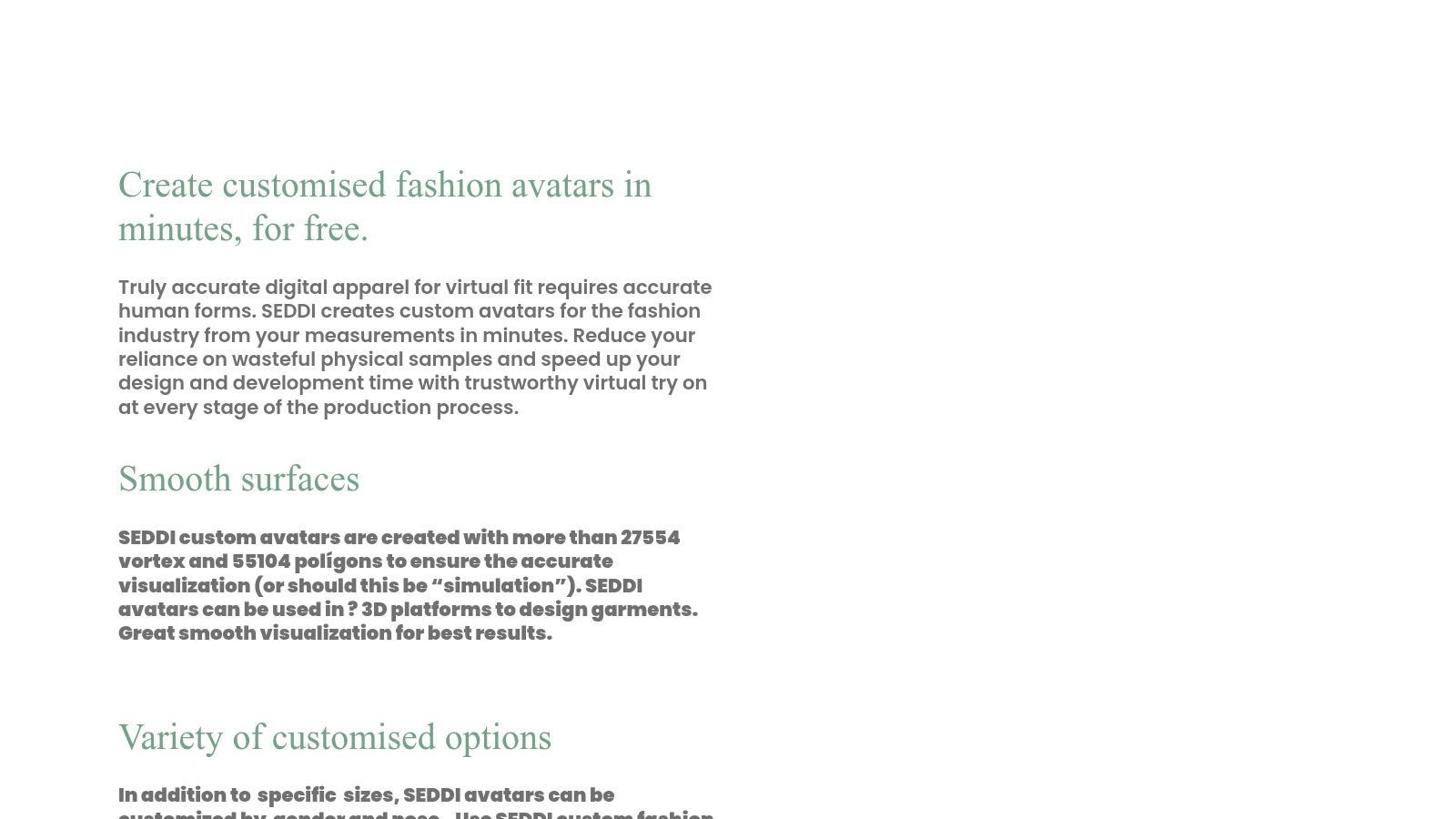
Nobody has to stand in a scanner booth. That is the advantage over phone-spin tools, and also the limit. If the numbers are wrong, the avatar will be confidently wrong. I would send the same measurement card twice, from two fit techs, before I lock a block to the mesh.
The request form asks for professional and contact details. This is not an instant consumer app, and it isn't a storefront widget. Confirm file formats, turnaround, and price with SEDDI before you promise a design review date. Use it when designers need specified proportions. Don't use it when a shopper is deciding between a medium and a large at midnight.
7. CFD Research Perfect Fit
Perfect Fit builds a personalized 3D body from height, weight, and a short measurement list, without a scan. Required inputs include waist and chest. The company says the model returns more than 80 measurements, and it can carry fit preferences such as loose, standard, or tight. There's a linked demo microsite if you want to see the output before a procurement call.
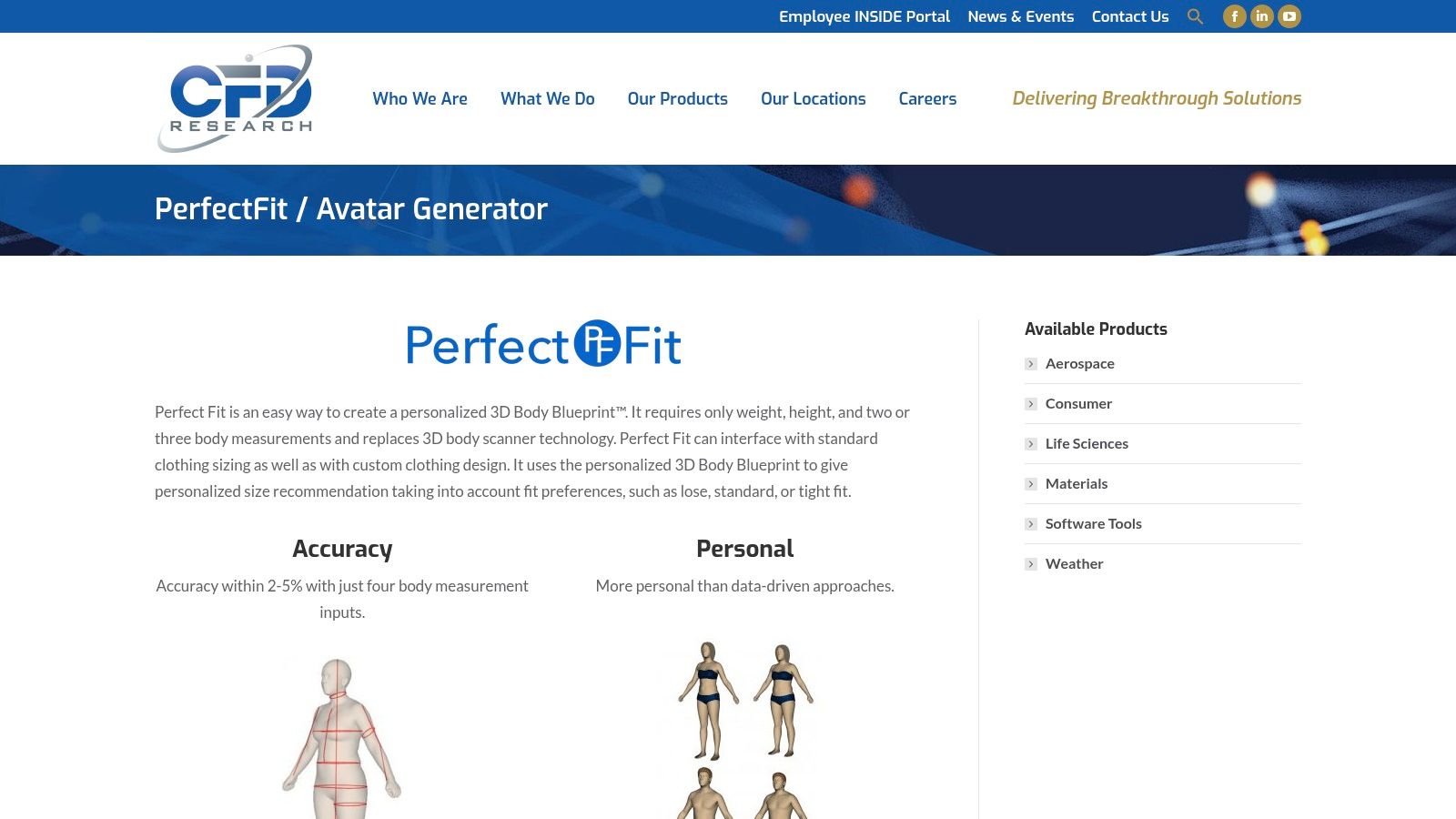
That input load is realistic for custom clothing and for a fit team that already knows a client's tape. It is a poor match for an anonymous product page, where shoppers abandon anything that feels like a tailor's form.
Treat every accuracy percentage on the vendor site as a hypothesis. Replay it on your own graded patterns before you change a size chart.
It isn't sold as a ready Shopify block. Published accuracy figures are the company's. Pricing and commercial access mean contacting CFD. I would pilot it on one custom program, not on the whole catalog.
8. CLO Avatar Editor
Inside CLO, the avatar editor is how a designer changes height, weight, proportions, and detailed measurements, then simulates the garment on that body. Preset avatars and sizing sets are there. CLO says the shapes come from real body-scan data. You are not buying a separate consumer app. You are buying time inside professional apparel software.
Some measurements are constrained and don't move the mesh the way a tape measure would. CLO's own support material says as much. Learn that before a fit meeting, or you'll drag a slider and think the pattern failed.
Where it earns its seat:
- Design and body in one file: Pattern changes and avatar changes share the same session.
- More than preset sizes: You can chase a specific measurement instead of hopping S, M, L.
- Cross-body checks: The same style can be simulated on several proportions before a sample is cut.
It takes real training. It will not sit on a shopper's product page. If your stakeholders still think in studio renders rather than live try-on, a primer on photorealistic product rendering keeps that conversation honest.
9. Texel BodyFit
Texel BodyFit is a scan processor, not an avatar toy. You feed it a 3D body scan. It builds a parametric model, calculates more than 100 measurements, and hands the numbers out as CSV or through an API. Units can be metric or imperial. Processing is in the cloud. It is meant for measurement analysis and for whatever virtual fitting room you build next.
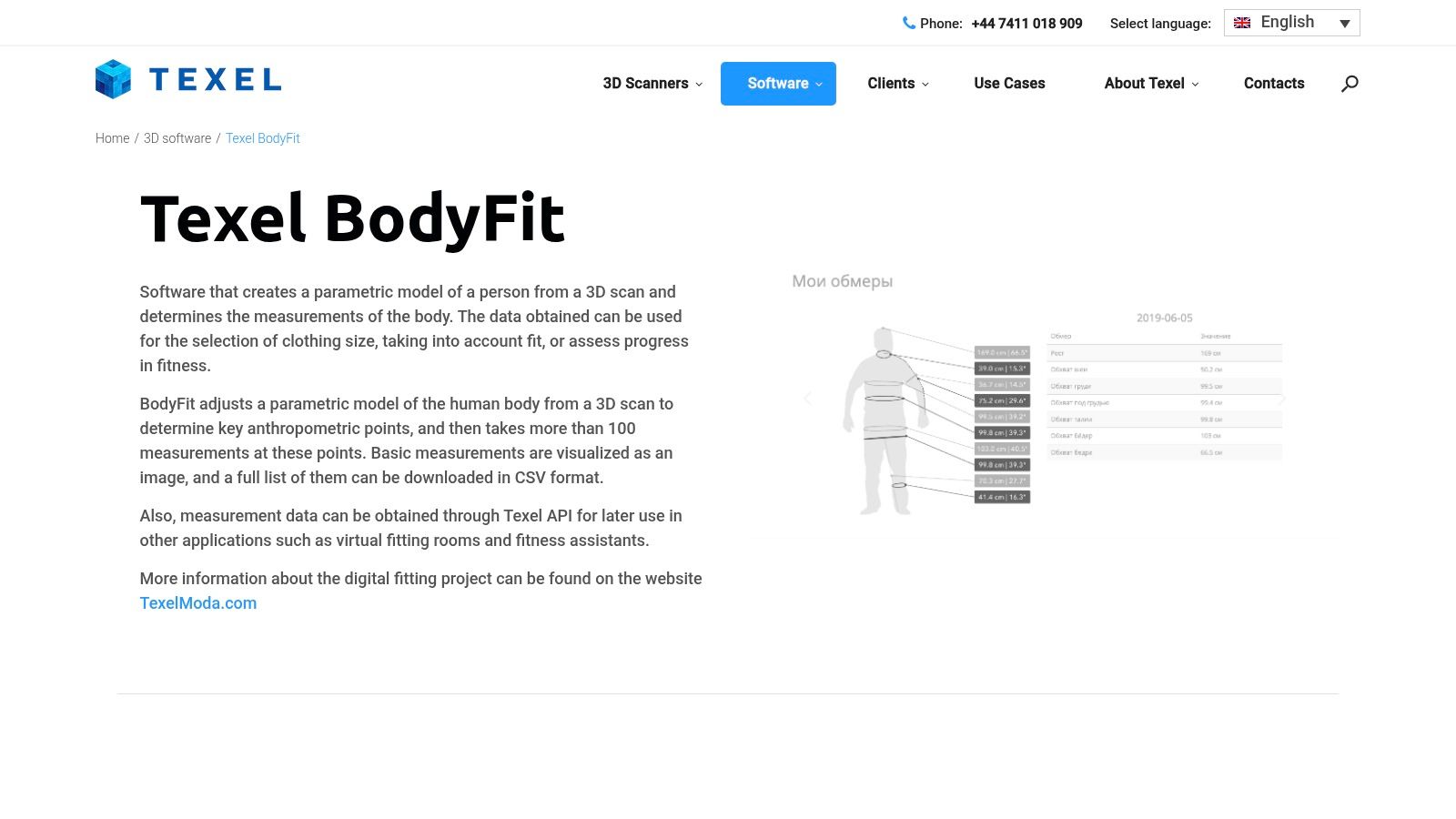
Don't summarize that output as one accuracy score. A benchmark of 194 male and 181 female subjects, published via 3DBODY.TECH proceedings, found mean absolute errors from 2.5 to 16.0 mm by measurement. Success inside a 6 mm band ran from 93% for men's neck circumference to 28% for men's ankle circumference and 24% for women's ankle circumference.
How I would use that:
- Trust the torso first: Neck, chest, and waist can drive shirts and jackets with a tighter tolerance.
- Widen the lower leg: Hems, cuffs, and footwear-adjacent calls need a range, not a single millimeter.
- Keep the scan honest: Loose clothes, bad pose, and a cluttered background still poison the mesh before Texel ever sees it.
You need a scan to start, and Texel's wider hardware setup can be heavier than a browser widget. Pricing isn't listed. This is the right lane when the scans already exist.
10. in3D Avatar Creator Pro
in3D Avatar Creator Pro turns a phone video into a rigged 3D avatar and exports GLB, FBX, and USDZ, including a path into CLO 3D. A developer SDK exists if you want the capture inside your own app. There is no built-in apparel size recommender and no product-page fitting room.
That makes it a capture tool for a designer who needs one person's mesh, or for a content team building characters. It does not make it a sizing system. Phone video will miss a soft waist under a sweatshirt and will invent detail the camera never saw. Test the export on the garment you simulate before you trust a fit comment in a review.
If the wider job is asset creation rather than apparel grading, you can turn photos into 3D models online with a different class of tool. Don't confuse that artwork with a size chart.
3D body model maker tools compared
| Item | Category / Type | How the Body Model Is Created | Best For |
|---|---|---|---|
| Robosize | Virtual fitting room and size recommendation | Shopper enters body details and can use a selfie-based try-on or select a model | Retailers seeking product-page try-on and garment-specific size guidance |
| Bodygram Platform | Developer body-measurement and avatar platform | Generated from basic statistics, optionally combined with two photos, or through browser scanning | Teams building custom measurement and avatar experiences |
| TrueToForm | Body measurement and fit prediction | Shoppers enter measurements or scan in a browser | Retailers seeking fit guidance, sizing insights, and analytics |
| The Fitting Room | Physics-based virtual fitting platform | Personalized avatar created with a smartphone 360-degree scan | Brands simulating fit across sizes for onboarded garments |
| Meshcapade digidoppel | 3D avatar-generation tool | Created from body measurements or existing body scans | Apparel teams creating models for 3D garment development |
| SEDDI Textura Avatar Service | Fashion-avatar service | Custom avatar generated from submitted body measurements | Designers needing proportion-specific models for garment workflows |
| CFD Research Perfect Fit | Body modeling and measurement service | Model generated from height, weight, waist, and chest measurements | Apparel sizing and custom clothing workflows |
| CLO Avatar Editor | Professional 3D apparel-design feature | Designers adjust avatars using measurements and body-shape controls | Fashion teams fitting and simulating digital garments |
| Texel BodyFit | Body-scan measurement software | Parametric model generated from a 3D body scan | Measurement analysis and downstream fit or sizing workflows |
| in3D: Avatar Creator Pro | Mobile 3D avatar creator | Rigged avatar generated from a video selfie | Designers needing an individual scan-derived model for 3D workflows |
Choosing the Right Body Model Maker for Your Fit Workflow
Who will operate the body model, and where does the fit decision need to happen? Start there. A shopper-facing tool, a developer platform, and a design-studio avatar system solve different problems, even when each creates a 3D body model.
For product-page fit guidance, Robosize is an AI virtual fitting room and virtual try-on for online clothing stores. Shoppers enter their height, weight, age, and the closest illustration of their body proportions, then complete the model with a real-time selfie or choose a model. Robosize renders the garment from up to three angles in one session and gives a precise size and fit recommendation for that item. It installs as a one-click Shopify app or through a JavaScript snippet on other platforms, without development work. Ask for a live demo using your own products to check how the workflow fits your size charts.
Developer platforms such as Bodygram suit teams that want to build and operate their own shopper experience, including its interface, fallback options, and data-handling rules. That flexibility also means the retailer must own more of the implementation. For apparel designers working with patterns and digital garments, CLO, Meshcapade, and SEDDI Textura are a better fit. Their workflows depend on design and simulation skills, rather than storefront installation.
Scan-processing services address a different need. Texel BodyFit extracts measurements from body meshes, so it suits teams that already have scan data and need to assess whether those measurements support a sizing decision. in3D creates an individual model from a phone capture, while Perfect Fit estimates a body from a short form. These are useful body-model inputs, not replacements for a product-page size recommender or a full pattern-design system.
Test the chosen tool on your garments before a broad rollout. Compare its recommendations with returned orders from the markets you serve, and sort mismatches by garment block. A dress and a rigid trouser can fail for different fit reasons, so one overall result can conceal problems. Treat vendor claims as a starting point, then set a clear tolerance for recommendations and a fallback for weak inputs.
That validation matters because returns vary by category. The average return rate across e-commerce categories was reported as 20%; apparel returns run above that average, according to figures cited by TrackingMore. A new avatar alone will not resolve fit issues. Choose the tool for the person operating it, then check whether its output helps shoppers choose the right garment size. For a closer look at studio software, read CLO3D versus Browzwear for apparel design.
Robosize builds a shopper-specific model from a short questionnaire and an optional selfie, then shows the garment with a size and fit recommendation on the product page. If online size uncertainty is a priority, trial the shopper-facing workflow with a live walkthrough of your catalog at Robosize.