You're at checkout with two sizes in the cart, and the usual size chart hasn't settled the question. A free body scanner may give you useful measurements, but it may not answer the question you actually care about: which size will fit this specific garment?
That distinction shapes this list. Some tools produce a 3D avatar and raw body measurements. Others add brand-level size recommendations. Developer platforms can provide scanning infrastructure, but they may leave garment logic, privacy configuration, and customer support to the retailer. A general 3D scanner may create a model without being suitable for apparel at all.
I'm ranking these tools by three practical criteria: what the free tier really outputs, how much confidence to place in the measurements, and what happens to the shopper's photos or scan data. Accuracy depends on lighting, pose, clothing, device, calibration, and the measurement algorithm. Independent apparel research found that portable and smartphone-based systems can be useful estimation tools, while guided manual measurement and high-end fixed scanners produce different levels of precision in comparative body-scanning research. Use the list to match the tool to the decision, not to chase the largest measurement count.
Table of Contents
- 1. MeThreeSixty by Size Stream
- 2. Bodymapp
- 3. Noom Body Scan within the Noom app
- 4. Dress Measurement
- 5. Nettelo
- 6. Bodygram
- 7. 3D Measure Me Body Scanner for iOS
- 8. Mirrorsize
- 9. MetaScan 3D Scanner App
- 10. Silai web-based body measurement scanner
- Top 10 Free Body Scanners, Feature Comparison
- Matching a free scanner to your fit decision
1. MeThreeSixty by Size Stream
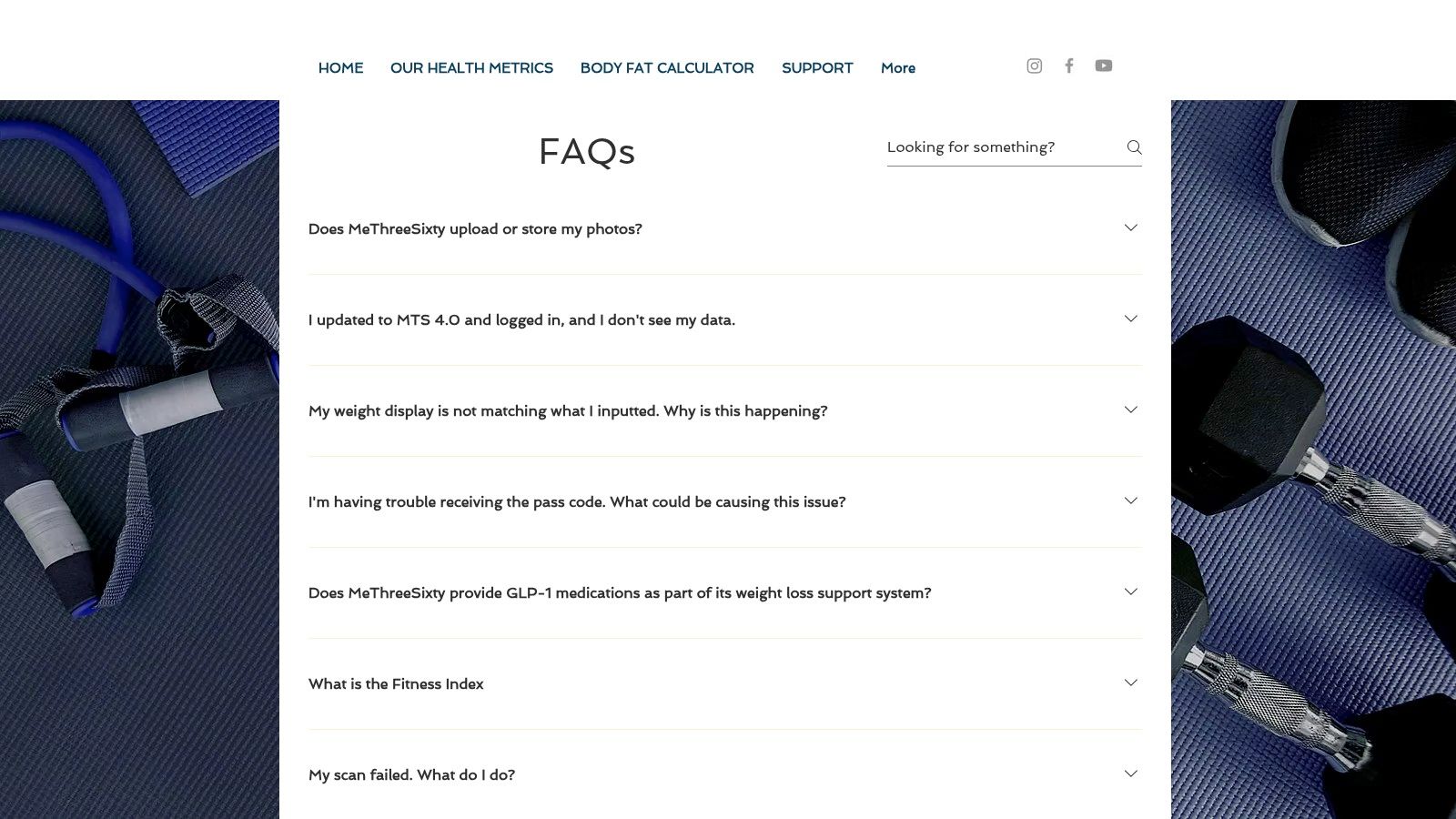
MeThreeSixty is one of the more mature consumer options for shoppers who want a 3D avatar, measurement history, and progress comparison rather than an immediate clothing size. The app guides the user through front and side photos, then produces an avatar with 40 or more measurements, body-composition estimates, and scan comparisons. Its official FAQ explains the capture process and provides guidance on scan quality.
What the free scan is good for
This is a strong reference tool for understanding consumer scan behaviour. The in-app tips cover lighting, pose, and background, while scan history helps users compare changes over time. Size Stream's involvement also gives the product useful industry context, and its work has visibility through 3DBODY.TECH presentations and research activity.
The limitation is that a detailed body model still isn't a garment-level recommendation. A shopper may learn their circumference measurements without knowing whether a particular jacket, pair of jeans, or dress will fit the way its brand intends. The free experience also limits which recent scans remain available as references.
Practical rule: Treat MeThreeSixty's output as a measurement profile and fit input, not as a guarantee that a retailer's size chart has been interpreted correctly.
Retailers can use it as a benchmark for a polished capture flow. They should test how users recover from failed segmentation, unusual backgrounds, or inconsistent posture before assuming that a similar workflow will work on a storefront. Accuracy can vary with lighting and background, and odd body segmentation can undermine trust quickly.
2. Bodymapp
Bodymapp takes a more device-dependent approach. It uses compatible iPhone depth capabilities, including TrueDepth or LiDAR workflows, to create a 3D body representation with circumference measurements and progress visuals. The Bodymapp platform separates its consumer experience from partner and professional use, which makes the free-versus-premium boundary easier to understand than in many freemium scanning apps.
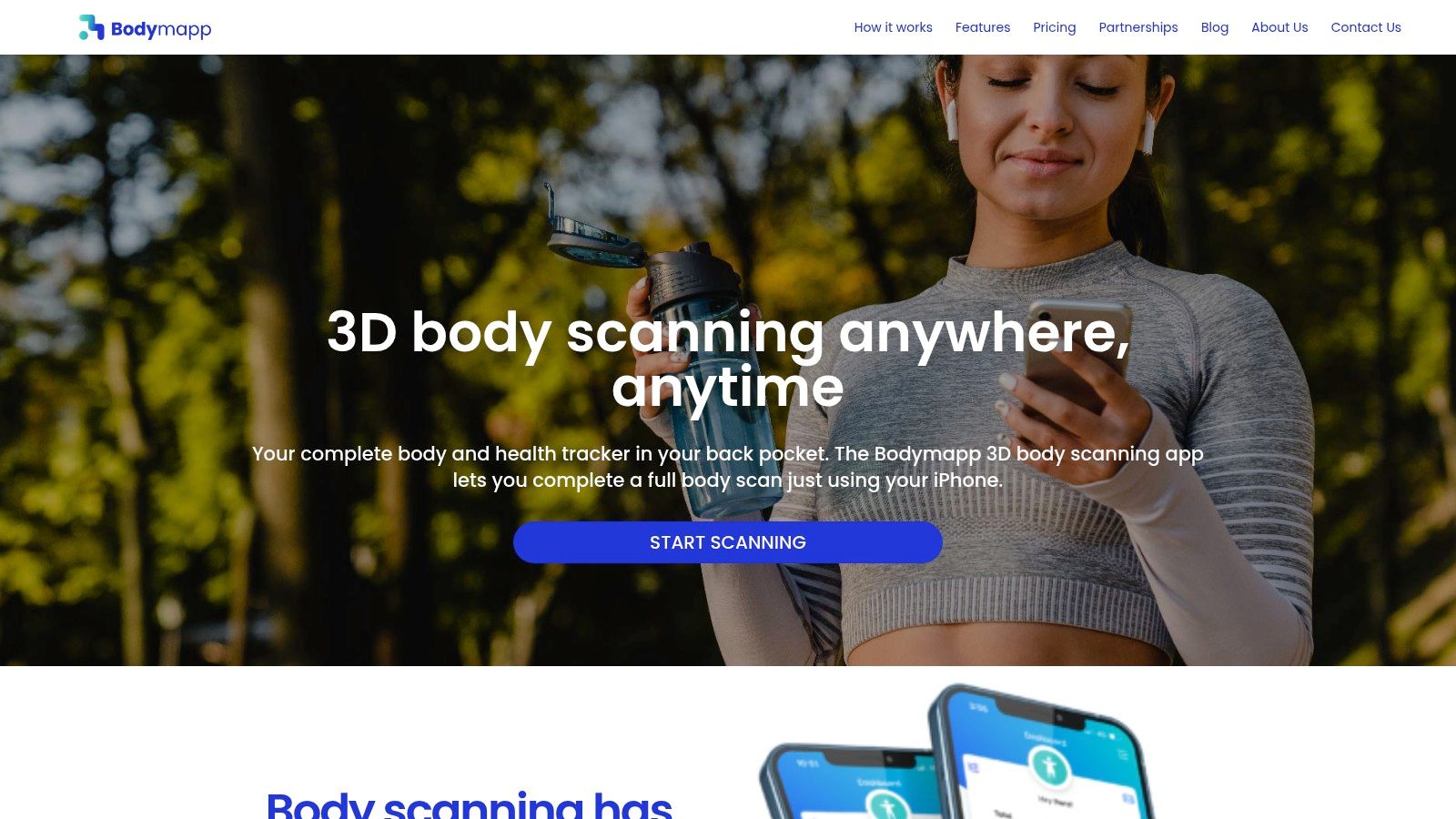
The free plan is most useful for shoppers who want a visual record of body measurements and wellness progress. Health dashboards and downloadable reports make the results easier to review outside the app, but those outputs are not the same as a product-specific size recommendation. A retailer would still need brand size charts, garment measurements, and fit rules to turn the scan into a checkout decision.
The device trade-off
Bodymapp's main advantage is also its main constraint. A compatible iPhone can provide a more structured capture experience than a purely image-based workflow, but Android shoppers may have limited access to the same consumer path. The app's coverage and measurement behaviour also depend on the device class, so two shoppers may not receive equivalent experiences.
That matters for ecommerce teams. If a retailer promotes a scan to a broad audience, a device check and a fallback path are essential. A questionnaire, manual measurement option, or model selection can prevent the scanner from becoming a dead end for shoppers whose phones aren't supported.
3. Noom Body Scan within the Noom app
Noom Body Scan shows how a mainstream health app can package body scanning as part of a broader engagement journey. The feature creates a 3D avatar, supports comparisons between a current body and a goal state, and presents measurements such as chest, arms, and waist alongside body-composition estimates. The Noom support page describes its availability within the app's free feature set.
This is a sensible choice for someone already using Noom who wants measurement tracking without adding a separate specialist app. Onboarding and educational content are likely to feel more familiar than the instructions in a bare scanning utility. The experience is designed around health and progress, though, not around selecting a size for a specific garment.
What shoppers should verify
Feature availability can change across app versions, device support, and account tiers. A scan that appears free in one current app experience may not expose every related analysis or comparison in another. Occasional scan failures also mean that a user should have a stable capture environment and shouldn't treat a single result as definitive.
Noom Body Scan is therefore better for personal tracking and visual comparison than for online apparel sizing. Retailers can study its onboarding approach, but they shouldn't assume that a wellness-oriented avatar translates directly into reliable ease, stretch, or garment-drape predictions.
A useful distinction is the difference between a body estimate and a body model used for retail. The first describes the shopper. The second must also understand the product, the brand's size chart, intended ease, fabric behaviour, and the fit decision being made.
4. Dress Measurement
Dress Measurement is one of the more practical choices for shoppers who want measurements they can easily share. Its free tier includes a camera-based Body Scan, but the workflow is semi-manual. Users trace measurement points on a photograph rather than relying entirely on automatic segmentation. That takes longer, yet it can give the user more visibility into how each result was produced.
The app also supports manual entry, PDF export, multiple profiles, and brand size recommendations. Its FAQ and privacy guidance make it a useful option for home measurement, family profiles, or sending information to a tailor. The recommendation feature is closer to a retail decision than a standalone avatar, although its usefulness depends on whether the relevant brand size table is supported.
Where the manual step helps
Fully automated scans feel faster, but a tracing workflow can expose errors before the user accepts them. It's still vulnerable to poor posture, clothing, image quality, and imprecise point placement. The result should be treated as practical sizing information, not as a laboratory measurement.
For a hoodie or other relaxed garment, shoppers also need the garment's own dimensions and intended fit. A body measurement alone won't tell you how much ease the product includes. The guide to measuring body length for a hoodie is a useful companion when the question concerns garment length rather than circumference alone.
Dress Measurement is a good fit for shoppers who value exportable records and control over the process. It's less suitable for a retailer seeking a frictionless, automatic, product-page recommendation.
5. Nettelo
Nettelo is a long-running mobile body-scanning app that combines a guided pose with a 3D avatar and anthropometric measurements. Its Google Play listing positions it as a consumer tool for body modelling, progress tracking, and measurement visualisation. Availability can vary by region and store listing, so shoppers should check whether the current version supports their device.
The output is richer than a simple tape-measure questionnaire. Users can view a body model, follow changes, and export or inspect measurements for home tailoring and fitness-related use. That makes Nettelo useful when the goal is to build a personal reference profile rather than choose a single item at checkout.
The fit-data weakness
User experience is sensitive to capture conditions. Mixed feedback around plus-size outlines and tracing sensitivity points to a broader issue with consumer body scanning: the algorithm may produce a plausible-looking avatar while still placing landmarks imperfectly. Lighting, clothing, camera position, and pose can all affect the result.
Nettelo also doesn't automatically solve the retailer's hardest problem. Raw measurements need to be mapped to the brand's size chart and then adjusted for product cut, fabric stretch, and fit preference. If a shopper is between sizes, an app that reports measurements may still leave the final decision unresolved.
For retailers, Nettelo is useful as a reference for guided capture and measurement visualisation. It's not enough to validate a size recommender. The retailer needs repeat scans, garment-level testing, and a fallback for shoppers who can't produce a stable outline.
6. Bodygram
Bodygram is aimed less at individual shoppers and more at teams building a scanning experience. Its platform offers a web SDK, an embeddable scanner interface, smartphone photo-based measurement, documentation, and a free developer account for evaluation. The Bodygram platform documentation is the relevant starting point for developers testing the integration.
That changes how “free” should be interpreted. A developer can explore the platform and prototype a flow without special scanning hardware, but a free account is not the same as a free, finished retail service. Commercial use, deployment controls, support, and usage terms typically need separate review.
Best use for retailers
Bodygram makes sense when a retailer wants to own the surrounding experience. The team can connect measurements to its own product catalogue, size charts, analytics, and consent screens. That flexibility is valuable, but it also means the retailer becomes responsible for the logic that turns a body estimate into a recommended size.
A body model can support different use cases, from wellness dashboards to apparel sizing. The implementation should make that purpose explicit. If the output is only a measurement list, shoppers may assume the retailer has done more sizing work than it really has.
For teams modelling body shape from shopper inputs, the height and weight body model guide provides useful context for why basic inputs can support a model without being equivalent to a photographic scan. Bodygram is a development tool first. Shoppers looking for an immediate free scan should choose a consumer app instead.
7. 3D Measure Me Body Scanner for iOS
3D Measure Me takes a speed-first approach. The iOS app turns a short series of photos into a 3D model and reports more than 80 measurements, according to its App Store listing. It also includes scan history and progress tracking, so the experience is aimed at casual fitness monitoring and tailoring references.
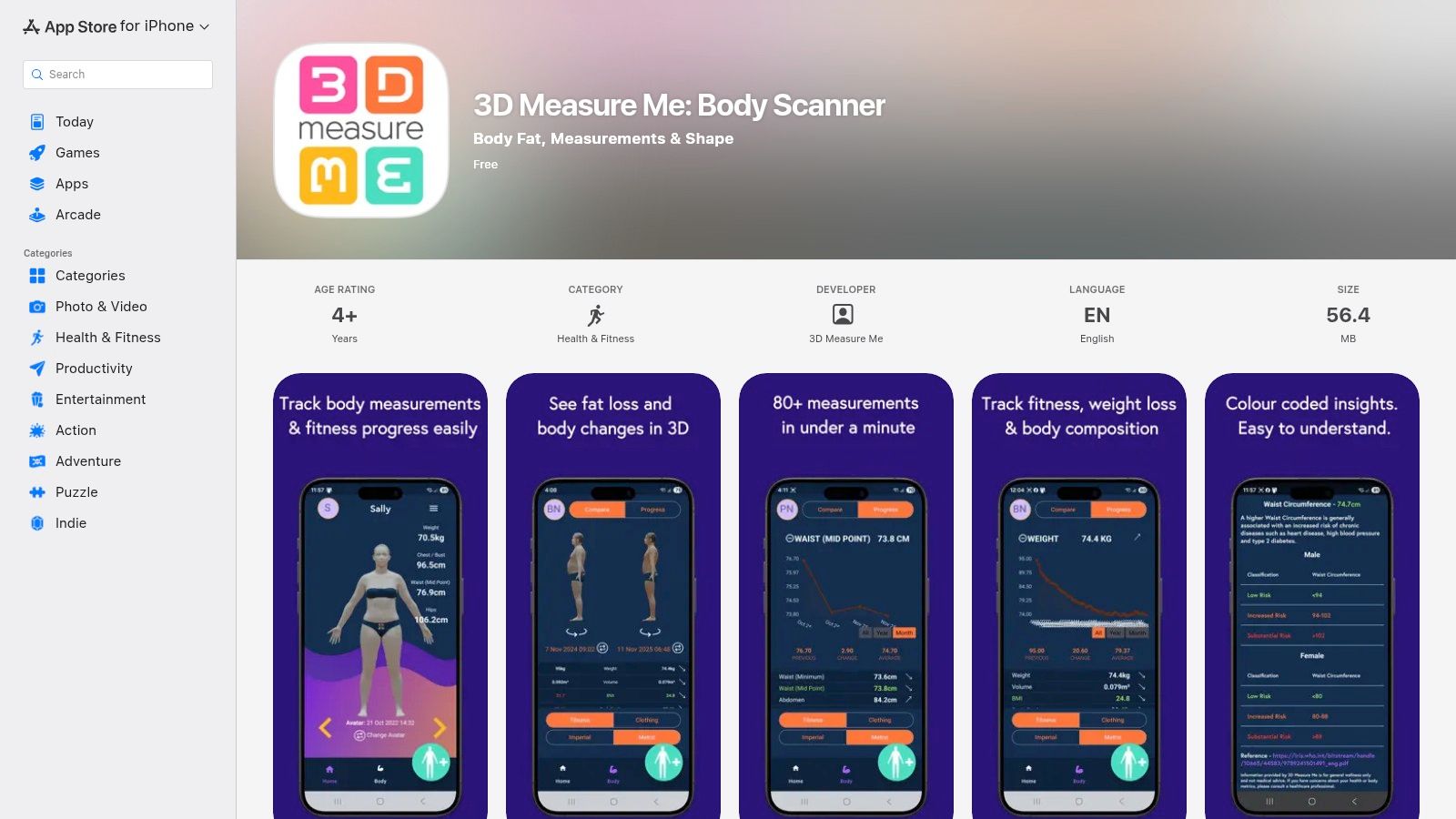
The quick capture flow is attractive for shoppers who won't tolerate a long setup. No additional hardware is required, and the iOS interface is straightforward. But a fast capture isn't automatically a reliable capture. Phone placement, lighting, clothing, pose, and background still affect the result.
Measurement volume isn't size advice
A long list of measurements can look authoritative while leaving the shopper with the same checkout problem. The app's output is primarily a body reference. It doesn't automatically know whether a particular product is cut slim, oversized, stretchy, cropped, or designed to be worn with ease.
Freemium restrictions may also affect exports or advanced analysis. That matters if a shopper needs to send measurements to a tailor or move the data into another workflow. Before relying on it, check what can be viewed, saved, or exported without upgrading.
For product sizing, the guide to choosing what size you are helps frame the missing step. A scan estimates the shopper's body. A useful ecommerce recommendation must connect that estimate to the product.
8. Mirrorsize
Mirrorsize ranks highly for shoppers and retailers who want to move beyond raw measurements. Its guided photo flow produces body measurements and supports brand- and product-specific size recommendations. The company also offers SDKs and APIs for retail integrations, alongside consumer-facing experiences. The Mirrorsize platform presents it as an end-to-end sizing technology rather than only a 3D capture app.
That distinction is important. A retailer can get more value from a smaller set of trustworthy measurements if the system connects them to actual products. A large measurement list without garment mapping leaves the hardest merchandising work unfinished.
The recommendation layer
Mirrorsize's main strength is the attempt to translate body information into a brand decision. In practice, that recommendation still depends on product data quality. Brand charts must be correct, product measurements need to be maintained, and the retailer should account for fabric and intended fit.
Business plans may also involve minimum terms after a trial, so retailers should examine the commercial model before building a customer journey around it. Consumer usefulness depends on coverage too. A shopper may receive a recommendation for supported products but not for every item in a multi-brand catalogue.
For a retailer evaluating a free body scanner, Mirrorsize is a useful example of the target endpoint: the customer wants a size, not an anthropometric report. The integration and coverage questions are just as important as the capture experience.
9. MetaScan 3D Scanner App
MetaScan is the broadest tool on this list. It can capture faces, full bodies, and objects with a smartphone, then create shareable 3D models. Its 3D scanner app page makes the free entry point appealing for experimentation, demonstrations, and general-purpose 3D capture.
The app is a poor fit if your real question is, “Which size should I order?” It isn't positioned around apparel measurements, brand size charts, garment ease, or product recommendations. A shareable model can be useful for visual experimentation, but visual plausibility isn't the same as repeatable circumference data.
Use it for prototypes, not fit decisions
MetaScan works for a retailer that needs a zero-cost way to demonstrate body capture internally. A product or innovation team could use it to discuss scan UX, model sharing, or the basic appeal of a phone-based workflow. It can also help a shopper explore 3D capture without committing to a fitness or apparel-specific platform.
It doesn't remove the need for measurement validation. If a retailer wants to use a general-purpose model for apparel, the team would need its own landmark definitions, repeatability tests, size logic, and privacy review. That makes the tool more suitable for a demo than a production fitting room.
The practical ranking is simple. MetaScan is free 3D capture. It isn't free apparel sizing.
10. Silai web-based body measurement scanner
Silai has the lowest setup friction here. It runs in a browser, uses a phone camera, doesn't require an app install or account, and presents a single-session flow. The service says it extracts 21 measurements and deletes photos after processing, details available on the Silai body measurement scanner.
For privacy-sensitive shoppers, that deletion posture is a meaningful differentiator. A user can test the workflow without creating a persistent account or installing another app. Still, shoppers should read the current privacy terms and distinguish photo deletion from deletion of derived measurements or models. The important question is what data remains after processing and who can access it.
What Silai doesn't provide
Silai is mainly a measurement extractor. It doesn't provide apparel size mapping out of the box, so the shopper still has to compare results with an external brand chart. It also lacks the richer scan history and progress features found in tracking-oriented apps.
That makes it useful for a quick measurement check, especially when the user doesn't want a long-term profile. It's less useful for retailers that need repeat visits, product-level recommendations, or analytics across a catalogue.
A browser-based scanner can reduce friction, but it can't remove the normal capture risks. Poor lighting, pose, clothing, and body outline quality still affect the estimate. Use Silai as a short-lived measurement aid, not as proof that a size will fit every garment.
Top 10 Free Body Scanners, Feature Comparison
| Product | Core features | UX / Quality ★ | Value / Pricing 💰 | Target audience 👥 | Unique selling points ✨🏆 |
|---|---|---|---|---|---|
| MeThreeSixty (Size Stream) | 3D avatar + 40+ measurements; front/side photo flow; scan history | ★★★★, mature, research-backed | 💰 Freemium (recent-scan retention limits) | 👥 Consumers; retailers researching scan UX | ✨ Enterprise scanner heritage; 🏆 research visibility |
| Bodymapp | TrueDepth/LiDAR capture; 3D avatar; health dashboards | ★★★, polished iOS experience | 💰 Freemium → premium analytics | 👥 Fitness & wellness partners; iOS users | ✨ LiDAR/TrueDepth capture; partner portals |
| Noom Body Scan | 3D avatar + measurements inside Noom; goal comparisons | ★★★, strong onboarding & retention | 💰 Free within Noom (freemium app) | 👥 Weight-loss & health app users | ✨ Integrated coaching & education; mainstream reach |
| Dress Measurement | Camera body-scan + manual tracing; PDF export; multi-profiles | ★★★, practical, DIY-friendly | 💰 Generous free tier | 👥 DIY tailors; shoppers needing sharable measurements | ✨ PDF export & multi-profile support |
| Nettelo | Guided pose 3D avatar; progress tracking | ★★☆, mixed UX on lighting/size outlines | 💰 Free/paid options (consumer app) | 👥 Home tailoring & fitness users | ✨ Long-running consumer scanner with broad features |
| Bodygram | Web SDK + embeddable scanner; photo-based measurements | ★★★★, developer-focused, well-documented | 💰 Free developer account; paid commercial plans | 👥 B2B dev teams prototyping integrations | ✨ SDK + hosted UI; 🏆 strong docs & B2B pathways |
| 3D Measure Me (iOS) | 4 photos → 3D model + 80+ measurements; fast capture | ★★★★, very fast, clean iOS flow | 💰 Freemium (gated exports/features) | 👥 iOS users; fitness & tailoring use | ✨ Sub‑60s capture flow |
| Mirrorsize | 2-photo guided capture; brand-specific size recommendations; SDK/API | ★★★★, enterprise-ready sizing | 💰 Trial → paid enterprise plans | 👥 Retailers seeking brand-fit recommendations | ✨ Brand-specific sizing; 🏆 end-to-end retail focus |
| MetaScan 3D Scanner App | Scans faces, bodies, objects; generates shareable 3D models | ★★☆, flexible but not apparel-specific | 💰 Free | 👥 Experimenters, demos, internal teams | ✨ Fully free multi-target 3D scanning |
| Silai (web) | No-app web scanner; 21 measurements; deletes photos after processing | ★★★, ultra low-friction single-session | 💰 Free / no-account | 👥 Privacy-sensitive users; quick testers | ✨ No-install + privacy-forward (auto-delete); 🏆 low friction |
Matching a free scanner to your fit decision
The right tool depends on who owns the next step. A shopper may only need a waist or inseam estimate. A retailer needs to connect body information to product construction, size charts, fit preference, privacy controls, and returns. Those are different jobs, even when both start with a phone camera.
Retailers should begin with consumer tools such as MeThreeSixty or Bodymapp to understand capture friction and the outputs shoppers recognise. MeThreeSixty is useful for studying guided photos, avatars, and scan history. Bodymapp shows how device capabilities can influence the experience. Neither should be treated as a ready-made product-page size recommender without testing against the retailer's own garments.
Choose by output, not by scan branding
Before approving a tool, identify which of these outputs it delivers:
- Raw measurements: Useful for comparison with a size chart, but still requires shopper interpretation.
- A body model: Helpful for visualisation and progress tracking, but not proof of garment fit.
- A brand recommendation: Closer to the shopper's real checkout question, provided the product catalogue and size logic are accurate.
- A developer component: Valuable for building a custom journey, but it shifts implementation and privacy responsibility to the retailer.
Accuracy also needs a use-case label. Smartphone applications can show errors of roughly 20 to 30 millimetres for measurements such as bust, waist, hip, and inseam in research discussed in independent apparel scanning work. That may be acceptable for broad size guidance, but it can be problematic for compression garments, precise denim waists, or made-to-measure work. A retailer should use confidence thresholds, ask for extra inputs when capture quality is weak, and compare recommendations with fit feedback and returns.
Privacy is part of the product
A body scan can produce sensitive imagery, extracted measurements, and a derived model. Retailers should explain whether processing happens locally or in the cloud, whether photos are retained, how long measurements persist, who can access them, and whether the shopper can delete the underlying model. European airport scanner rules established a useful privacy principle in another context, requiring non-ionizing systems, image protections, and passenger choice under the European Commission framework. Retail scan experiences need their own clear consent and deletion controls.
Shoppers should choose by device support, desired output, and comfort with photo retention. Silai is suited to a quick browser session. Dress Measurement helps users control and export their measurements. Mirrorsize is closer to a garment-level decision. MeThreeSixty, Nettelo, and Noom are stronger when the goal is body tracking rather than immediate apparel sizing.
The caveat applies to every tool: lighting, pose, clothing, device quality, segmentation, and free-tier history limits can change the result. A scan is an estimation layer, not a universal guarantee. For on-page try-on with a size recommendation for each product, Robosize offers a retailer-side approach that builds a shopper body model from a short questionnaire and optional selfie, then connects the model to product-level fit guidance.
Robosize combines AI size recommendations with photorealistic virtual try-on, so shoppers can see a garment on a model built from a short questionnaire and optional selfie instead of relying only on raw measurements. Retailers can add it through a one-click Shopify app or JavaScript snippet, then show a per-garment size recommendation directly on the product page. Visit Robosize to explore a fitting-room workflow built for apparel stores.