Most “best Shopify clothing apps” lists start with the wrong question. They ask which tools are popular, affordable, or packed with features. A profitable apparel store should ask something harder: which app improves contribution margin after returns, support work, reverse logistics, discounts, and storefront performance are included?
A clothing stack can easily become a collection of subscriptions that overlap, inject scripts into the same product page, and make shoppers work harder to choose a size. Reviews, email automation, recommendations, and visual merchandising all have a place, but the commercial priority is fit confidence. The right app should make the buying decision clearer without creating a slower mobile experience or feeding shoppers inaccurate measurements.
Table of Contents
- Rethinking the Shopify App Stack for Apparel
- The True Cost of Fit and Sizing Friction
- Protecting Mobile Performance and Core Web Vitals
- Designing Contextual and Localized Sizing Data
- Implementing Progressive AI Try-On Experiences
- Measuring Contribution Margin and App ROI
- Building Your Optimized Apparel Tech Stack
Rethinking the Shopify App Stack for Apparel
Shopify's app ecosystem has changed from a small directory into major commercial infrastructure. The history of Shopify's app ecosystem shows that the App Store launched in 2009 with fewer than a dozen apps, reached around 100 apps in 2013, and exceeded 2,000 apps by 2018. More recent ecosystem data reports over 21,000 apps and nearly 20% growth in active app installs during the latest measured year.
That scale creates choice, but it also creates noise. Installing a review platform because every competitor uses one won't fix a product page with missing garment measurements. Adding a recommendation widget won't solve a checkout hesitation caused by unclear regional sizing. A mobile app builder may support retention, yet deliver little value if the core web experience still makes shoppers pinch, scroll, and hunt for fit information.
Practical rule: Install an app to remove a measured source of friction, not to complete a fashionable checklist.
A useful starting point is a store-level friction audit. Look at product-page exits, support conversations, size-related return reasons, variant availability, and mobile interaction quality. Then map each problem to one tool. If shoppers ask the same sizing question repeatedly, start with contextual fit assistance. If buyers trust the product but fail to return for new drops, evaluate lifecycle marketing. If product discovery is weak, consider reviews, visual merchandising, or social commerce.
A broad resource such as the CartBoss roundup of Shopify apps can help generate a shortlist across marketing, reviews, support, and merchandising. It shouldn't decide your stack for you. The best clothing apps are the ones that connect cleanly to your catalog, theme, analytics, and fulfillment process while improving a specific commercial outcome.
Popularity isn't the same as fit
Merchant adoption can indicate that an app solves a common problem, but it doesn't prove that the tool fits your catalog. A denim brand with detailed garment measurements has different needs from a multi-brand retailer using inconsistent supplier data. A small capsule collection may not need the same recommendation infrastructure as a large apparel catalog with complex size and color variants.
Evaluate every candidate against four questions:
- What friction does it remove? Define the shopper or operational problem in plain language.
- What data does it require? Check product measurements, variant mapping, customer events, and inventory dependencies.
- What does it add to the storefront? Review scripts, network requests, layout behavior, and mobile interactions.
- How will finance judge it? Include refunds, exchanges, support time, reverse logistics, discounts, and recurring fees.
That approach produces a smaller stack, but usually a more accountable one.
The True Cost of Fit and Sizing Friction
Fit uncertainty affects both sides of the funnel. A shopper may abandon a product because the size information is difficult to interpret, or place an order while knowing that the chosen size is a guess. The second outcome looks better in conversion reporting, but it can be worse for margin once the parcel comes back.
Industry estimates place average global apparel ecommerce returns at about 26%, with fit issues accounting for approximately 53% of apparel returns, according to industry apparel return benchmarks. The same compilation reports that 45% of consumers identify size as the leading reason for returning apparel, while 79% want size charts and measurements before purchasing. These are directional industry estimates, not a standardized global measurement program, so merchants should compare them with their own product, market, and policy data.
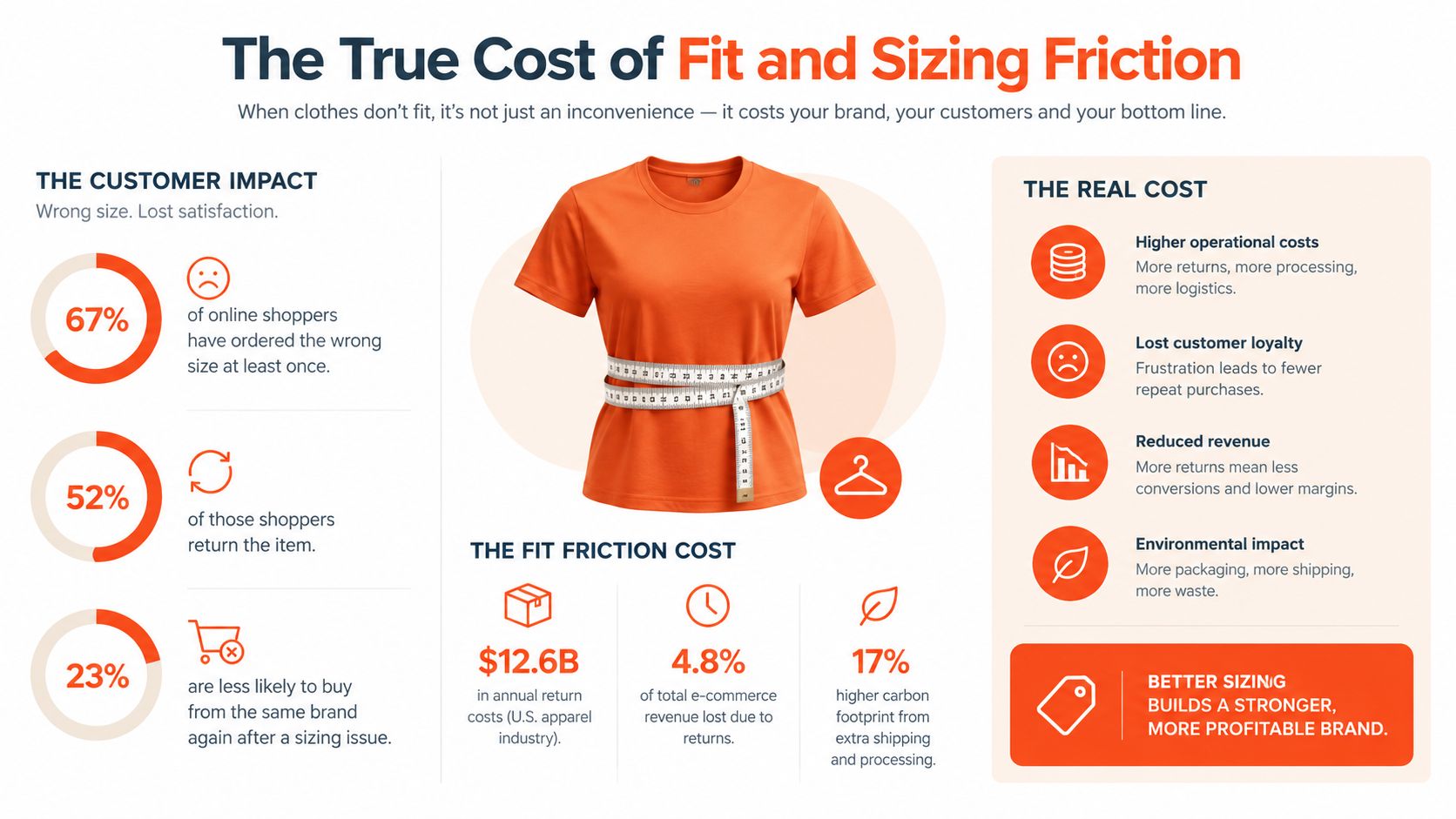
The financial impact isn't limited to the refund. A return can involve payment processing, customer service, inspection, repackaging, restocking, markdown risk, and outbound or inbound shipping. Recent industry coverage cites return processing at roughly $29.50 per item, a figure that should be treated as a planning input rather than a universal cost for every retailer. The discussion of apparel sizing data fragmentation is useful because it connects poor measurement quality with the operational expense that follows.
Build the break-even calculation
A sizing or virtual fitting app makes financial sense when the contribution preserved by better fit decisions exceeds its full cost. That calculation should include:
- Recovered product margin: Contribution from orders that would otherwise have been refunded or discounted after return.
- Exchange economics: Margin retained when a shopper exchanges for the correct size instead of requesting a refund.
- Reverse-logistics cost: Shipping, inspection, handling, repackaging, and disposition expenses.
- Support workload: Time spent answering sizing questions, processing returns, and resolving fit complaints.
- Technology cost: Subscription fees, usage charges, implementation work, analytics, and any required data cleanup.
Don't use conversion rate as the sole proof of success. An app that raises completed orders but increases wrong-size purchases may destroy more margin than it creates. Track size-related returns separately from quality, delivery, preference, and other reasons, then compare refund rate, exchange rate, and margin after reverse logistics.
Generic review apps still matter because customer photos can show how a garment fits different bodies. They won't replace accurate product measurements, though. A polished size chart can increase confidence in the wrong size when the underlying measurements, grading rules, or variant inventory are incorrect.
Protecting Mobile Performance and Core Web Vitals
A fit app can improve sizing decisions and still reduce contribution margin if it slows the product page. Fit tools appear where shoppers compare products, choose variants, and add items to cart. A size guide, recommendation widget, image gallery, or questionnaire becomes a liability when it delays the main content or shifts the layout during selection.
Shopify's Web Performance reports expose LCP, INP, and CLS with device segmentation. Shopify also provides an App Bridge Web Vitals API for app developers building their own monitoring systems. Use these tools to assess the complete storefront, rather than accepting an app vendor's isolated speed claim. Slow interactions and layout shifts can increase hesitation, abandonments, and support requests, even when the app improves fit accuracy.
Test the app in the real theme
Install the app on a duplicate theme and test representative product pages with existing scripts enabled. A page with variant selectors, reviews, sticky add-to-cart controls, analytics tags, chat, and upsells will behave differently from an empty template.
Before installation, record the current 75th-percentile LCP, INP, and CLS for mobile and desktop. Set an internal regression threshold before the app goes live, then compare the same segments after traffic accumulates. Shopify recommends using Web Performance reports alongside PageSpeed Insights and browser developer tools to identify slow resources and interaction delays. Run those checks on the same test pages so delays can be traced to specific scripts.
Apply a few implementation rules:
- Defer noncritical JavaScript: A fitting questionnaire should not block the product title, price, gallery, or variant controls.
- Reserve widget space: Allocate room for a size guide or fitting module so the page does not jump when it loads.
- Lazy-load secondary imagery: Load recommendations and alternate views only when the shopper requests them.
- Separate device results: Mobile and desktop shoppers face different network conditions, viewport constraints, and interaction patterns.
- Retest after theme changes: A minor theme update can change script order, layout space, or event handling.
Implementation insight: An app that loads quickly in a vendor demo can perform poorly beside your theme's existing scripts. Judge it by the incremental effect on your storefront and the margin preserved through better fit decisions.
Mobile fit experiences also need sensible camera behavior. If a tool supports body scans or selfies, review the mobile body scan implementation considerations alongside consent, fallback, and loading behavior. A shopper who declines camera access should still receive useful size guidance through a questionnaire or clear measurements.
Designing Contextual and Localized Sizing Data
A generic size chart is often treated as content. For apparel, it should be treated as structured product data.
The chart for a fitted blazer shouldn't automatically govern a relaxed sweater. Different garments use different grading rules, ease, construction, and measurement points. A single global chart forces shoppers to translate information that the retailer already owns, increasing uncertainty at the moment of purchase.
Baymard's apparel ecommerce UX research recommends showing a size chart for the specific apparel product under consideration. Its research also highlights the value of controls that let shoppers switch between centimeters and inches. The useful lesson isn't just “add a popup.” It's “show the right information in the right context.”
Generic chart versus product model
| Generic size chart | Contextual sizing model |
|---|---|
| One chart may cover an entire catalog | Each product or variant connects to its relevant measurements |
| Shoppers interpret whether measurements describe body or garment | The interface labels the measurement type clearly |
| Unit conversion may be left to the shopper | Metric and imperial values are available in the same flow |
| Regional labels can look interchangeable | US, UK, and EU labels remain distinct from actual measurements |
| The chart may sit on a separate help page | Fit information appears directly beside product selection |
The data layer should distinguish body measurements from finished-garment measurements. It should also map the shopper's profile to the exact size and variant that are available, rather than recommending a size that is already out of stock. If the product has several cuts, fabrics, or fits, those attributes need to remain available to the recommendation logic.
A shopper who prefers inches shouldn't have to reset that preference every time they open another product. The same applies to regional sizing labels. US, UK, and EU labels can help orientation, but they aren't interchangeable measurements, and the interface should avoid implying that a simple label conversion guarantees the same fit.
For teams designing the input model, body model and height and weight guidance provides useful context for connecting shopper information with fit assistance. The important operational question is whether the recommendation can be audited. Merchandisers should be able to see which chart was applied, which measurements informed the output, and what happens when a product lacks complete data.
Data quality beats interface polish. A beautiful chart attached to the wrong garment is worse than a plain chart attached to the right one.
Implementing Progressive AI Try-On Experiences
AI-assisted shopping is becoming part of the way customers research products. Consumer research cited by Bloomreach's conversational AI shopping study reports that 61% of respondents had used general-purpose AI tools such as ChatGPT or Gemini to help shop, while 57% had used dedicated shopping assistants within the previous six to nine months. The same research context points to continued importance for physical retail, especially across older shopper groups.
That combination argues against a single forced flow. Some shoppers want a quick size recommendation. Others want to see a garment rendered on a body model. Some will upload a selfie, while others won't grant camera access or don't want to share an image. A good experience treats visualization as a progressive enhancement rather than the entry fee for buying a shirt.
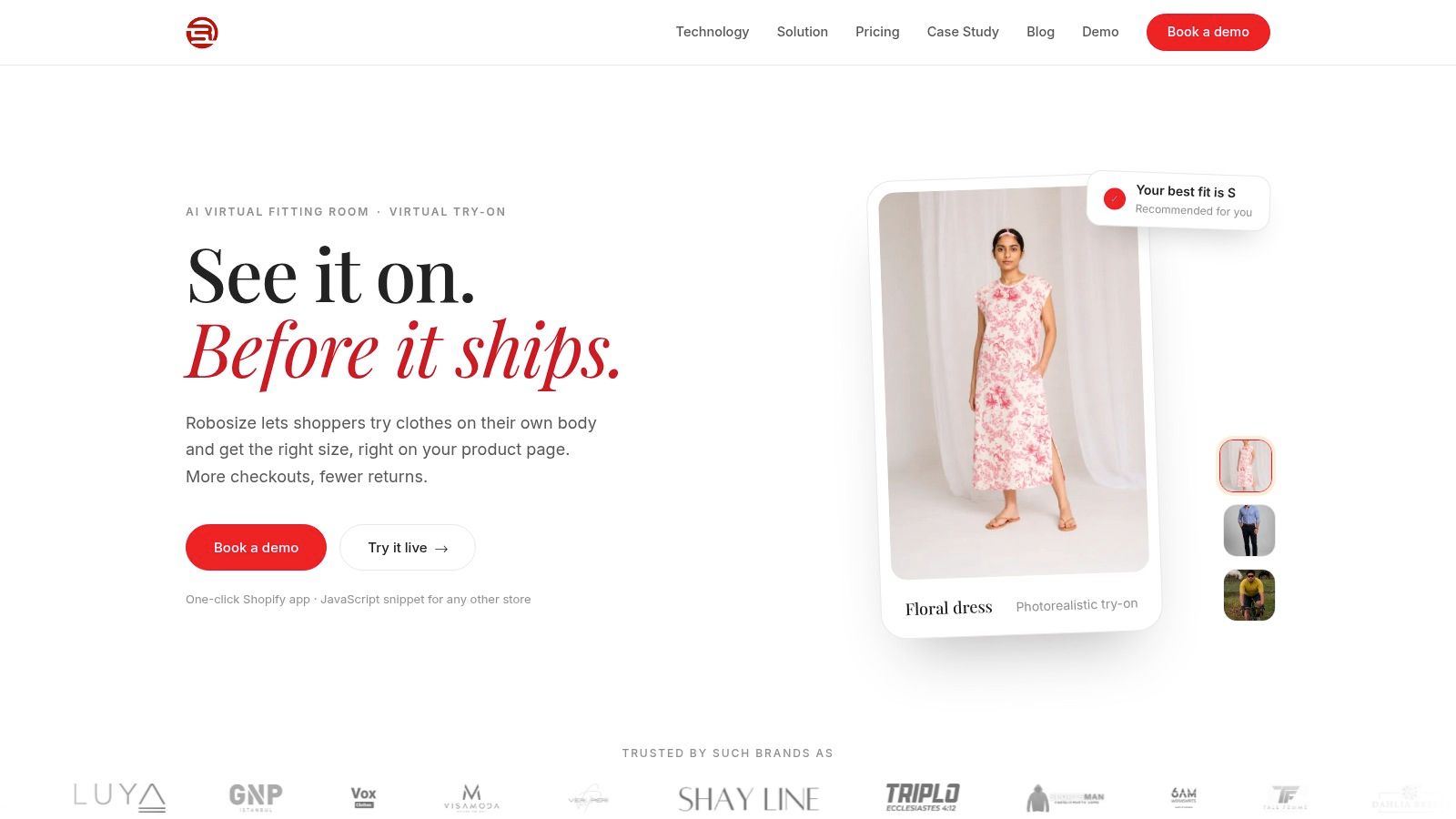
Start with the lowest-friction path:
- Ask useful questions first: Height, weight, age, body shape, and fit preference can support a size recommendation when product data is reliable.
- Explain the output: Tell the shopper why a size was recommended and whether the result reflects body measurements, garment measurements, or both.
- Offer model-based visualization: Let shoppers preview a product on a selected model when they don't want to use a personal image.
- Make selfie input optional: Explain what the image does, request consent, and provide a clear way to continue without it.
- Handle missing data: If a product lacks reliable measurements, show that limitation instead of presenting false precision.
The experience should remain coherent across mobile web, desktop, and store-assisted journeys. If a shopper begins with a questionnaire on a phone and later contacts support, the team should understand the recommendation context without asking the customer to repeat everything.
Privacy needs operational ownership. Document consent, image retention, deletion behavior, access controls, and fallback behavior before launch. A camera permission prompt without an alternative is a conversion trap for shoppers using unsupported devices, shared phones, workplace browsers, or privacy-focused settings.
For teams planning broader adoption, this practical generative AI adoption roadmap offers a useful way to connect experimentation with data readiness and workflow ownership. The same discipline applies to try-on: test the experience on real products, define acceptable failure cases, and keep a human-readable size path available.
A short online body scanner alternative can be considered where richer visualization is appropriate, but a scanner shouldn't replace basic fit guidance. The strongest journey gives shoppers control over how much information they provide.
Measuring Contribution Margin and App ROI
The app is not the result. The result is a change in profitable customer behavior.
A sizing tool may increase engagement because shoppers interact with it, yet fail to improve economics. A virtual try-on module may produce attractive renders while recommending the wrong size. A review widget may lift trust but add enough script weight to damage mobile interaction. Each tool needs a measurement plan that connects usage to margin.
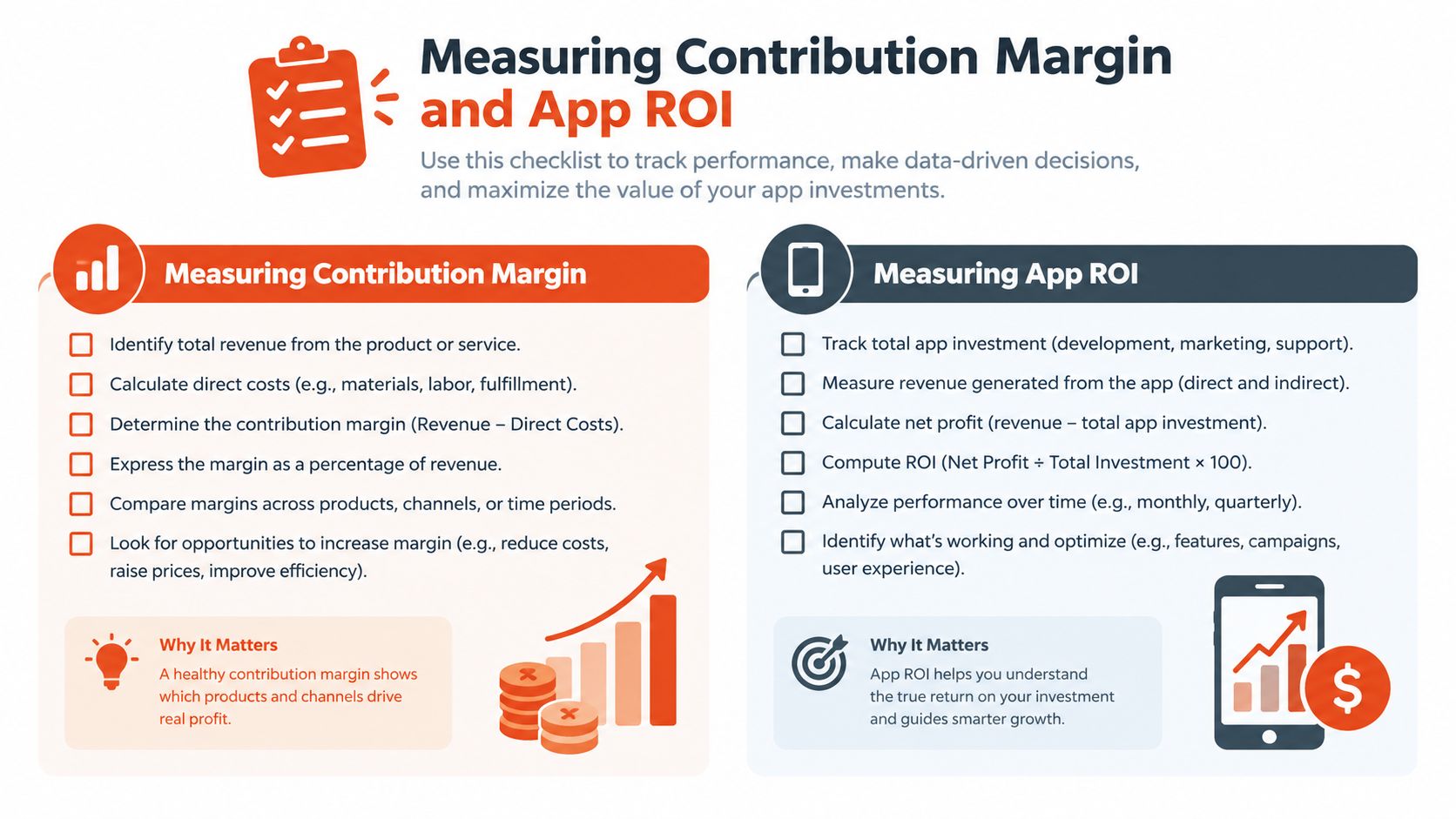
Measure the complete path
Begin by separating the outcomes that most dashboards blend together:
- Fit-related returns: Identify returns caused by size, length, tightness, looseness, or fit expectation.
- Non-fit returns: Keep quality, damage, delivery, color, and preference reasons separate.
- Exchanges: Track whether the shopper keeps the order through a size or product exchange.
- Refunds: Measure the share of orders that end with money leaving the business.
- Gross margin after reverse logistics: Include handling, shipping, inspection, restocking, markdown, and disposition.
- Repeat purchase: Check whether a successful fit experience improves the customer's willingness to buy again.
Use a holdout or control group whenever the app permits it. Expose one group of comparable shoppers or product pages to the fitting experience and keep another group on the existing flow. Segment the results by product category, device, geography, and customer type because an app can help first-time mobile shoppers while adding little value for returning customers who already know their size.
Data quality requires its own test. Audit whether the chart matches the garment, whether the selected variant is available, whether the unit conversion is correct, and whether the recommendation reflects the product's cut. Review a sample of recommendations manually with merchandising and customer support teams.
Calculate the commercial threshold
Use a simple break-even model:
Required contribution preserved = app cost + implementation cost + support cost
Then compare that threshold with the contribution preserved through fewer refunds, more exchanges, lower handling expense, and improved repeat purchase behavior. The calculation doesn't need false precision. It does need to include costs that conversion dashboards ignore.
Don't treat vendor case studies as a forecast for your store. Even when an app reports strong outcomes, your catalog quality, traffic mix, return policy, and product photography may differ. Set a pre-launch baseline, define the test window, and agree on what would justify expansion before anyone negotiates a larger subscription.
Commercial test: If the team can't explain which return reasons should change and how the change will be measured, the app isn't ready for rollout.
Building Your Optimized Apparel Tech Stack
A profitable stack should grow in phases. Start with data and diagnosis, then add the tool that addresses the most expensive friction. Avoid installing several apps that modify the same product-page area before you know which one works.
Phase one audits the existing journey
Review a sample of high-volume products across devices. Check product measurements, size labels, available variants, chart placement, reviews, image loading, and support questions. Record where shoppers need to leave the product page to answer a fit question.
Next, inventory every app that touches the storefront. Identify duplicate review widgets, recommendation scripts, popups, analytics tags, chat tools, and marketing pixels. Ask the developer or vendor what loads immediately, what loads asynchronously, what data leaves Shopify, and what remains after uninstalling.
Phase two tests one commercial hypothesis
Choose one hypothesis, such as: “Clearer product-specific measurements will reduce size-related refunds without increasing mobile interaction delays.” Select a representative product set and define the control experience. Don't change the chart, product photography, review layout, and recommendation engine at the same time, or the result won't tell you which intervention mattered.
The vendor should provide documentation for theme compatibility, data mapping, privacy, service levels, support escalation, and rollback. Confirm how the tool handles missing measurements, out-of-stock variants, deleted products, new colorways, and regional units.
For broader integration planning, these Shopify data integration articles from ELECTE can help teams think through how storefront, catalog, customer, and operational data should connect. The practical requirement is visibility. Your merchandising, CX, finance, and engineering teams should be able to work from consistent definitions.
Phase three scales only proven components
When a test produces a positive contribution-margin result, expand by category rather than switching on the app across every product. Start with the garments where fit creates the most avoidable cost, then validate the recommendation logic on different cuts, fabrics, and measurement conventions.
Use a simple operating checklist:
- Catalog ownership: Assign someone to maintain product and garment measurements.
- Performance ownership: Monitor LCP, INP, and CLS after theme and app changes.
- Experiment ownership: Keep control groups and document rollout decisions.
- Support ownership: Give agents the recommendation context and approved explanations.
- Vendor ownership: Review uptime, response times, data handling, and uninstall behavior.
- Finance ownership: Report refunds, exchanges, reverse logistics, and contribution margin together.
The best Shopify clothing apps won't be the ones that make the store look busiest. They'll be the tools that remove uncertainty, preserve speed, and prove their value in the economics of the order.
Robosize offers an AI fitting room for apparel stores, combining questionnaire-based size recommendations with optional selfie or model-based virtual try-on and Shopify installation. If fit uncertainty and return costs are limiting your margin, test the experience on a controlled set of products and visit Robosize to evaluate whether it fits your storefront and measurement workflow.