Fit-related returns are a major cost for online apparel retailers. That makes shirt search more than a matching problem: shoppers need to find a relevant garment and assess whether its fit will work for them.
For ecommerce teams, search for a shirt is a fit-and-use-case lookup as much as a keyword lookup. A closer keyword match can still leave a shopper unsure about the collar, sleeve, body length, or how the fabric will drape. Search, catalog data, and product-page fit guidance need to work as one decision path.
Table of Contents
- Match Each Shirt Query to Its Intent
- How to Turn a Shirt Query into Filters
- Model Every Shirt as Size and Color Variants
- Merchandise Fit Preference and Measure It
- Attach a Fit Check to the Shirt You Found
Match Each Shirt Query to Its Intent
Start with the results-page spec, not a ranking tweak. A query for a shirt can express discovery, constraints, fit concerns, or several needs at once. Each intent calls for a different page response.
| Intent | Example query | Results page must show | If it's missing |
|---|---|---|---|
| Discovery | linen shirt or oxford shirt | Results grouped by fabric, occasion, and silhouette | A long list of near-duplicate titles |
| Constraint | breathable blue shirt under $80 | Recognized color, material, and price applied as visible filters | Shoppers can't see why the set changed |
| Fit validation | shirt that won't pull across the chest | Fit label plus a path to a garment-specific size check | More browsing without a size decision |
| Mixed | relaxed blue linen shirt under $80 | Every recognized constraint plus the fit label | One attribute wins and the others are dropped |
| No size stated | blue oxford shirt | Relevant shirts without a guessed size | The page hides sizes the shopper might wear |
The table is an acceptance spec for UX and search owners. It makes each query type testable: can the result page show the relevant range, apply the recognized constraints, and help the shopper evaluate fit? The work isn't complete just because the right products appear somewhere in the results.
The distinction matters because a visually similar result set can keep a shopper browsing without resolving the actual question. A shirt may resemble the requested style but have a stiff fabric, a tight chest, or a sleeve length that doesn't suit the shopper. The 2025 Salsify consumer study found that 41% of shoppers typically scroll to page three and 26% continue to page five when looking for the right product. Treat that as a findability warning, not an invitation to add more keyword matches. If the page leaves a fit question unanswered, a longer list may only extend the search.
Make the page answer the query
For discovery intent, give shoppers useful routes through the assortment. A linen-shirt query should let them distinguish casual from polished options, and relaxed silhouettes from structured ones. Grouping by fabric, occasion, and silhouette gives the shopper a way to compare products, rather than asking them to decode repeated title patterns.
For constraint intent, show what the system understood. If someone asks for a breathable blue shirt under a stated budget, visible filters should reflect the recognized color, material, and price. A filter state that's hidden or unclear makes the result set feel arbitrary, even when the products are relevant.
For fit-validation intent, the page needs evidence about the specific garment. A “regular fit” label is a start, but it doesn't tell a shopper whether the shirt will pull across the chest or stomach. The product page should connect the fit label to a garment-specific size check and details about how the shirt sits.
Merchandising rule: Don't make shoppers infer fit from a product title or a front-facing photo when the query itself signals a fit concern.
Mixed queries test whether search can preserve several requirements at once. “Relaxed blue linen shirt under $80” should retain color, fabric, price, and fit, rather than allowing one attribute to erase the others. When no size appears in the query, return relevant shirts without choosing a size on the shopper's behalf.
Teams aligning query intent with page behavior may find Up North Media's intent analysis useful as a companion to their own query review. Start by sampling a month of shirt searches, label each query by intent, and mark whether the current page already satisfies the spec. The gaps become a practical backlog for search, merchandising, and product-page teams.
How to Turn a Shirt Query into Filters
Attribute-aware retrieval separates what the shopper asked for from how a product happens to be titled. For “blue shirt,” the system should recognize the category and color, match those attributes to catalog values, and apply them as visible filters while preserving relevance for terms it can't map. Baymard's guidance on ecommerce feature searches reports that 39% of ecommerce sites have usability issues with feature searches involving attributes such as color, material, size, brand, or price.
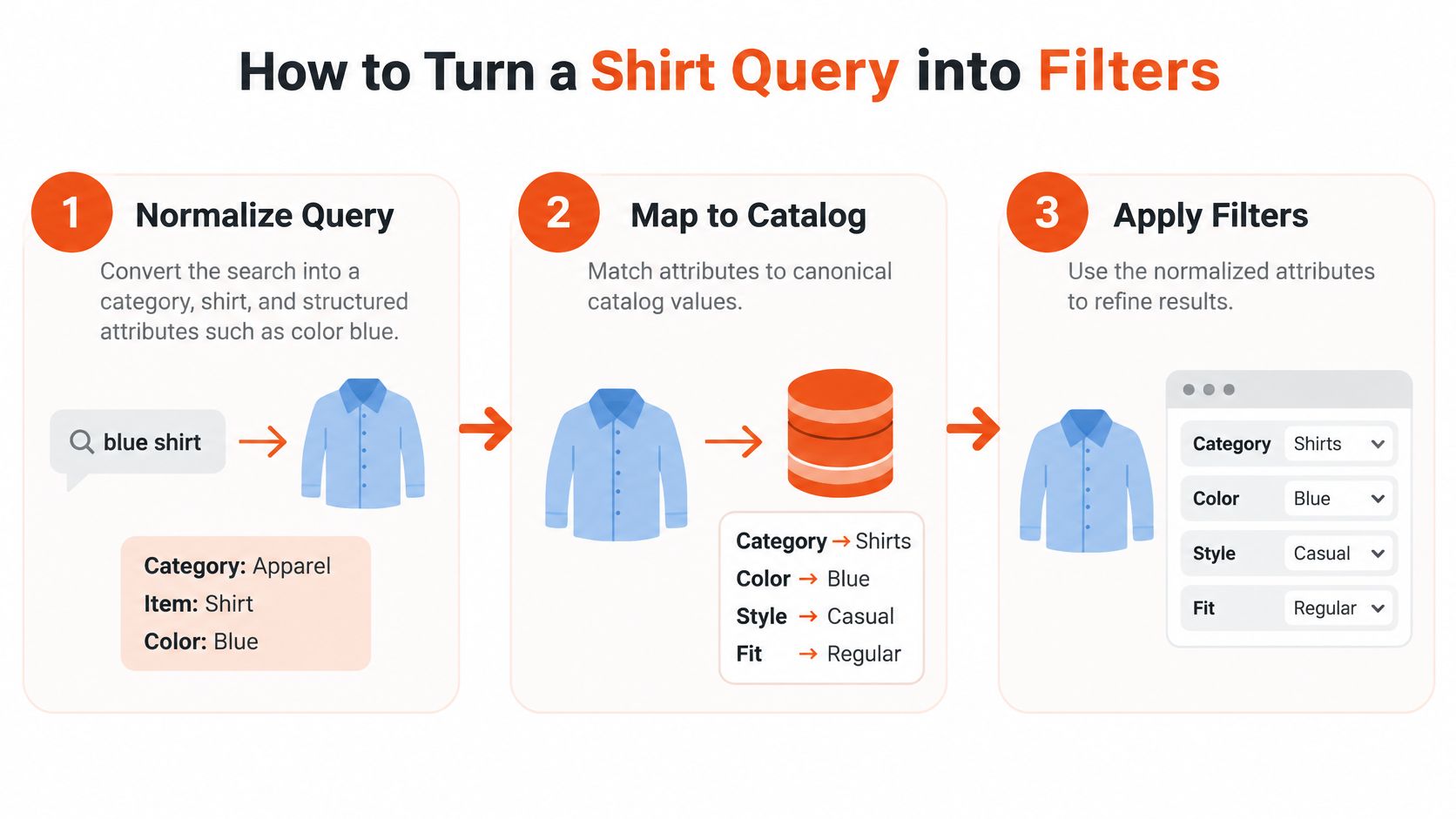
Ship the parsing process as a sequence that can be tested independently of ranking.
Normalize the query. Identify the product category, shirt, and structured attributes, such as color: blue. Normalize spelling and plurality so that simple variations don't split equivalent searches.
Map attributes to canonical values. Match recognized terms against a controlled catalog vocabulary rather than requiring the exact raw token. If a shopper's term maps to a stored color value, use that value consistently.
Apply recognized features visibly. Show the filters that shaped the results. For “blue shirt,” the category and color should be apparent on the page, not hidden in the search logic.
Preserve unmatched lexical terms. A token that can't be mapped to a structured attribute may still help retrieve relevant products. “Oxford” or “camp collar,” for example, can remain useful as title or descriptive text while the color filter handles “blue.”
Maintain a synonym map. Treat “tee,” “T-shirt,” and “tee shirt” as related category terms. Keep those mappings consistent with normalized spelling and garment type.
Evaluate extraction separately from ranking. Use a hand-labeled query set to measure precision and recall for color, size, material, and fit labels. If the parser extracts “blue” incorrectly, changing ranking weights won't fix the underlying error.
Monitor production behavior. Track zero-result and reformulation rates for shirt queries. A high rate of shoppers changing their wording can point to missing synonyms, incomplete metadata, or filters that don't reflect the catalog.
Two catalog traps to avoid
The first is treating every word as an exact product-title term. A shirt may have “blue” or “linen” in structured metadata even when its title only says “Oxford Shirt.” Title-only matching can therefore omit a product that meets the shopper's request.
The second is exposing filters that aren't populated consistently. A material filter filled for only a small portion of shirts can create empty or misleading sets. Before showing a filter, confirm that the corresponding attribute is maintained across the relevant assortment.
Make the hand-labeled query set the release gate, not a later analytics project. Confirm that the parser extracts the intended attributes, that visible filters reflect those values, and that unrecognized terms still contribute useful lexical matches before shipping the change.
Model Every Shirt as Size and Color Variants
Treat each shirt as a parent product with explicitly linked size and color variants, not as one undifferentiated product page. Google's product-variant guidance recommends Schema.org ProductGroup markup with hasVariant, variesBy, and productGroupID. Each variant needs a unique identifier and a distinct URL that can take shoppers directly to the size-color combination they intend to consider.
That structure supports both shopping journeys and product discovery. If every variant shares one SKU or one destination, a shopper can click a result and land on a page that doesn't clearly represent the selected size or color. A structured parent-variant model makes the relationship explicit while keeping each sellable version addressable.
Audit the catalog at the variant level
| Catalog error | What the shopper hits | Fix |
|---|---|---|
| All sizes collapsed into one SKU | Lands on a shirt but not the size searched | Use a parent product plus a unique SKU and URL per size-color combination |
| Inconsistent color names such as navy and dark blue | A filter hides shirts that are in stock | Use one canonical color in the catalog, feed, and product page |
| No size system for the market | A US large is treated as a UK large | Send the correct size system for each market |
| Unavailable size marked in stock | Clicks a size that can't be bought | Sync feed availability with the variant URL |
| Missing material or pattern | Breathable or striped queries miss the shirt | Populate material and pattern where those attributes are used |
Build the product record in a reliable order. Create a stable parent ID, assign a unique SKU or GTIN to every size-color pair, declare the variation dimensions, then synchronize the landing page's availability, price, and imagery with feed data. Validate representative variant URLs in structured-data testing before relying on enhanced product results.
Merchant Center guidance calls for apparel feeds to include size and color in key markets, including the United States, United Kingdom, Brazil, France, Germany, and Japan. It also recommends material, pattern, size type, and size system where applicable. Keep the regional sizing information aligned with the variant shoppers reach.
For a deeper look at how technical and catalog work connect, AY Rank's ecommerce SEO services provide useful context for teams reviewing product discoverability. For shirt size information, make the variant's sizing system and its relationship to your store's guidance clear, and connect product pages to a men's clothing size chart.
Finish with a hands-on check of your best-selling shirts: open every size-color pair on its own URL and confirm that the page, feed, imagery, and stock status match. A correct parent record isn't enough if the shopper still lands on the wrong variant.
Merchandise Fit Preference and Measure It
A shirt query describes both an item and a use case. “Oversized linen shirt” calls for results that make fabric and fit clear, while “shirt for layering” needs garment details that help shoppers judge how it will sit over other clothing. A stronger keyword match can still leave the shopper unsure whether the shirt will fit.
Describe how the shirt behaves
Offer fit choices such as slim, regular, relaxed, oversized, and layering, then explain what each means for the garment. Labels work only when shoppers can connect them to how the shirt is constructed and worn.
- Fabric stretch: Say whether the fabric has give or holds its shape. Shirts with the same nominal size can feel different.
- Shoulder construction: Show where the shoulder seam sits and how it affects the sleeve line.
- Body length: Clarify whether the hem sits near the waist, covers more of the torso, or suits a layered look.
- Laundering: Describe any relevant care-related change in the garment's behavior.
A rigid oxford and a stretch poplin may share a size label without fitting alike. For a shopper between sizes, pair the nearest size recommendation with guidance on which fit suits the intended use. Images from multiple angles can also help shoppers assess the collar, sleeve, and hem when those views are available.
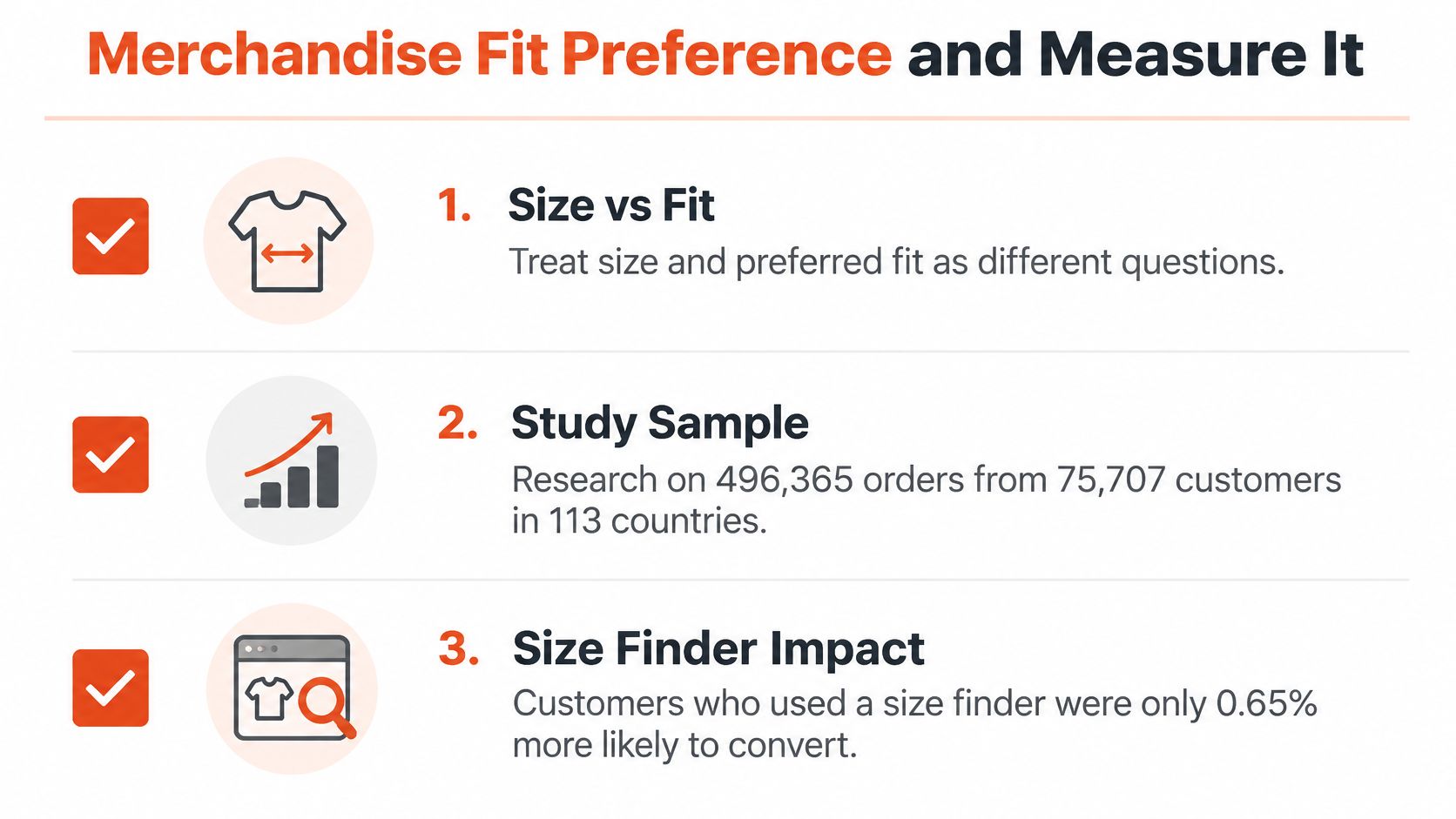
Measure whether the fit information helps shoppers find and choose the right shirt. Compare behavior before and after the change: track whether shoppers reach the intended variant, use color, size, material, and fit filters, and return items for fit-related reasons. Filter use alone is not a success measure. Pair it with outcomes tied to product selection and returns.
Fit merchandising is one part of the wider returns problem. PlatformDTC's guide to fashion ecommerce provides broader context on product presentation and shopping decisions. For shirt teams, check whether shoppers use the fit labels and whether fit-related returns change. If shoppers ignore the labels, or a size tool coincides with more returns, clarify how the garment behaves. More synonyms will not fix an unclear fit description. For examples of how apparel preferences shift, see current fitness trends and apparel choices.
Attach a Fit Check to the Shirt You Found
Run a focused sprint using the work your team already owns. The aim isn't to replace search with a new shopping flow. It's to get the right shirt in front of the shopper, then answer the garment-specific fit question that search results can't settle on their own.
Days one to three: Pull the top shirt queries from the last month. Label each by intent using the results-page spec, then flag zero-result searches and cases where the shopper lands on the wrong variant. Those become the fix list.
Days four to six: Make each size-color pair addressable through its own URL. Align stock and color names across the catalog, feed, and product page, then apply the controlled color vocabulary to the parser's visible filters.
Days seven to ten: Run the seven-step parser against the fix list. Release only after the hand-labeled query set passes. Once search finds the shirt, put the fit check on that product page rather than asking the shopper to start over elsewhere.
Robosize fits after discovery: within seconds of a try-on, shoppers see the outfit on themselves with a size and fit recommendation for that specific garment. It gives one precise size and fit recommendation per garment and can render a try-on from up to three angles in a single session. Pilot it on shirts that already attract search clicks but still produce fit-related returns, then compare variant conversion and fit-return share against the measurement set.
When the search journey is ready for a visual product check, teams can also explore trying a new look with virtual try-on. Keep the order clear: search helps shoppers find the shirt, and the fit check helps them decide whether that shirt is right for them.
Robosize gives apparel stores an on-page virtual fitting room with a garment-specific size and fit recommendation, plus try-on views from up to three angles in a single session. If your shirt search finds the right products but leaves shoppers uncertain about fit, visit Robosize to see how a fit check can complete that journey.