Your cart has three jackets, a pair of wide trousers, and a shirt in a color you have never worn. The nearest fitting room is a shipping label away, and you still want to try a new look before you pay. Virtual try-on tools close that gap, but they do not answer the same question. Some help you picture a silhouette. Others recommend a size on a product page. A few stay with you while you plan a wardrobe.
This roundup separates shopper-side look testing from retailer-side fit tools. Pick the option that matches inspiration, styling, or size confidence. If you are also trying to build a polished wardrobe for less, start with the decision in front of you, not the flashiest preview.
Younger shoppers drive much of this experimentation. In 2025, Gen Z and Millennials were twice as likely as Gen X and five times more likely than Boomers to try a new fashion trend, according to a Vox Media and Two Cents Insights survey of more than 2,000 U.S. adults. Use the list below to turn that impulse into something you will wear.
Table of Contents
- 1. Robosize
- 2. Google Shopping Try On
- 3. Utopia
- 4. virtual.fit
- 5. WearIt
- 6. Outfitual
- 7. TryPoint
- How the seven virtual try-on options compare on platform, best use, free access, and size guidance
- Choose the Right Tool for Your Next Look
1. Robosize
When a shopper needs a size recommendation, Robosize is a retailer-side tool built for the product page. Robosize creates a virtual fitting room: shoppers enter height, weight, age, and body shape, then preview a garment on a selfie or an alternative model. The tool recommends a size for that specific item. Plans may also include up to three viewing angles, which add visual context without confirming how a garment will feel or fit in person.
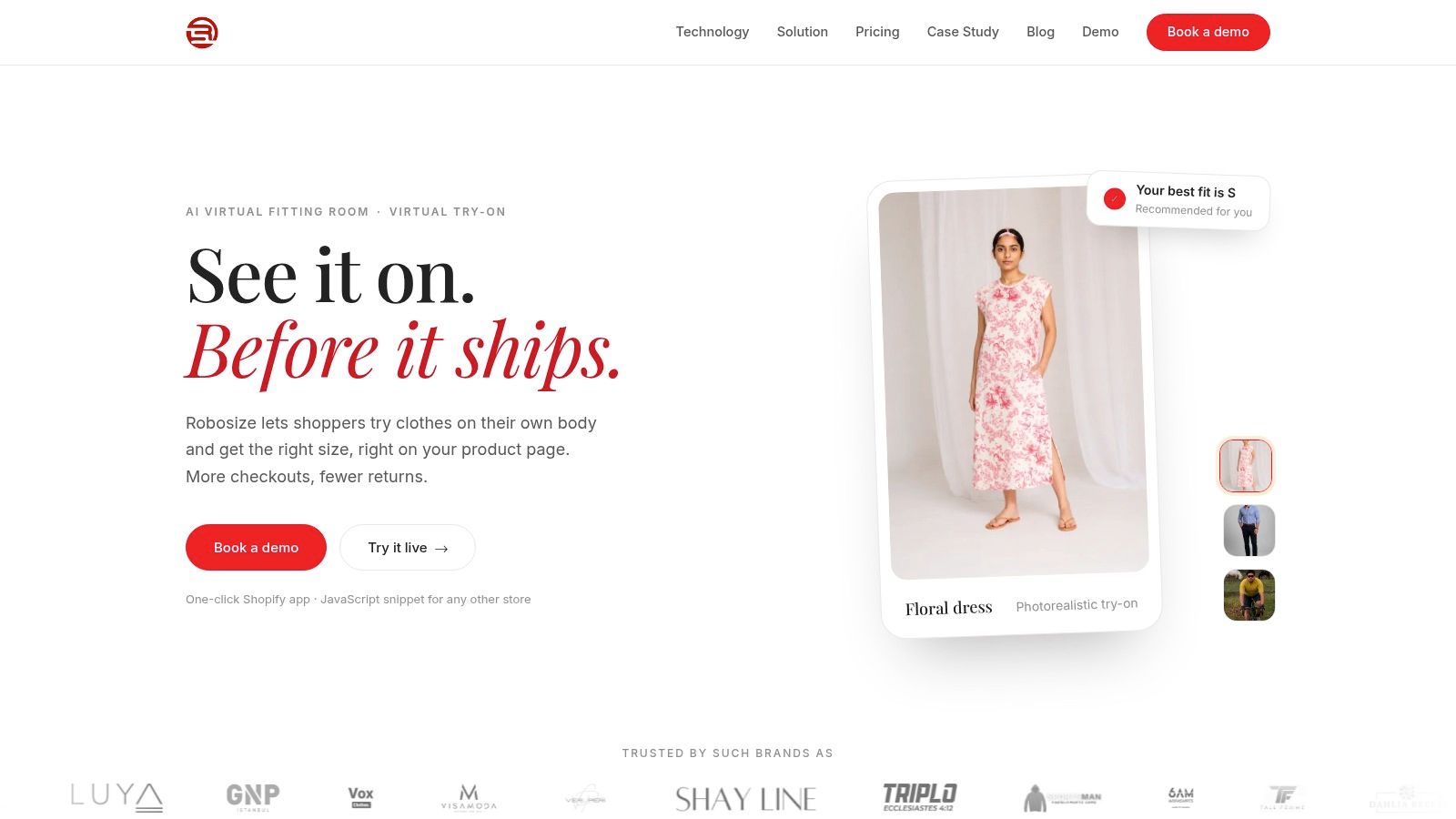
A preview is useful for judging appearance, but it cannot replace a physical fit test. Cornell, Iowa State, and Virginia Tech research found that apparel AR try-on improved attitudes and purchase intentions. Participants could identify the correct size, yet still had difficulty judging fit at the bust, waist, and hips. Comfort, fabric, and weight also felt different from a physical try-on. Use the image to assess silhouette and the size recommendation to guide the purchase decision.
What retailers and shoppers each get
Retailers can install Robosize through a one-click Shopify app or a JavaScript snippet for other ecommerce platforms. Mobile-first layouts, session caps, size-chart matching, and usage analytics support day-to-day store operations. Optional social proof and storefront styling let retailers tailor the widget to their brand.
- Body inputs plus a size call: Height, weight, age, and body shape inform a recommendation for the garment, rather than a generic chart.
- Selfie or model: Shoppers who prefer not to upload a photo can still see a model-based preview.
- Reported store results: Robosize case studies report higher conversions and average order value, as well as lower returns. Results can vary by catalog, and strong engagement with a preview does not guarantee a purchase.
- Session allowances: Plans set session allowances and overage pricing. Confirm the terms that fit your expected usage.
Practical rule: Show the new silhouette beside a familiar fit, state the recommended size, and flag where stretch or drape may still affect the result.
Robosize can help answer “which size?” and “how might this look?” It cannot show how a jacket will feel after hours of wear. Pair the recommendation with clear return information, and treat the preview as one input rather than a promise of fit. For shoppers planning a look that includes hair, maintaining seamless tape hair extensions is a separate part of the styling process.
2. Google Shopping Try On
Google's tool is for browsing, not for checkout confidence. You upload a photo and preview eligible clothing inside Google Shopping, across more than one retailer, without installing a fashion app. U.S. shoppers can also build a digital version from a selfie. That is useful when you want to try a new look before you even pick a store.
In a global survey of 3,136 apparel shoppers, 67% of Snapchatters said augmented-reality virtual try-on made online purchase decisions easier, according to Snapchat, Publicis Media, and NRG. Google's version plays a similar role for discovery, with a hard limit. The preview does not guarantee size or fit, and generated images can drop garment details.
- Cross-store browsing: Compare how different listings might sit on your photo.
- No extra app: You start inside Google's shopping experience.
- Eligibility gates: Listings and regions decide what you can try.
- Not a tape measure: Do not treat the image as a size recommendation.
If you want the mechanics behind on-body previews, read how augmented reality clothing tools differ from a simple overlay. Then come back to Google Shopping Try On when the job is inspiration across brands. For a precise size on one product page, use a retailer widget instead.
3. Utopia
Say you are tired of rebuilding a model every time a friend sends a link. Utopia makes one reusable likeness from a full-length photo, then lets you dress it from the app's catalog or from an item you found elsewhere. You can save looks and share them for feedback. The company says it covers menswear, womenswear, and unisex pieces, and that the app is free to download.
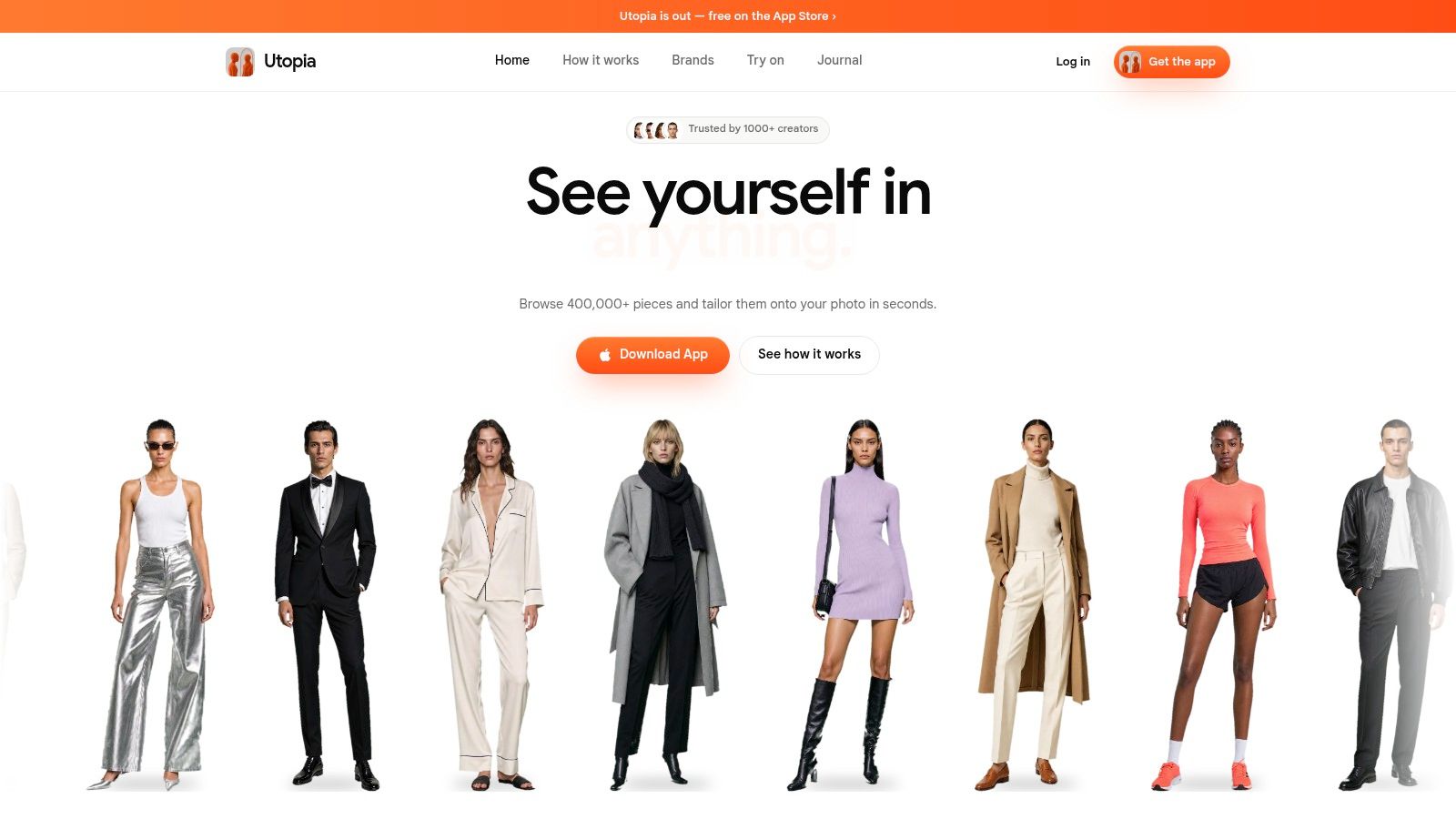
That matches the way people tend to experiment. A 2026 survey of 221,557 consumers across 34 countries found that 58.9% rated themselves highly open to trying new styles, while 27.3% were neutral, and that a look is more likely to stick when it feels comfortable, versatile, and practical, according to The Panel Station. Utopia is a place to test a bolder silhouette with friends before you buy an impractical outfit.
A shared screenshot is a style vote, not a tailor's note. Utopia shows appearance and does not guarantee garment size or how a piece is cut.
iOS only is the constraint. Android shoppers need another app. You also need a full-length photo, so a mirror selfie cropped at the waist will not set the model up well. I would use Utopia to narrow a direction, then check size on the store that sells the piece.
4. virtual.fit
virtual.fit is the link-paste tool. Upload a photo, drop in a product URL from an ordinary store, or upload an outfit image, and it generates a try-on. The iOS app includes a Safari extension, so you can start from a product page instead of hopping between apps. Free accounts include five try-ons a day, with Lite and Plus tiers above that. The company says user photos are not used to train AI models.
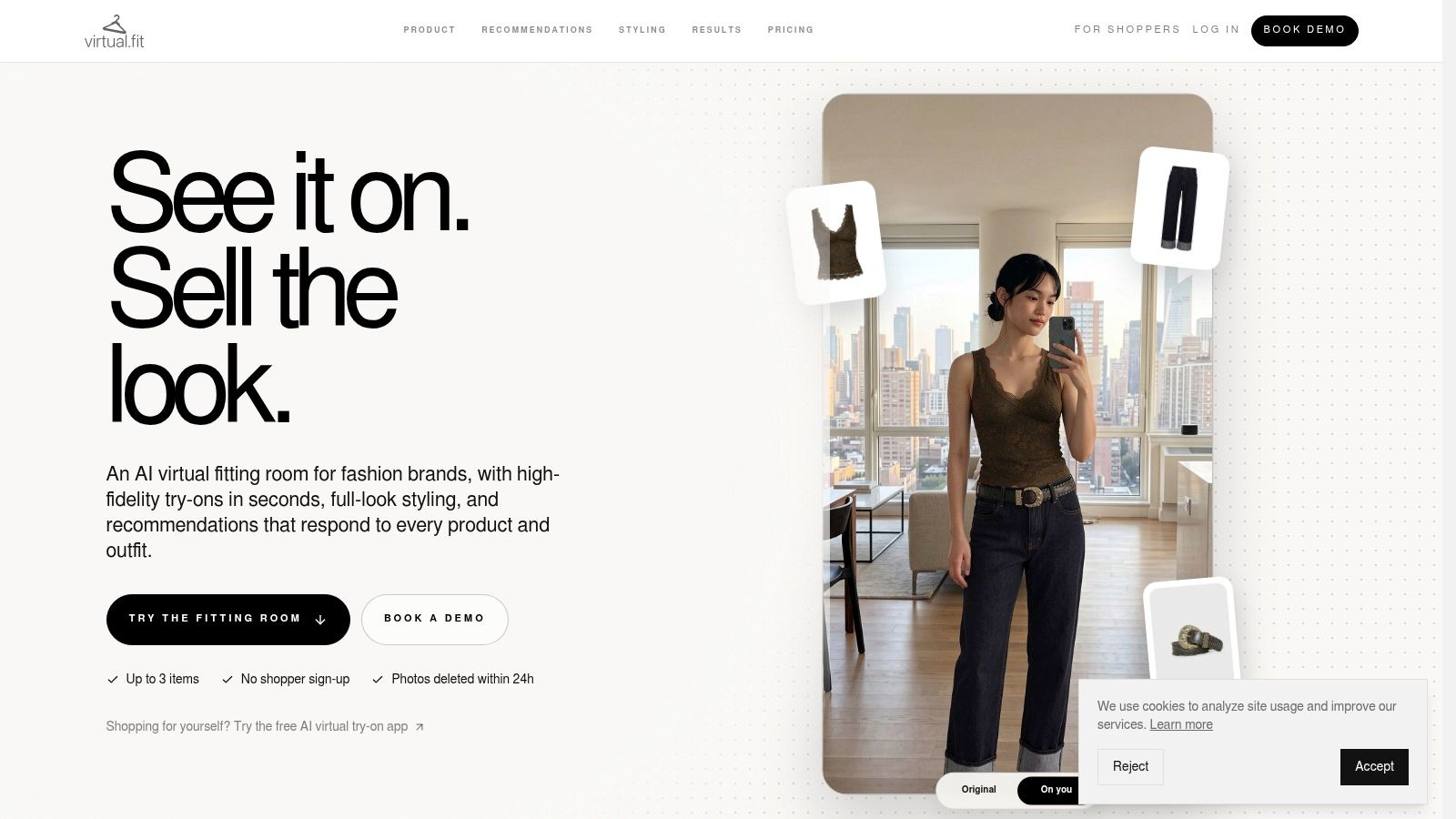
Results track the source photo. Bad lighting, a cropped torso, or a busy background will warp the garment. Support docs cover photo rules and weak outputs, which is more honest than apps that only show hero images. The Safari extension is a poor fit for Android and desktop. A preview still cannot confirm garment dimensions.
Photoreal fabric can make a bad size look intentional. Check the store's chart after the image looks right.
If you are comparing how close a render gets to real cloth, this note on photorealistic rendering is the right companion read. Use virtual.fit when the item lives on a random product page and you only need a visual yes or no.
5. WearIt
Social feeds are where a lot of new looks start, and WearIt is built for that path. Share a garment image from another app, send a screenshot, or take a photo. The phone's share sheet hands it to WearIt. A reusable model needs both a selfie and a full-body photo. When the shared image includes a product link, the app can point you back to that page. It is free to try on iPhone and Android, and the company says photos are not used to train its own models. Photos are still sent to AI providers, so read the privacy policy before you upload.
RetailX's Global Fashion 2023 data found Instagram used by 52.4% of global fashion e-shoppers for inspiration, just ahead of Facebook at 51.6%. WearIt is how you test a creator's outfit on your own proportions instead of buying the screenshot.
- Works off social and shops: Any clear garment image can become a preview.
- Two photos required: A selfie alone is not enough for the model.
- Inspiration only: There is no size recommendation hiding in the render.
I would use WearIt to kill a trend that only works on the creator's frame. I would not use it to choose between a medium and a large.
6. Outfitual
Use Outfitual when you want to plan a look around clothes you already own, not just preview one product. It combines AI try-on for individual pieces or full outfits with styling chat, a digital wardrobe, color and clothing analysis, and optional 360-degree previews. You can discuss your preferences or an occasion, then mix closet staples with items you might buy. It is listed for web and Android; iPhone is described as coming soon.
A style refresh can help you make more deliberate choices about clothing spending. U.S. households spent an average of $655 on women's apparel and $406 on men's apparel in 2023, according to Bureau of Labor Statistics Consumer Expenditure Survey data. Outfitual's wardrobe and planning features make it more suited to testing combinations than answering a single product question.
- More than a preview: Wardrobe tools, planning, and suggestions support outfit decisions in one place.
- Web access: You can use it without an iPhone app.
- More setup: Expect more onboarding than a one-photo try-on.
- Pricing: Outfitual does not state its pricing publicly, so confirm the cost on the site before committing.
- Styling, not fit assessment: Suggestions can help with outfit choices, but they do not confirm whether a garment will fit.
Choose Outfitual to explore how a new piece works with your existing wardrobe. If your main question is whether a dress will close comfortably at the waist, a visual preview cannot confirm fit.
7. TryPoint
TryPoint appears on participating Shopify product pages, not across stores in a universal shopping app. Upload a photo to preview tops, dresses, swimwear, and outerwear. Supported products may also show a back view. The company describes a no-code Shopify installation, merchant analytics, optional sharing, email capture, consent-based image reuse, a free plan, and a free trial. For shoppers, that means checking whether the retailer has installed it before expecting a preview.
A 2025 consumer study found 71.9% of respondents willing to try virtual fashion retail experiences, while privacy and security were barriers for 62.5%, according to the IFFTI consumer study on virtual fashion retail. Retailers should explain how uploaded photos are handled before requesting one. Shoppers should skip a widget that does not make its photo practices clear.
Treat the image as a visual preview, not proof of fit: photo quality affects the result, and TryPoint does not provide a stated size recommendation. For a separate measurement check, use a clothing size calculator for women. Choose TryPoint when you trust the retailer and want to preview a specific product on its page. Choose Robosize when you also want a size recommendation based on body inputs.
How the seven virtual try-on options compare on platform, best use, free access, and size guidance
| Item | Platform | Best for | Free option | Size guidance |
|---|---|---|---|---|
| Robosize | Shopify app or JavaScript snippet | Retailers adding virtual try-on and garment-specific sizing | Pricing and free option not specified | Recommends a size for each garment |
| Google Shopping Try On | Google Shopping | Exploring clothing from multiple retailers | No cost details provided | Visual preview only; no fit guarantee |
| Utopia | iOS app | Trying catalog items or products from elsewhere and sharing looks | Free to download and try | Visual preview only; no size or tailoring guarantee |
| virtual.fit | iOS app with Safari extension | Trying products from online store links | Free tier includes five try-ons per day | Preview cannot confirm garment dimensions or fit |
| WearIt | iOS and Android app | Trying clothing images from shopping or social apps | Free to try | Visual inspiration, not a sizing recommendation |
| Outfitual | Web and Android | Combining try-on with styling and outfit planning | Pricing not clearly provided | Suggestions are not fit assessments |
| TryPoint | Shopify product pages on participating stores | Trying items directly on supported retailer sites | Free plan and trial advertised | Photo-based visual preview; no size recommendation stated |
Choose the Right Tool for Your Next Look
Match the tool to the question, not to the prettiest demo. For style inspiration and outfit planning, start with Outfitual or Utopia. Outfitual is the better desk when you want wardrobe pieces in the mix and you can use web or Android. Utopia is the better phone notebook when you already live on iOS and want one likeness you can dress again and again.
For a quick check on one garment, use Google Shopping Try On or WearIt. Google is the cross-retailer browse. WearIt is the share-sheet test for a look you saw in a feed. Neither one should pick your size.
For size confidence and fewer returns, look for retailers using Robosize or TryPoint. Robosize pairs a body-based preview with a garment-specific recommendation and a path that does not force a selfie. TryPoint puts a photo preview, including some back views, on participating Shopify pages. Vendor case studies are a reason to test, not a promise that your catalog will move the same way.
Before you upload a photo, read that app's privacy terms and notice whether images go to outside AI providers. Treat every preview as a visual guide. It will not confirm bust, waist, hip ease, fabric weight, or how a piece feels after a day of wear. If the image looks right and the size logic is thin, measure against the brand's chart anyway.
Retailers choosing among AR try-on solutions for ecommerce should ask one question in the demo. Does this tool only show a new look, or does it also tell the shopper which size to buy?
Robosize puts a virtual fitting room on the product page so shoppers can try a new look on a selfie or a model and get a size recommendation for that garment before they check out. Retailers can add it with a Shopify app or a short JavaScript snippet and keep the experience on mobile, where most of these decisions happen. If you want that mix of preview and size confidence on your store, visit Robosize.