You've found two blouses from different brands, both labeled medium. One pulls across the chest, while the other hangs loosely at the shoulders. Before you blame your body or guess which label to trust, check what each brand means by “medium.” A women's size label isn't a universal measurement, and a useful calculator compares your measurements with the requirements of the specific garment you're considering.
A clothing size calculator for women can make online shopping less of a guessing game, but it can't make different brands and cuts identical. The reliable approach is to use your body measurements, the product's own chart, and the intended fit together.
Table of Contents
- Why Women's Clothing Sizes Are Confusing
- How a Women's Clothing Size Calculator Works
- Choose Measurements That Match the Garment
- Compare Size Logic Across Garment Types
- Work Through Example Size Results
- Challenge Common Sizing Misconceptions
- Verify Results as a Shopper or Merchant
- Use the Calculator as a Decision Aid
Why Women's Clothing Sizes Are Confusing
A woman who knows she wears a size 10 can order a size 10 dress, a size 10 skirt, and a size 10 coat from three different brands and still end up returning all three. Each label was accurate by its own chart. None of the charts agreed with each other.
A women's clothing size is a label inside one brand's sizing system, shorthand for a set of measurements chosen for a particular garment. It works like a "medium" coffee. At one café it arrives in a cup that another café would call a large. The word stays consistent. The thing it describes does not.
Part of the confusion is historical. During the 1940s, a Works Progress Administration project led by Ruth O'Brien and William Shelton measured almost 15,000 women and recorded 59 body measurements, testing whether a single standard could describe the population. The data showed too much variation in women's proportions for a few numbers to predict the rest. A U.S. standard published in 1958 tried anyway, offering even sizes from 8 through 38 with indicators for height and lower-body girth. It became voluntary in 1970 and was withdrawn in 1983, leaving manufacturers free to define their own specifications (history of clothing sizes).
That freedom is why a size calculator treats every product as its own fitting problem. The same shopper can receive a different recommendation for a fitted dress than for a relaxed cardigan, because the garment's cut, its built-in ease, and the brand's chart all feed into the result.
When two brands both claim your size, a clothing size comparison guide helps you read each chart on its own terms. A calculator narrows the guesswork, but only the garment's own measurements can confirm the fit.
How a Women's Clothing Size Calculator Works
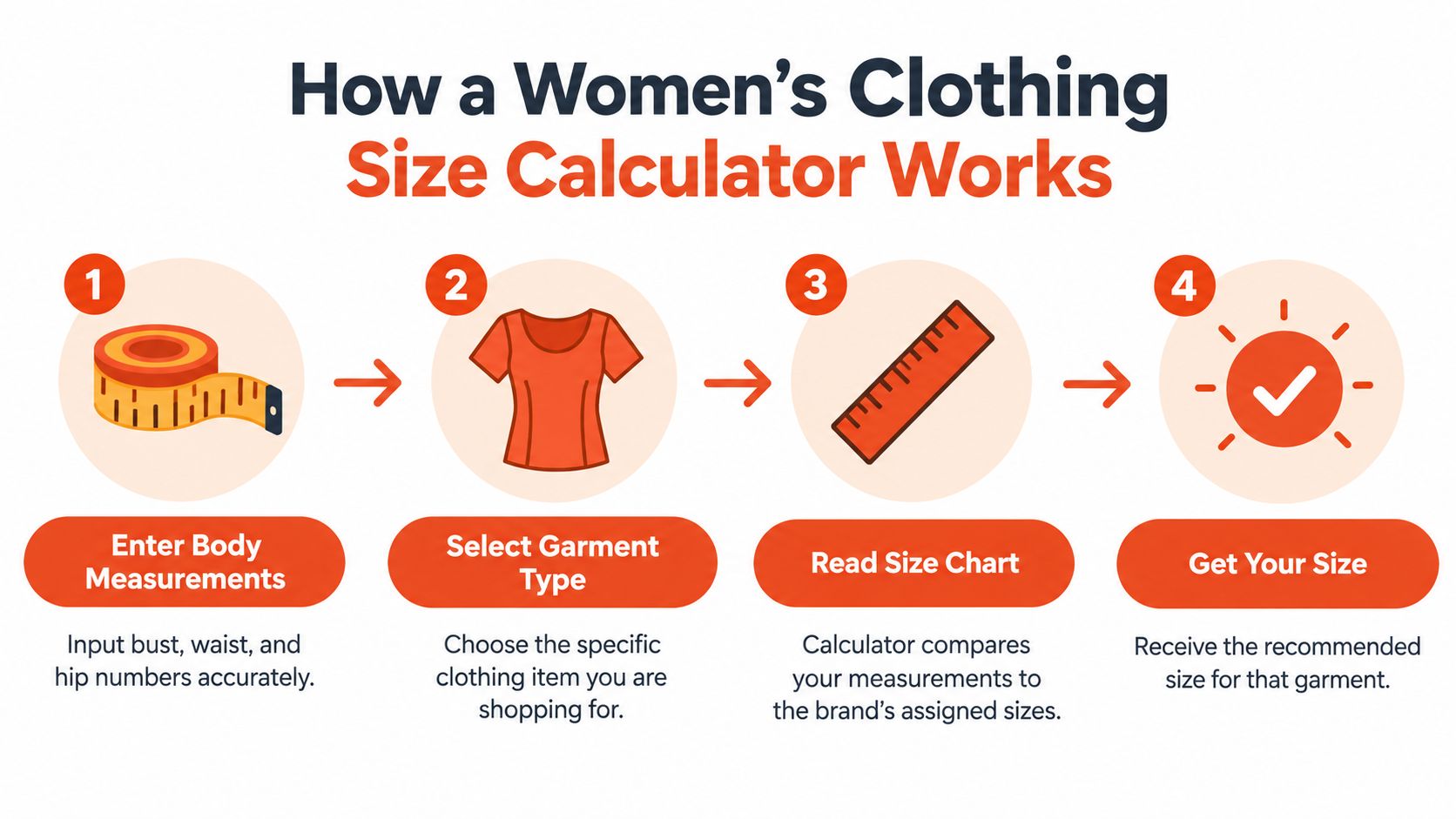
A useful calculator follows a simple path: it starts with your body measurements, compares them with the chart for the selected garment, identifies the dimensions that matter most for that item, and suggests the closest size available. It's less like a universal translator and more like a route planner. Your measurements are the starting point, the garment chart sets the route's constraints, and the calculator finds a suitable destination.
From measurements to a recommendation
Suppose you're shopping for a jacket. The calculator may compare your bust and shoulder measurements against the jacket's chart, then return the product size whose intervals best match. For trousers, the controlling measurements are more likely to be waist and hip, with thigh or length information also relevant to the cut.
A 2025 study using 3D scans of 677 women identified bust circumference as a key predictor for upper-body garments, while waist and hip circumferences were especially important for lower-body apparel. It also found substantial variation among women assigned to the same nominal size (study of body measurements and apparel sizing). The practical lesson is that an algorithm should choose relevant dimensions for the garment instead of treating every input as equally important.
Height and weight can provide context or help a tool estimate proportions, but they don't reveal bust, waist, or hip circumferences. A height-and-weight visualizer can help you think about overall proportions (height and weight visualizer), but for a product recommendation, those inputs shouldn't stand in for the measurements the garment needs.
What a clear result should tell you
A helpful result names the recommended size and explains why. For example, it might say that your hip measurement determines the trouser recommendation. If your measurements sit near the boundary between two chart intervals, the tool should make that uncertainty visible rather than present the result as exact.
The same principle applies to garments with unusual charts. If you're buying a robe, guidance on sizing tips for Turkish cotton robes offers a useful reminder to match the choice to the garment and its chart.
Treat the calculator as a decision aid, not an oracle. Its recommendation is only meaningful when it knows which item you're buying and what that item's chart specifies.
Choose Measurements That Match the Garment
A measuring tape can make your calculator result more useful, but only if you take the measurements carefully and enter them in the units the tool expects.
Take a steady, comfortable measurement
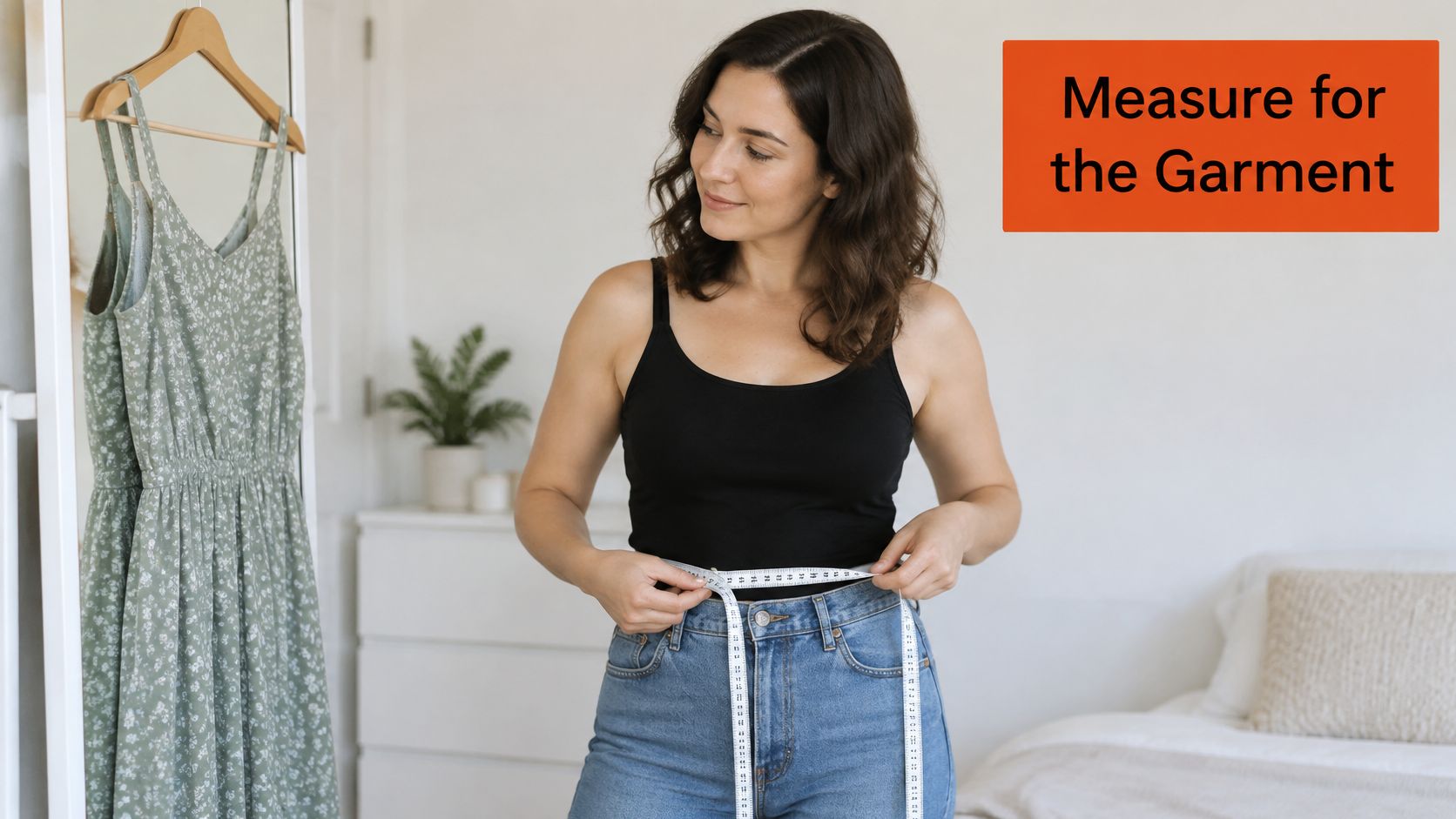
Stand naturally and keep the tape level around your body. It should sit close without digging in or compressing you. Pulling it tight can make the measurement smaller than your body really is; letting it sag or twist can make the reading unreliable.
For many tops, the calculator will ask for bust, while bottoms often call for waist and hip. A specific garment may need more: a jacket could depend on shoulder dimensions, and trousers may use thigh or inseam information to help assess shape and length. Use the product's chart to see which measurements it lists.
Posture matters, too. Stand as you normally would rather than holding your breath or forcing your shoulders back. If the reading seems surprising, check that the tape is in the right place and remeasure before you use it. Some measurement tools can help you record a waist reading, including this guide to measuring your waist with a phone.
Match the input to the intended fit
A body measurement and a garment measurement aren't interchangeable. The body measurement describes you; the chart's instructions explain how that brand uses your dimensions to select its size. The garment's intended ease, meaning the space between your body and the clothing, affects how a close-fitting piece differs from a relaxed one.
Write down your measurements with the units beside them, and avoid assuming that a number used for one item will answer every sizing question. If a result doesn't make sense, recheck the measurement and the chart before changing the number.
Here's a short demonstration of how to take and use measurements:
Retailers who want to make product charts clearer can also review this practical guide to adding a size chart in Shopify. A clear chart helps shoppers understand which body measurements the calculator is comparing.
Compare Size Logic Across Garment Types
A size calculator behaves like a set of product-specific rulers: each garment gets its own scale. The same body can be measured once and still receive different labels because each item asks a different question: where must it close, where must it move, and how much room did the designer build in?
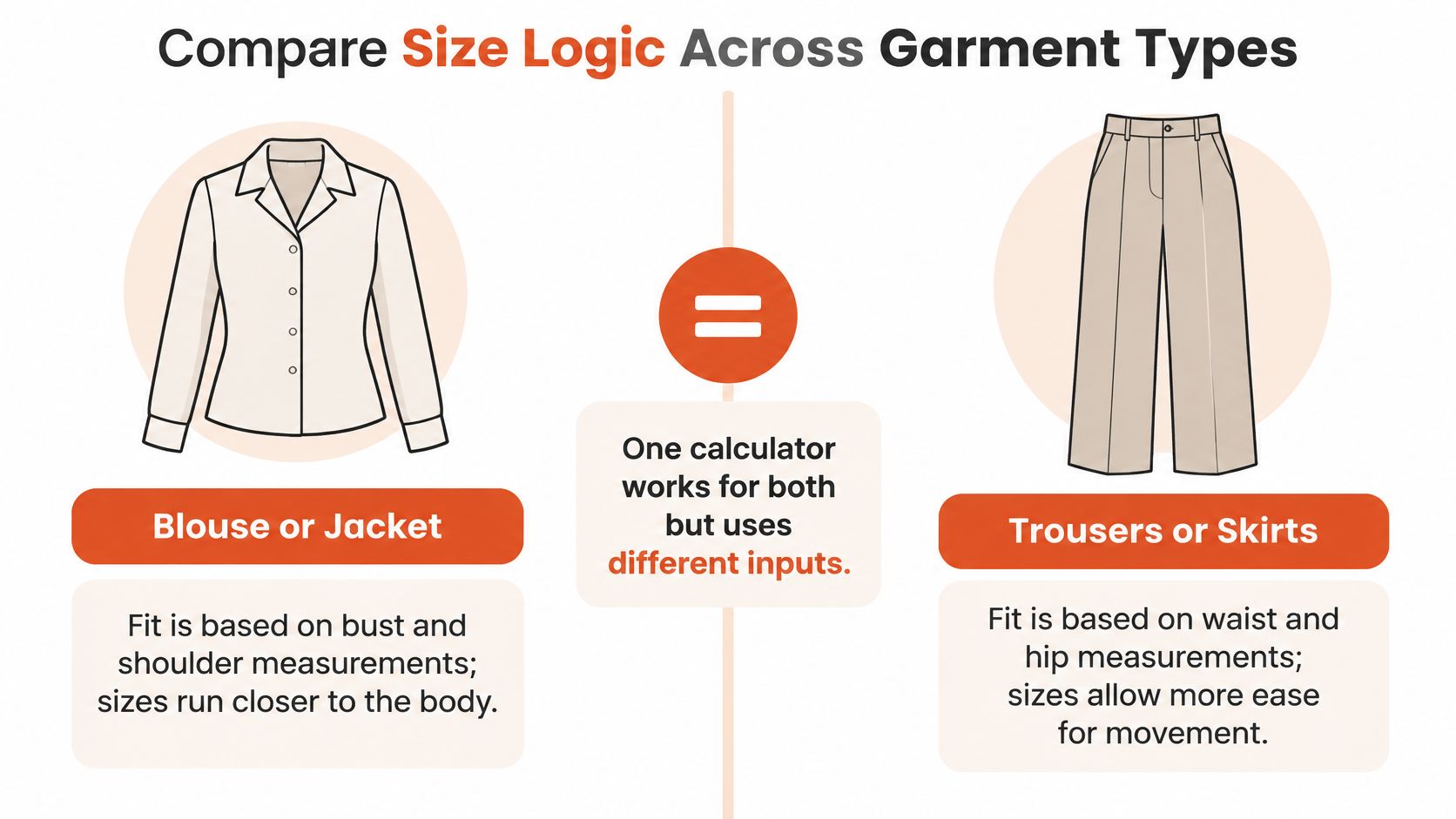
A blouse or jacket usually asks whether the bust can close without pulling and whether the shoulders let the arms move. In a fitted style, those points can decide the result early. In a relaxed style, the same measurements may sit inside a wider interval, so the chart's fit note carries as much weight as the number itself.
Trousers and skirts ask different questions. Waist placement controls where the garment sits, hip room controls sitting and walking, and rise or inseam details can change comfort even when the waist looks correct. A pencil skirt can behave like a different category from an A-line skirt because the hip allowance and intended drape are different.
| Garment | Measurements that may control fit | What else to check |
|---|---|---|
| Blouse or jacket | Bust and shoulders | Sleeve and garment length |
| Trousers | Waist and hip | Thigh, rise, or inseam when listed |
| Skirt | Waist and hip | Length and waistband placement |
| Dress | Bust, waist, and hip | Silhouette and how fitted the garment is |
Fit and ease change the interpretation
Ease is the designed space between body and cloth. Within one brand's chart, a fitted blazer can allow less room through the chest and shoulder than a relaxed overshirt carrying the same nominal label, which means an identical bust measurement can be graded differently by product. Stretch woven, stable knit, lining, and seam placement also change how much ease feels necessary.
For merchants, the product chart should govern that item's recommendation. For shoppers, read the recommendation as an answer about one garment: which measurement controlled it, whether the cut is close or relaxed, and what detail might still need checking such as sleeve length, rise, or hem.
Work Through Example Size Results
Consider a shopper comparing a fitted blouse with a brand's chart. The shopper enters her bust, waist, and hip measurements, but the chart shows that bust is the key dimension for the blouse. The calculator compares that bust measurement with the blouse's size intervals and suggests the closest match.
Now suppose the bust falls close to the boundary between two intervals. A reliable result shouldn't pretend that the decision is certain. It can explain that the bust measurement sits near the next size and suggest checking the garment's intended fit, fabric, and other relevant measurements before choosing.
A different garment can change the result
For trousers, the same shopper may receive a different recommendation because the chart places greater importance on waist and hip. If her hip measurement points to one interval and her waist to another, the tool should make the trade-off visible. It shouldn't just reuse the blouse result because the shopper's body hasn't changed.
A dress offers another useful example. If the bust, waist, and hip measurements each point to a different interval, the calculator needs to consider the dress's shape and fit information. A loose waist may allow more flexibility, while a close-fitting bodice or hip may make that area the practical constraint. The size label alone can't resolve that choice.
Read the reason, not just the result. If a recommendation doesn't say which measurement or fit detail matters, use the product chart to check the decision yourself.
Units shouldn't change the logic. A calculator that handles metric and imperial inputs correctly can compare the same measurement in either system, provided the unit is entered or selected accurately. If the recommendation seems surprising, confirm the units, inspect the controlling measurement, and look at the adjacent chart interval.
These are demonstrations, not promises of a particular letter or number. The useful habit is to identify the measurement driving the recommendation, look at nearby sizes when you're near a boundary, and consider the fit information attached to the item.
Challenge Common Sizing Misconceptions
“I know my usual size, so I can order it anywhere.” Treat that size as a clue, then let the product chart make the call. A label belongs to one brand's grading system, and the same letter on another item may be built around different chest, waist, hip, and ease assumptions.
“Height and weight tell the calculator enough.” They add context, yet they cannot show where your proportions sit. Two shoppers with similar height and weight can carry different bust, waist, and hip measurements, so a women's clothing size calculator still needs the body dimensions that match the garment.
“One result should work for every kind of garment.” The same shopper can get a different answer for a blouse, trousers, and a dress because each product leans on a different controlling measurement. That is the calculator working as a garment-specific measurement tool, not a universal translator.
“A size label converts cleanly across brands or countries.” Conversion tables can sketch a rough neighborhood, while the item's own chart gives the usable measurement interval. The earlier brand-chart comparison showed why this matters: a 2XL from one brand cannot safely be assumed to match a 2XL elsewhere, so shoppers should check the product chart and merchants should feed the calculator product-level data rather than a generic letter lookup.
“The calculator said it, so the fit is guaranteed.” A recommendation can be exact about the chart it used and still leave room for cut, fabric behavior, fit intent, and boundary cases. Use the output to narrow the choice, then inspect the chart, the adjacent size, and the fit notes before you commit.
Verify Results as a Shopper or Merchant
The calculator's answer is a starting point for a decision. Shoppers and merchants can both catch avoidable mistakes by checking how the recommendation was produced.
Shopper checklist
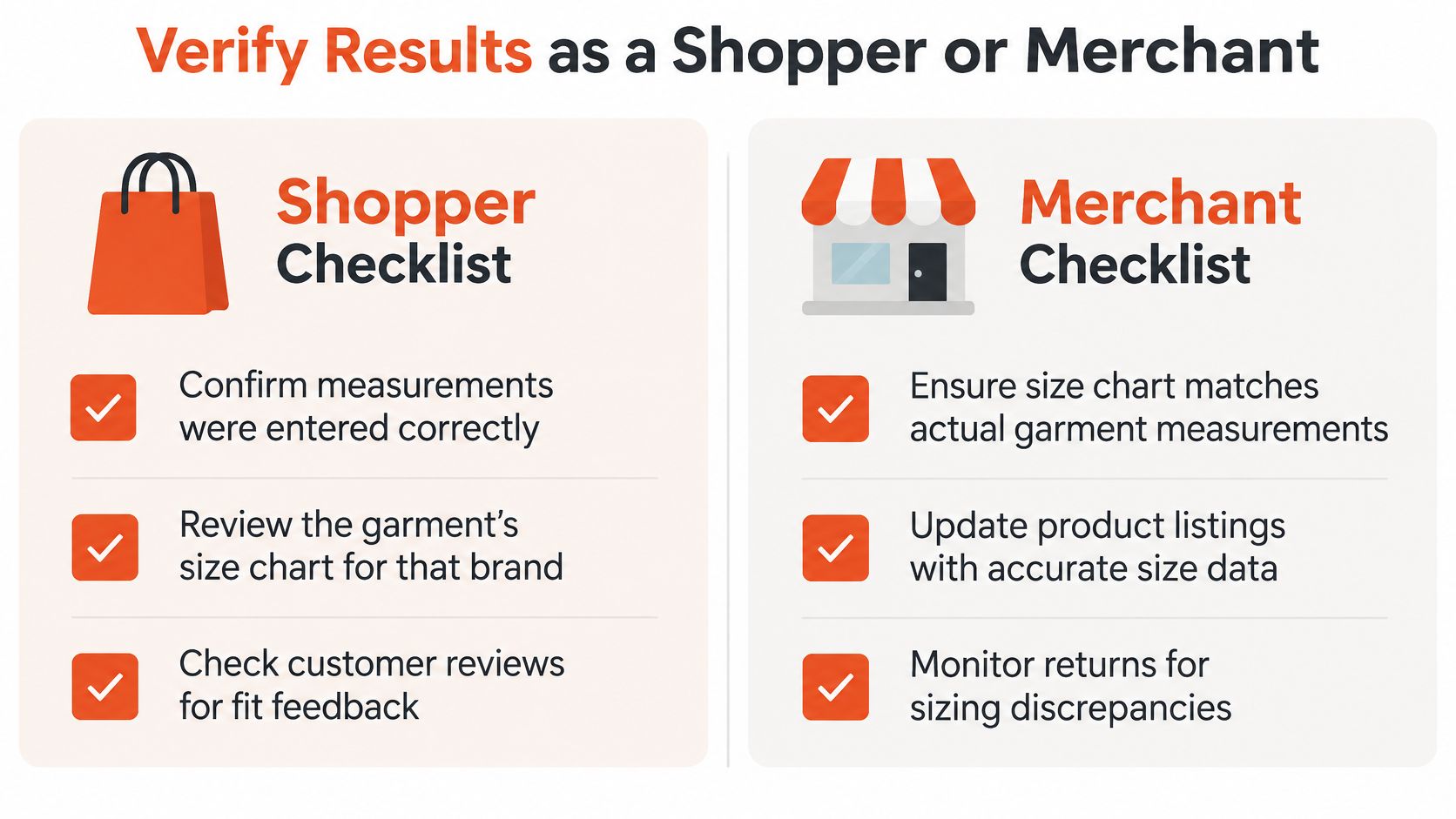
- Confirm your entries. Check that you entered the correct body measurements and selected the correct units.
- Open the product chart. Make sure you're looking at the chart for that garment and brand, not a general conversion table.
- Review fit intent. Look for language that describes the item as close-fitting, regular, or relaxed, and consider whether that matches the fit you want.
- Check boundary notes. If your measurements sit between intervals, compare the adjacent sizes and read the product details before choosing.
- Use fit feedback thoughtfully. Customer comments can offer context, but they don't replace the measurements or chart.
Merchant checklist
- Use product-level data. Normalize each chart into explicit measurement intervals and match the correct chart to each item.
- Preserve fit information. Keep the intended ease and fit category visible instead of treating all garments as equivalent.
- Handle units clearly. Let shoppers enter metric or imperial measurements and show which units the calculator is using.
- Explain the recommendation. Indicate which measurement determined the result and show uncertainty when a shopper is near an adjacent size.
- Review discrepancies. Check whether shopper feedback or returns point to a mismatch between the chart and the garment.
A calculator shouldn't hide a close call behind a confident-looking label. Shoppers need enough information to make an informed choice, and merchants need product data that reflects the item customers will receive.
Use the Calculator as a Decision Aid
A women's clothing size calculator works best when it compares your measurements with a specific garment's requirements. It can't turn every brand's label into a universal size, and it shouldn't make the product chart disappear from the decision.
Carry this simple routine into your next shopping session: measure carefully, select the garment you want, check which dimensions control its fit, and review both the recommended size and any boundary warning. If the result is uncertain, compare the nearby size intervals and the item's fit description before you choose.
For merchants, trustworthy recommendations depend on garment-level charts, clear fit information, and visible uncertainty when a shopper sits between sizes. Automation can make the comparison easier, while an informed review helps ensure the recommendation makes sense for that particular product.
If you want to help shoppers compare a garment with their own measurements and see how it may fit, visit Robosize. Its virtual fitting room offers product-specific size recommendations and optional virtual try-on for online apparel stores.