48% of U.S. adults who abandoned an online cart at checkout cited shipping, taxes, or other extra costs being too high, according to a February 2024 Baymard Institute survey reported by EMARKETER. That's a pricing-visibility problem before it's an email problem. A reminder can bring someone back, but it won't make an unwelcome checkout total disappear.
An effective abandoned cart for WooCommerce strategy starts with diagnosis: identify where the shopper stopped, establish the likely reason, and choose the smallest intervention that addresses it. Fix the checkout when it's broken. Explain fit when the shopper is unsure. Offer a discount only when the likely additional profit justifies it.
Table of Contents
- Why Shoppers Leave WooCommerce Carts and the Fix for Each
- Benchmark Rates and How to Count Your Own Abandoned Carts
- How to Cut Checkout Exits Before You Send Any Email
- Match Each Recovery Message to the Reason for Leaving
- Recovery Email Timing and Content That Work
- Why Recovery Links Fail on Another Device
- Choose Your First Recovery Fix Before the Next Campaign
Why Shoppers Leave WooCommerce Carts and the Fix for Each
An empty order report does not explain why a shopper left. To find the cause, connect checkout events with payment errors, shipping calculations, customer questions, and optional exit feedback.
Baymard's checkout usability benchmark identifies unexpectedly high extra costs, slow delivery, payment-security concerns, mandatory accounts, and complicated checkout as documented reasons for abandonment. Each calls for a different fix, even when the result is the same: no order.
Abandonment causes, shares and where to fix them
| Cause | Share of shoppers | Area to fix |
|---|---|---|
| Unexpected extra costs | 40% in Baymard's U.S. research; 48% in the February survey cited above | Cart and checkout pricing display |
| Slow delivery | 20% in Baymard's U.S. research | Shipping setup and delivery estimates |
| Distrust of payment security | 19% in Baymard's U.S. research | Checkout trust signals |
| Mandatory account creation | 18% in Baymard's U.S. research | Account and guest checkout settings |
| Checkout too long or complicated | 17% in Baymard's U.S. research | Checkout form fields |
| Missing preferred payment method | 57% of consumers encountering its absence abandon, according to the payments finding discussed below | Payment gateways |
| Browsing without purchase intent | Not a fixed share; often unrelated to checkout | Recovery targeting |
These findings describe different survey questions and populations, so the percentages should not be added together. The extra-cost figures come from separate survey snapshots. The missing-payment figure applies to shoppers who encountered that specific problem, not to all shoppers.
Separate a store problem from a messaging problem
A shopper who rejects the delivery date needs an accurate delivery promise, not more urgency in a subject line. Someone concerned about payment security needs a recognizable gateway, consistent checkout branding, and clear business information. A security badge cannot fix a payment error.
Browsing without purchase intent calls for restraint. A cart can be part of comparing options, rather than a sign that the shopper is ready to buy.
Practical rule: Don't prescribe a coupon until you can explain what stopped the purchase.
Apply the same discipline when assessing recovery channels. YipSMS Inc.’s guide to measuring incremental revenue from recovery texts explains how to distinguish additional purchases from orders merely credited to a message.
Start with the leading exit causes in your store. Treat inferred reasons as hypotheses, then check them against support conversations or checkout feedback.
Benchmark Rates and How to Count Your Own Abandoned Carts
Cart abandonment rates can look very different depending on what counts as a cart. A product-view session, a WooCommerce cart, and a checkout initiation are separate events. Comparing rates built from different events can hide a store problem or create a false alarm.
| Source | Rate | Scope and definition |
|---|---|---|
| Baymard Institute benchmark | 70.19% | Global average from 49 studies over 14 years, across online shopping |
| Dynamic Yield, reported by EMARKETER | 73.9% | Worldwide average for the 12 months ending July 2024 |
| SOAX analysis | 70.19% | Global average for 2024 ecommerce research |
| Your store | Calculate from your records | Abandoned carts divided by carts created over your baseline period |
Use these figures as context, not as a WooCommerce target. Before comparing your store with a benchmark, define what counts as a created cart, how long it must remain inactive to count as abandoned, and how you match a later purchase to that cart.
Build a baseline you can reproduce
Use consistent formulas:
- Abandonment rate: Abandoned carts divided by carts created.
- Recovery rate: Recovered abandoned carts divided by total abandoned carts.
The WooCommerce abandoned-cart documentation explains abandoned-cart counts, previous-year comparisons, and recovery reporting. Check which reporting extension supplies your cart data. A fresh WooCommerce installation may not record carts that never become orders.
Where your reporting tool provides them, review Open, Abandoned, and Converted statuses by date and product before adding another analytics tool. Product-level data can help identify a SKU with confusing variations, an unexpected shipping class, unclear sizing, or unavailable stock.
For a useful baseline, record product views, add-to-cart events, checkout starts, payment failures, and completed orders. Segment the results by device, traffic source, and payment method. Capture field-validation errors without storing sensitive input.
Use a trailing quarter as your initial measurement period. Save the cart definition alongside the rate, so later comparisons reflect a real change rather than a change in how you count.
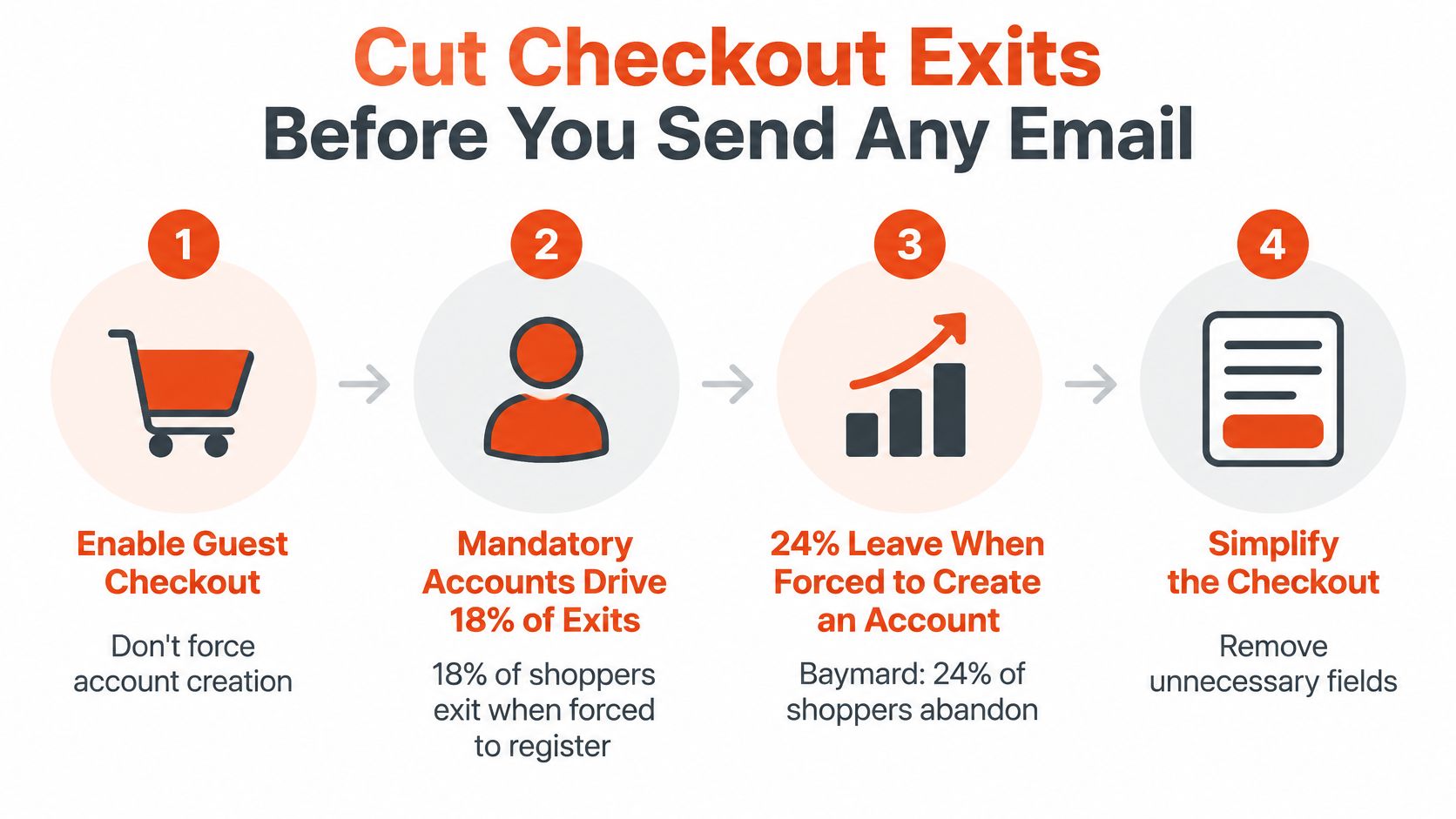
How to Cut Checkout Exits Before You Send Any Email
Start with the checkout a new customer uses, not the one you see while logged in as an administrator. Saved addresses and remembered payment details can hide unnecessary work.
Baymard's checkout usability report puts the average U.S. checkout at 23.48 form elements, while usability testing indicates an effective flow can use roughly 12–14. Simplification means removing unnecessary decisions, not deleting fields required for delivery or payment.
Make the essential settings work
Enable guest checkout. In WooCommerce → Settings → Accounts & Privacy, enable ordering without an account. Let shoppers create an account optionally rather than making registration a condition of payment.
Remove nonessential fields. Review company name, secondary address details, order notes, and account-related inputs in your Checkout block or checkout-field extension. Keep carrier and gateway requirements intact, and retest tax calculation after changing address fields.
Use suitable mobile inputs. Configure email and telephone fields with appropriate input types and autocomplete attributes. Test postcode entry against your shipping countries rather than forcing a numeric keyboard that prevents letter entry.
Expose the payable total early. Review Shipping zones, shipping methods, and Tax options, then make calculated shipping, tax, and the final total visible before payment. Where the address is needed for accuracy, explain that requirement and offer a shipping estimate rather than displaying a misleading total.
Don't replace clarity with a visually shorter checkout. Hiding delivery information inside a collapsed panel can remove useful reassurance even if the page looks cleaner.
For a second checklist, use Netco Design LLC's checkout UX advice for e-commerce brands alongside our broader guide to conversion rate optimization for ecommerce.
Complete a purchase on a phone as a new shopper, then repeat with account creation. Time the process, note validation failures, and record every field that makes you stop to think.
Match Each Recovery Message to the Reason for Leaving
A clinic diagnoses before prescribing treatment. Apply the same discipline to cart recovery: establish what's wrong before choosing a message, incentive, or channel.

The payments finding summarized by StatisticsGlobal says 57% of consumers who encounter a missing preferred payment method abandon the purchase entirely. A generic coupon doesn't resolve that obstacle. The shopper needs a usable payment option, and your message should only announce one after you've enabled and tested it.
Write for the unresolved decision
- Unexpected shipping charge: Say a shopper leaves a jacket after calculating delivery. Show the landed price and expected delivery date, rather than sending them back to discover the same charge again.
- Missing wallet: A shopper exits after inspecting payment options. If their preferred wallet is now available, explain that change and return them to the relevant checkout.
- Size uncertainty: Someone choosing between garment sizes needs a fit guide, garment measurements, or a clear explanation of the cut. A discount can secure the order while leaving the wrong-size return risk unchanged.
- Browsing intent: Someone casually comparing styles may need no cart reminder. Product education can be more appropriate later, provided they've agreed to receive it.
Use direct evidence where possible: a failed payment, a shipping calculation followed by an exit, or a sizing question. Don't label someone price-sensitive solely because they left.
Reserve incentives for high-intent, price-sensitive shoppers. Check profit after the incentive, not just the recovered order value.
Include product cost, payment charges, shipping subsidy, and expected return costs in that decision. A recovered order can still be an unattractive order.
For consented mobile audiences, CartBoss explains how to set up SMS cart recovery campaigns. Apply the same reason-based segmentation before adding texts, and coordinate suppression across channels.
Track recovered gross margin, return rate, payment-method completion, and reason-specific conversion. Tag each exit with an observed or suspected cause, retaining an unknown category instead of inventing certainty.
Recovery Email Timing and Content That Work
The first email should make returning easy, not teach shoppers to wait for a coupon. Shopify's abandoned-cart email guidance recommends an initial reminder 2–4 hours after abandonment, followed by another 24–48 hours later, with related products as a final approach for shoppers who haven't engaged.
Recovery email timing and what each message does
| Message | Send timing | Content and incentive |
|---|---|---|
| First reminder | Initial window described above | Cart contents and checkout link, no discount |
| Second reminder | Follow-up window described above | Optional incentive, only for segments that need one |
| Final message | After no engagement with earlier messages | Related products the shopper is likely to want |
Choose and document whether your scheduler measures the follow-up delay from abandonment or from the first send. Those aren't interchangeable configurations, and an ambiguous rule makes testing difficult.
Keep capture, scheduling, and consent separate
Capture product identifiers, URLs, selected variations, quantities, currency, and the price shown when the shopper left. Preserve that snapshot for message accuracy, but validate current availability and payable prices when restoring checkout.
Run the sequence through Action Scheduler or another scheduled queue, not a synchronous checkout request. Assign each cart a deduplication key and give each scheduled message a unique cart-and-stage identity.
Before sending, the job should check:
- Order status: Has the cart already converted or been superseded?
- Consent status: Is this shopper still eligible for marketing email?
- Message state: Has this stage already been sent?
- Cart validity: Can the shopper still buy the selected products?
Cancel pending jobs immediately after purchase, and repeat the purchase check at send time to catch race conditions. Keep consent records separate from cart records so a refusal stops communication without destroying useful funnel reporting.
Send marketing recovery emails only to shoppers who've consented. Don't assume that entering an email address for checkout automatically provides that permission.
Measure additional orders
Randomly assign eligible carts to a holdout group that receives no recovery message. Compare purchase rates and margin over the same observation window, accounting for unsubscribes and time to purchase.
Attributed revenue alone credits the campaign for shoppers who might have returned anyway. Launch the first reminder and its holdout before expanding the sequence.
Why Recovery Links Fail on Another Device
A guest creates a cart on desktop, opens the recovery email on an iPhone, and finds an empty cart. A WooCommerce marketplace review describes that failure, including an abandoned-cart record disappearing without an order. It's a reported failure case, not proof that every recovery extension behaves this way.
The likely weak point is restoration tied to the original browser's cookies or session. A click is not a recovered cart, and a recovered cart is not a sale.
Recovery funnel stages and what each proves
| Stage | What it proves | Metric to monitor |
|---|---|---|
| Email delivered | The recipient's mail server accepted the message, not necessarily inbox placement | Delivery rate |
| Recovery link clicked | The link was requested, subject to scanner and bot filtering | Click-through rate |
| Cart restored | The application rebuilt the cart correctly | Restoration rate among clicks |
| Checkout completed | The shopper finished the purchase | Recovered-order rate |
| Attributed revenue | Revenue was credited to the message | Incremental revenue against holdout |
Restore from server-side records
Store the cart snapshot server-side and issue an opaque, signed recovery token that references it. Validate the token, rebuild the appropriate cart, and establish a new browser session rather than requiring the old cookie.
Keep customer and payment information out of URL parameters. Scope tokens to cart recovery, apply expiry and revocation rules, and prevent shared caches from serving personalized cart responses.
Test the recovery endpoint through your cache and CDN configuration. Check logged-in and guest behavior, consent choices, another browser, incognito mode, and an expired original session.
Test the cart the shopper gets, not just whether the recovery URL opens.
If a variation is unavailable, show a clear explanation, a product summary, and a route back to the product. Don't substitute a size or mark the cart converted because restoration was attempted.
Preserve selected garments and variations even when a fitting session can't transfer between devices. Compare genuine recovery clicks with successful restorations each week, and investigate unexplained gaps as application failures rather than weak email copy.
Choose Your First Recovery Fix Before the Next Campaign
Choose work from your store's evidence, not from the feature list of a recovery plugin. A useful plugin needs reliable cart capture, consent controls, purchase suppression, restoration, and exportable reporting. More templates won't compensate for missing fundamentals.
Use this ordered plan to keep the next campaign focused:
Establish the baseline. Export a trailing quarter of cart records using one consistent abandonment definition. Rank suspected causes by affected carts, then inspect the evidence behind the largest group.
Repair the leading obstacle. If shoppers leave after shipping calculation, investigate price visibility and shipping configuration. If they stop at registration, test the guest path before writing new reminders.
Launch a controlled reminder. Start with the non-discounted email and a holdout group. Define the purchase observation window before looking at results, and avoid changing the audience rules halfway through.
Validate restoration across devices. Create a real guest cart, open its recovery message on desktop and phone, and confirm the selected variations survive. Assign someone responsibility for reviewing the click-to-restoration gap.
Add incentives selectively. Require evidence of price sensitivity and a margin check before introducing a discount. Keep an untreated comparison group so you can distinguish profitable additional orders from subsidized organic purchases.
Give each change an owner and a success measure
Record the hypothesis, the setting you'll change, the person responsible, and the metric that should improve. For a checkout-field change, inspect completion and validation errors; for a recovery-link repair, inspect successful restoration rather than opens.
Keep other major changes stable while evaluating the fix. Otherwise, a promotion, traffic shift, or payment update can make the result difficult to interpret.
For apparel, fit uncertainty deserves its own diagnosis rather than being grouped into generic price resistance. We offer a live demo using your own products, so your team can evaluate the fit journey in its actual merchandising context.
This week, choose one documented leak, assign its owner, and write down the result that would justify keeping the fix.
Robosize offers product-page size recommendations and virtual try-on for shoppers who need fit reassurance before buying. For WooCommerce, we install through a JavaScript snippet on the product page, rather than a Shopify app. Visit Robosize to book a live demo using your own products and assess whether fit uncertainty belongs in your cart-abandonment diagnosis.