You've added the fitting-room script to a product page, refreshed the browser, and watched the widget appear beside the size selector. Then you move to another garment without a full reload. The fitting room disappears, shows the previous product, or sends the same analytics event twice. The script downloaded successfully, but the integration isn't finished.
Production JavaScript code snippets need to handle more than their first execution. Treat the embed as an integration surface with ownership, lifecycle rules, privacy boundaries, and measurable outcomes, not as a script tag someone pasted into a theme.
Table of Contents
- Why Most Robosize JavaScript Snippets Break in Production
- Prerequisites and the Container Markup
- Initializing the Widget with an Idempotent Bootstrap Function
- Wiring Event Hooks Into Your Analytics and Storefront
- Enabling the Optional Selfie Try-On Flow
- Handling SPA Route Changes Without Double Mounting
- Troubleshooting the Three Most Common Production Failures
Why Most Robosize JavaScript Snippets Break in Production
A clean staging page hides inconvenient conditions. Product data is already available, the container never moves, and the developer grants every permission. A shopper's session can include delayed product context, navigation without document reloads, and a camera they don't want to use.
Consider a typical failure sequence, not a customer case study: a developer attaches initialization to document readiness, tests a product, and ships. The storefront router then replaces the product component without firing that document event again. The old widget survives outside its intended lifecycle, while the new container remains empty.
A rendered widget isn't a completed integration
The useful distinction is deployment success versus lifecycle success. Deployment means the browser obtained the bundle. Lifecycle success means the correct product appears, interactions work, failures remain recoverable, and the storefront can release everything the integration created.
Evaluate the embed against these production conditions:
- Component replacement: A router can remove the original container while asynchronous initialization is still pending.
- Theme ownership: A template change can replace the expected markup or introduce another script owner.
- Restricted capabilities: Shoppers can decline camera access, block third-party requests, or browse without usable JavaScript.
- Delayed context: The product identifier may arrive after the initial HTML and must be validated before mounting.
Shipping rule: A successful network request proves delivery, not a usable fitting room.
Generated code still needs review
AI-assisted coding makes it easier to produce plausible bootstrap code, but plausibility isn't a lifecycle guarantee. In JetBrains' global developer survey, 85% of respondents regularly used AI coding tools in 2025, with concerns including inconsistent quality, privacy, security, and limited context awareness, according to its State of Developer Ecosystem findings.
Review generated snippets like any third-party integration. Give the code an owner, put it in version control, and require tests for navigation and permission failures. A short snippet that nobody can diagnose is more expensive to maintain than a slightly longer wrapper with explicit responsibilities.
Prerequisites and the Container Markup
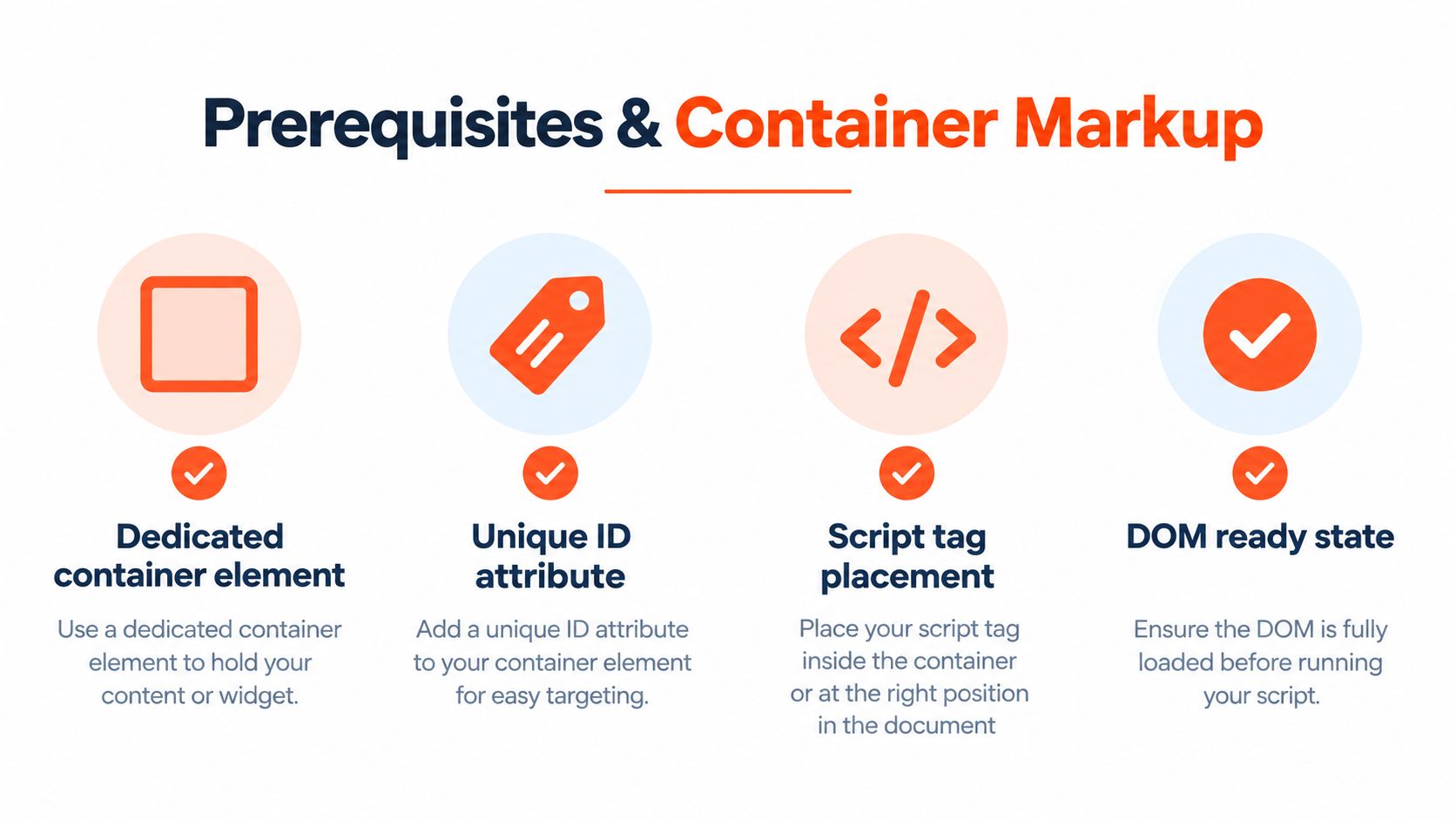
Give the fitting room a dedicated home inside the product template. Place it near the sizing controls, where shoppers can understand why it's there, rather than inside markup that merchandising tools routinely replace.
Establish a stable target
For a Shopify Liquid template, this is adaptable container markup:
<div
  id="robosize-fitting-room"
  data-product-id="{{ product.id | escape }}"
></div>
The identifier comes from the current product rather than a manually maintained SKU list. In a headless component, bind the same data attribute to the product identifier your integration expects. Don't assume that a platform's internal identifier, variant identifier, and catalog mapping identifier are interchangeable.
Check the fitting-room technology overview alongside the installation configuration before deciding which catalog value to expose.
- Keep the ID unique: Render one intended target per product view.
- Validate context: Reject an empty identifier instead of mounting a widget with guessed data.
- Preserve a fallback: Keep a conventional size-chart path available independently of the embed.
Choose loading behavior deliberately
The loading shape for a classic external script is <script defer src="…"></script>. Replace the ellipsis with the bundle address from your installation instructions; it isn't a deployable address.
defer suits an integration that queries product markup or depends on ordered scripts. Deferred classic scripts execute after HTML parsing and preserve document order. async executes when the download finishes and doesn't guarantee order, as documented in MDN's script element reference.
An inline initializer immediately following a deferred bundle can still execute before that bundle. Put initialization in the deferred application bundle or use an explicit readiness signal.
Don't load the SDK globally just because the header is convenient. In a Shopify theme, scope ownership to the product experience. In a client-rendered application, load it through the product integration module, then mount only after the component and product context exist.
Initializing the Widget with an Idempotent Bootstrap Function
Idempotent initialization means repeated calls for the same active product and container reuse the same work. A Boolean named initialized isn't enough: it can't distinguish a pending mount, a failed mount, or a replacement container.
Separate the adapter from the bootstrap
The following methods are application-owned adapter methods, not claimed vendor SDK signatures. Implement mount and destroy using your installed SDK's documented capabilities.
The simplest version calls adapter.mount({ container, productId }). That demonstrates placement, but it doesn't protect against repeated calls. A stronger version stores the pending mount as soon as initialization starts, rather than waiting for it to finish.
window.storefrontFitting ||= { active: null };

async function bootstrap(adapter) {
  const container =
    document.getElementById("robosize-fitting-room");
  const productId = container?.dataset.productId;
  if (!container || !productId) return null;

  const state = window.storefrontFitting;
  const previous = state.active;

  if (
    previous?.container === container &&
    previous.productId === productId
  ) {
    return previous.ready;
  }

  if (previous) {
    throw new Error("Release the previous mount first");
  }

  const record = { container, productId };
  state.active = record;
  record.ready = Promise.resolve().then(() =>
    adapter.mount({ container, productId })
  );

  try {
    return await record.ready;
  } catch (error) {
    if (state.active === record) state.active = null;
    throw error;
  }
}
This guard checks container identity and product identity. Comparing only the product misses a theme or component replacement that creates a new element for the same garment.
Add readiness without polling forever
A document-ready wrapper completes the progression:
function whenDocumentReady(start) {
  if (document.readyState === "loading") {
    document.addEventListener(
      "DOMContentLoaded", start, { once: true }
    );
  } else {
    start();
  }
}
Call this only after the adapter is available. If product data arrives later, invoke bootstrap from the application's product-ready signal rather than repeatedly querying the DOM.
A data attribute is usually the clearest context boundary. JSON-LD or a global product object can also work, but validate the schema and identifier instead of scraping whichever value happens to exist.
The same ownership discipline applies when adding a live chat widget from Convot alongside the fitting room. Give each embed its own namespace and lifecycle so troubleshooting one doesn't require disabling every storefront enhancement.
Wiring Event Hooks Into Your Analytics and Storefront
Define what you want to measure before registering listeners. Initialization, shopper interaction, recommendation delivery, and confirmed cart mutation describe different stages. Combining them into a generic engagement event makes failures difficult to locate.
The fitting-room solution overview provides product context, but the exact subscription methods and event names must come from the SDK version you install. Don't assume the conceptual names below are native hooks.
Use a normalized event contract
Robosize Event Hooks and Common Destinations
| Robosize Event | What It Means | Common Destinations |
|---|---|---|
| Initialization completed | The adapter confirms a usable mount | Operational telemetry |
| Try-on started | The shopper begins the try-on interaction | GA4 or Segment |
| Recommendation received | A sizing result becomes available | Product analytics or a custom endpoint |
| Size selected | The shopper chooses a recommended or alternative size | Storefront state and analytics |
| Add-to-cart confirmed | The storefront confirms a cart mutation succeeded | Existing commerce analytics |
These are integration-level labels. Map supported SDK callbacks to them and retain the storefront's existing ownership of purchase-related events.
An application-owned listener pattern can look like this:
function bindFittingAnalytics(adapter, consent, analytics) {
  return adapter.subscribe(event => {
    if (!consent.analyticsAllowed()) return;

    analytics.track(event.name, {
      product_id: event.productId,
      interaction_id: event.interactionId,
      outcome: event.outcome
    });
  });
}
The adapter's subscribe method should return an unsubscribe function. Store that function with the active widget instance and invoke it during release.
Keep attribution honest
- Use an allowlist: Forward approved fields, not an entire SDK payload that might contain body measurements or images.
- Gate at dispatch: Check current analytics consent when an event occurs, not only when the listener is registered.
- Deduplicate interactions: Use a stable interaction identifier if available. Don't deduplicate every event for a product, which would suppress legitimate repeat attempts.
- Confirm cart success: A widget's cart intent isn't proof that the commerce API accepted the item.
Register listeners before interactions can begin, using the SDK's documented callback mechanism. If events can occur during mounting, supply callbacks as part of initialization where supported.
Keep operational error reporting separate from marketing attribution, with its own approved privacy handling. A denied analytics preference shouldn't accidentally hide every integration failure, nor should debugging become a route around consent.
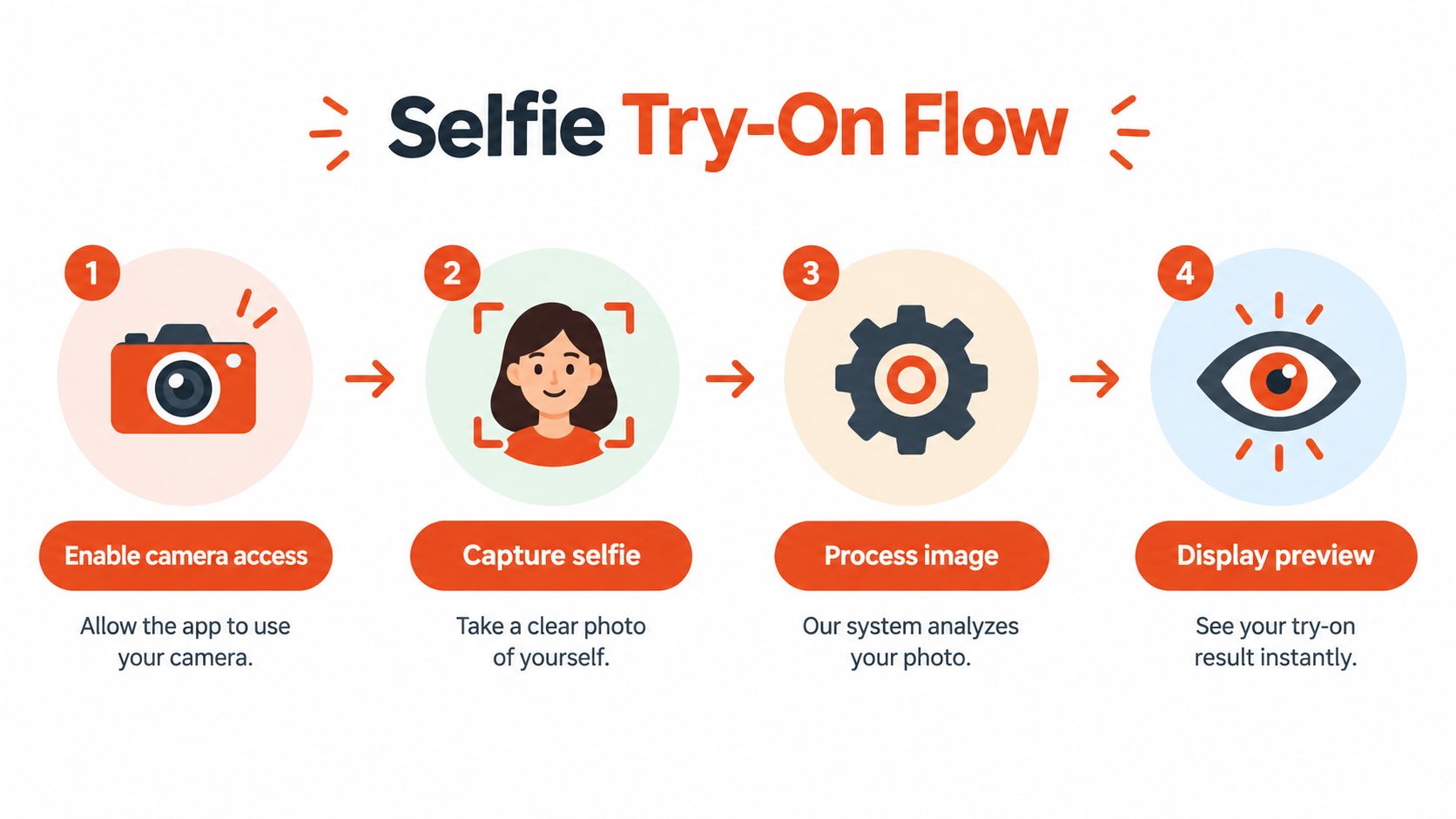
Enabling the Optional Selfie Try-On Flow
The selfie path should be a shopper choice, not a prerequisite for receiving sizing help. Explain the purpose before requesting access, and keep the alternative model-selection route visible.
Enable the capability through a local wrapper
Keep configuration translation inside the adapter. This example describes your application's contract, not an undocumented SDK flag:
const options = {
  selfieEnabled: preferences.selfieAllowed(),
  onSelfieUnavailable: () => showModelSelection()
};

await adapter.mount({
  container,
  productId,
  options
});
Verify that your plan and installed integration support the flow before exposing its control. The body-scanning explanation can help product and UX teams explain the experience without inventing claims about image retention or processing.
Separate feature eligibility from the actual camera request. A shopper opening the fitting room shouldn't automatically receive a permission prompt.
Permission to use a camera isn't permission to send photographs or body-related inputs to your analytics system.
Design the declined-permission state
Use a short explanation beside the action: the camera supports a personalized preview, and an alternative is available. Avoid promising that images stay on the device unless the installation's documented processing behavior establishes that.
- Offer a skip path: Let shoppers continue with model selection without navigating away.
- Respect refusal: After denial, display alternatives instead of immediately reopening the request.
- Handle unavailable hardware: Treat a missing or unusable camera as a supported degraded state.
- Release owned resources: If your wrapper acquires a media stream, stop its tracks when the flow closes. If the SDK owns it, verify its documented cleanup behavior.
Make the modal usable beyond touch input. Give controls accessible names, preserve visible keyboard focus, return focus to the launching control, and announce meaningful processing or failure status. Respect reduced-motion preferences where your application controls animation.
Camera permission, image-processing consent, and analytics consent serve different purposes. Model them separately so withdrawing one preference doesn't leave an unclear or partially enabled experience.
Handling SPA Route Changes Without Double Mounting
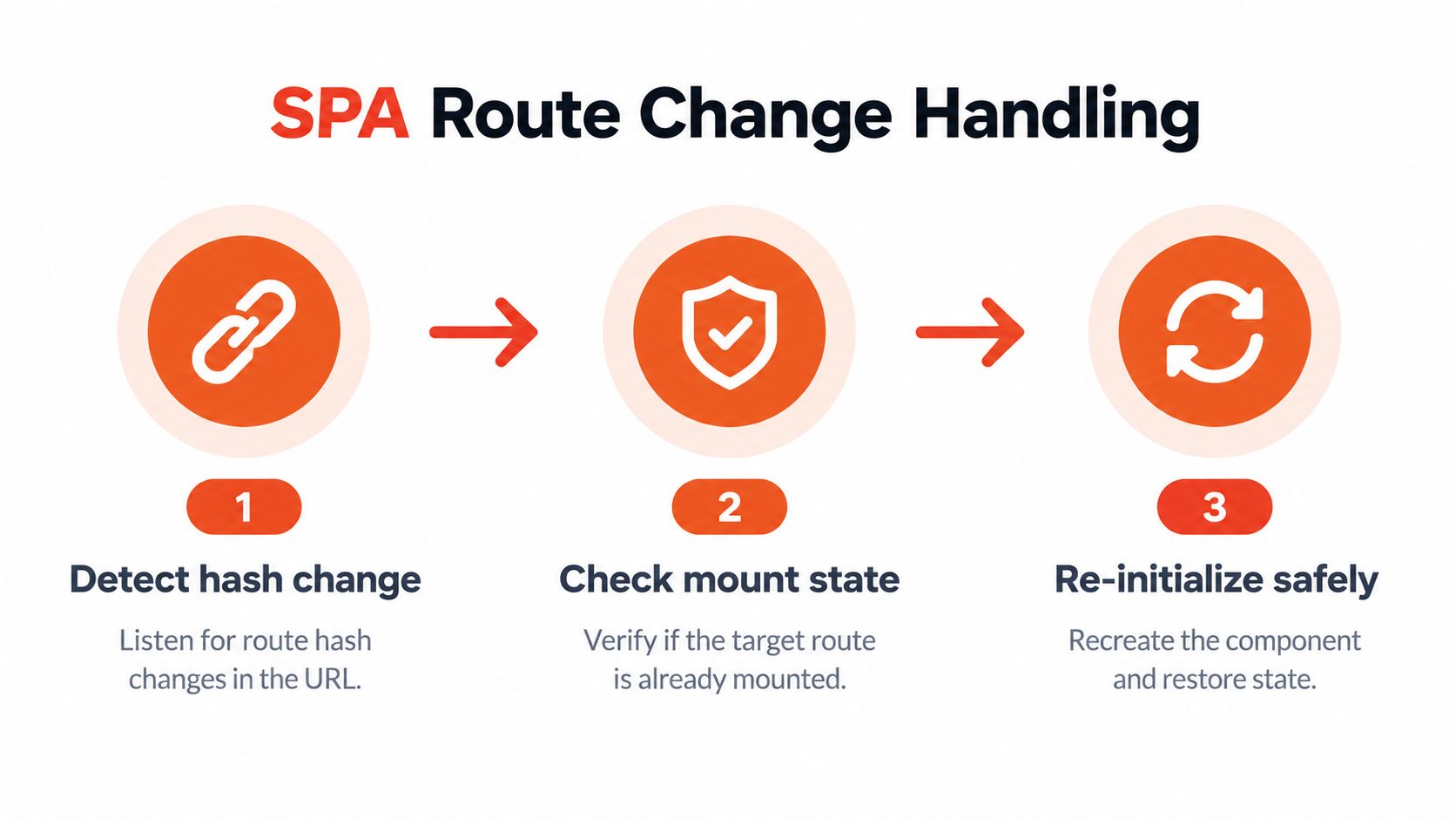
Changing a hash or generating a new product key doesn't release an existing widget. A hash can be a valid routing signal, but a routing signal isn't a lifecycle implementation.
Release ownership before mounting again
Use the router's committed product state, not merely the URL, to determine when the next container and identifier are ready. Serialize transitions so an earlier mount can't finish after a later navigation and overwrite the current view.
A release helper can work with the bootstrap record:
async function releaseActive(adapter) {
  const state = window.storefrontFitting;
  const record = state.active;
  if (!record) return;

  try {
    const instance = await record.ready;
    await adapter.destroy(instance);
  } finally {
    if (state.active === record) state.active = null;
  }
}
This assumes the adapter provides a real disposal implementation. If the SDK lacks a supported destroy or reset mechanism, resolve that limitation before shipping SPA support; clearing innerHTML doesn't release external listeners or observers.
- React: Put mounting in
useEffect, keyed to the product context. Cleanup should unsubscribe and cancel pending work or dispose of its eventual result. - Vue: Use component lifecycle hooks, including
onBeforeUnmount, and watch product changes when the router reuses the component. - Framework-neutral routing: Subscribe to the application's navigation signal.
popstatecovers history traversal, not every programmatic navigation; usehashchangeonly for hash-driven routes.
Type the boundary, test the transition
Declare the wrapper contract in TypeScript rather than scattering unchecked globals:
interface FittingAdapter {
  mount(context: FittingContext): Promise<FittingInstance>;
  destroy(instance: FittingInstance): Promise<void>;
}
Static types are useful at this boundary. 40% of respondents wrote exclusively in TypeScript, versus 6% exclusively in plain JavaScript, in the ecosystem reporting summarized by InfoQ's State of JavaScript survey coverage.
Test rapid navigation while mounting is pending, return navigation, and departure to a non-product route. Verify that the recommendation belongs to the current garment and that listeners, observers, and any owned media resources disappear after release.
Troubleshooting the Three Most Common Production Failures
Start with Network, Console, and Elements, in that order. Confirm the bundle's request, inspect execution and policy errors, then verify the live container and product context. Don't begin by adding another retry timer.
Duplicate initialization on navigation
Symptom: The fitting room appears twice, recommendations refer to a previous garment, or an interaction produces duplicate analytics entries. Log mount attempts with product identity and container identity to distinguish repeated calls from legitimate remounts.
Likely cause: Both the theme and tag manager own initialization, or the application registers listeners each time a component renders without releasing them.
Immediate fix: Remove the second initialization owner and enforce the active-record guard.
Don't silence duplicate warnings while leaving the second widget running. In Elements, inspect whether duplicate IDs exist; in your wrapper logs, inspect which code path created each instance.
Script loading delays the product page
Symptom: Product content appears late while a third-party request remains pending. A successful response eventually arrives, but the shopper has already waited through a blocked render.
Likely cause: A synchronously critical script, unnecessary dependencies, or repeated injection through a tag manager.
Immediate fix: Move non-critical widget loading out of the render-blocking path and remove duplicate injections.
Use Chrome DevTools' Network panel to examine download latency and the Performance panel's Bottom-up view to attribute main-thread work. Block the integration's script domain locally and reload to compare behavior. Repeat each condition at least three times and compare medians, as recommended in the web.dev guidance on loading third-party JavaScript.
That comparison separates download cost from execution cost. Changing the loading attribute won't fix an expensive initialization routine.
The camera request becomes a retry loop
Symptom: Denying permission returns the shopper to the same camera action, with no usable alternative. The interface may look active even though the selfie flow can't proceed.
Likely cause: Every failure routes back into the permission request, or permission state is treated as a temporary network error.
Immediate fix: Route denial to model selection and require a deliberate shopper action before another attempt.
Test this on actual mobile browsers, not only desktop emulation. Include an unavailable camera, interrupted capture, closed modal, and slow processing response. Each state needs a clear next action.
Triage shortcut: If the bundle loaded but nothing rendered, inspect context and container ownership before increasing retries.
Check the failures outside those buckets
A Content Security Policy violation belongs in the Console investigation. Review the documented resource requirements with the security owner; don't disable the policy to make the widget appear.
A tag manager can introduce unexpected loading timing or duplicate ownership. A theme update can remove the target entirely. Preserve the integration in a reviewed component or template change, and include container presence in regression tests.
When browser automation behaves differently from a shopper session, use Clearcote Labs' discussion of why JS patches fail in automation as supplementary reading, not proof that this particular embed has an automation defect. Inspect the actual failure before patching browser behavior.
Define done in the issue tracker
- Lifecycle verified: Repeated calls reuse pending work, and navigation releases the previous instance.
- Observability verified: Initialization, interaction, completion, and errors remain distinguishable.
- Privacy verified: Camera and analytics choices are enforced independently.
- Fallback verified: Size guidance remains reachable when the embed or selfie path fails.
- Rollback verified: The reviewed integration version can be disabled without damaging the product page.
On launch day, compare try-on completion rate against a control cohort alongside initialization success, JavaScript errors, and page performance. Don't treat differences as causal until cohort assignment and event definitions are sound. Use the installation instructions supplied for your platform and SDK version to resolve configuration details before expanding the rollout.
Robosize offers an AI virtual fitting room with product-page size recommendations and optional selfie-based try-on, available through a Shopify app or a JavaScript integration. Visit Robosize to discuss your storefront setup and confirm the installation details, lifecycle capabilities, and measurement requirements before deploying.